

Rodin
Deemos (Hyper3D) · Image · China AI
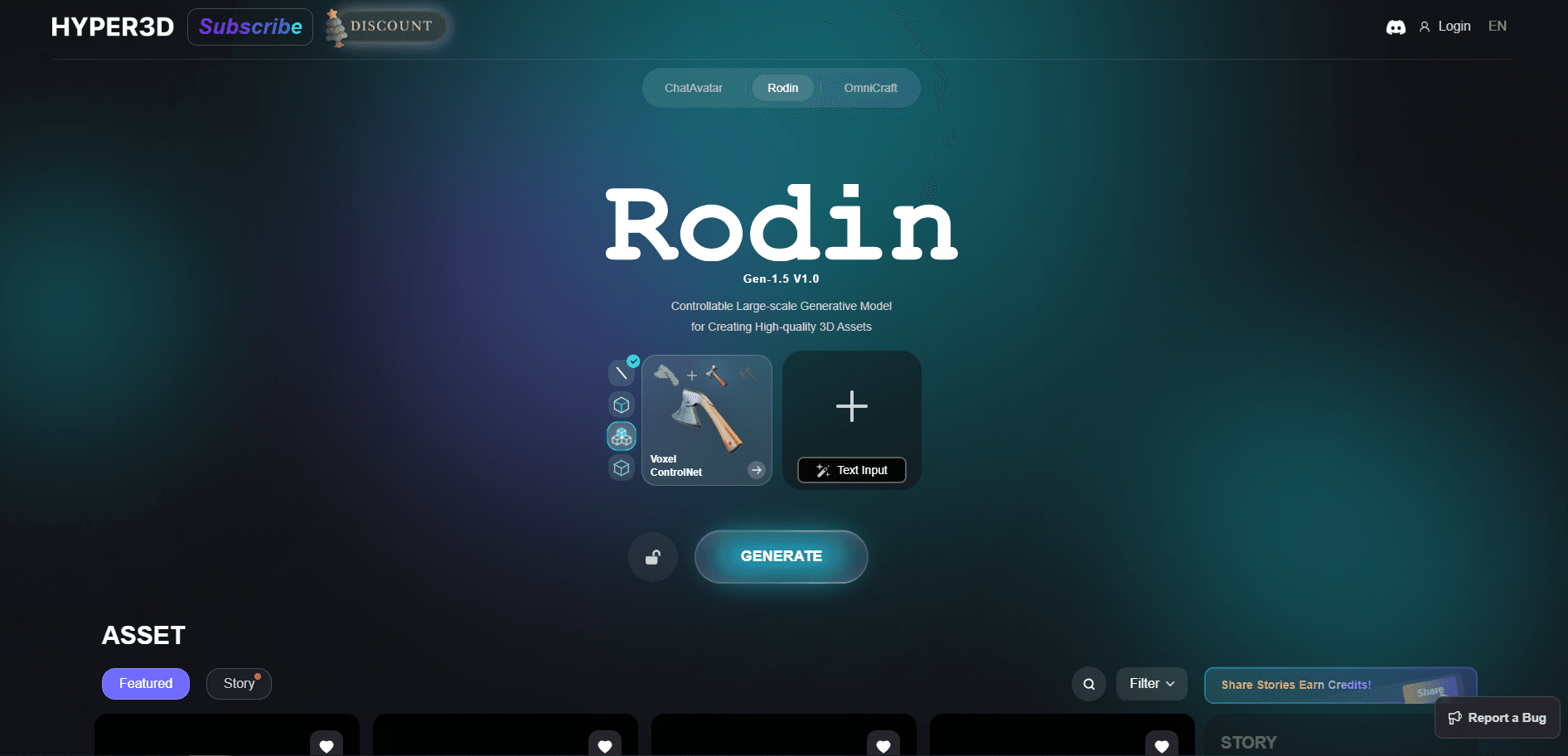
Rodin is an AI 3D model generator from Hyper3D that turns text prompts or reference images into export-ready 3D assets in seconds, with clean UVs and control tools.
About Rodin
What Is Rodin
Rodin is an AI 3D model generator built by Hyper3D, the 3D platform from Deemos. It reads a text prompt or a reference image and returns a finished 3D asset you can drop into a game engine, a DCC tool, or a print slicer. The output ships with ready-to-use UV mapping, so you skip one of the slowest steps in a normal modeling job.
The tool targets a real problem. Traditional 3D work starts with a blank viewport and hours of box modeling, and most AI 3D tools before it returned shapes too rough to use. Rodin leans on an image-to-3D and text-to-3D workflow that aims at assets close to production ready, not just something that looks nice in a turntable. Artists use it for hard-surface props, characters, product mockups, and printable figurines.
The limits matter too. Rodin handles single objects better than full scenes, and results for organic, highly detailed subjects still need a cleanup pass. The free tier caps how many private assets you keep, and heavier features such as high-poly quads and full API access sit behind paid plans.
Getting Started
- Open the Rodin workspace at hyper3d.ai and sign in. You can start on the free plan and only spend credits when you confirm a result.
- Pick a mode: Text to 3D, Image to 3D, or Multi-image to 3D. Upload a reference image or type a prompt that names the object, material, and style.
- Preview the first result. Rodin lets you retry before you confirm, so you can reroll geometry and materials without paying.
- Adjust the shape with control tools such as bounding box, voxel, or point cloud, and set the polygon count and material type you need.
- Confirm the model, then export it as GLB, FBX, OBJ, USDZ, or STL, or send it straight to Blender, Unity, Unreal, or another supported plug-in.
Product Information
A quick look at Rodin's pricing, supported platforms, and performance.
Best for
The users, tasks, and scenarios where this tool fits best.
Users
- Indie game developers
- 3D printing hobbyists
- Product and e-commerce teams
Tasks
- Turning concept art into a base mesh
- Generating hard-surface assets
- Batch asset creation through the API
Scenarios
- Prototyping a game level's set dressing before final art passes.
- Making a quick 3D visual for an AR or VR mockup.
- Creating a printable model from a photo for a one-off gift.
Key features
Text to 3D and Image to 3D
Rodin generates a 3D model from a typed description or a single reference image, and you can add extra views when you want more control. Text works well for objects you can describe precisely, while a photo or sketch usually wins for shapes that are hard to put into words. Both paths land in the same workspace, so you can switch between them mid-project.
Smart 3D Controls
Bounding box, voxel, and point cloud control let you steer the overall silhouette, mass, and fine structure before generation runs. These controls are the main reason Rodin suits production work: instead of rerolling until something fits, you tell the model what shape to respect. The same controls show up in the API, so scripted jobs behave like manual ones.
BANG Part Splitting
BANG breaks a finished model into separate parts, which helps for 3D printing, rigging, and editing one piece without touching the rest. A printable figurine can be split into head, body, and base so each part prints cleanly. It's also the base for later edits, since you can target a single part instead of the whole mesh.
Partial Edit
Partial Edit lets you select a region of a model and rebuild just that area, keeping the rest intact. You can swap a character's hands, reshape a helmet, or fix a weak spot without regenerating everything. For anyone who has redone a whole model to fix one corner, this saves real time.
PBR Textures and HD Output
Rodin produces PBR materials and can push textures up to 12K on the top tiers, with baked normals pulled from a high-poly pass. That matters for renders and product shots where flat shading would show. Texture resolution and material type are set at generation time, so plan them before you confirm.
Multi-format Export and DCC Plug-ins
Models export as GLB, FBX, OBJ, USDZ, or STL, covering web, game, Apple, and print pipelines. Native plug-ins for Blender, Unity, Unreal, Godot, Maya, 3ds Max, and ComfyUI let you generate and drop assets without leaving your tool. This keeps Rodin inside an existing workflow instead of adding a separate stop.
API and MCP Access
The Rodin Gen-2 API runs text-to-3D, image-to-3D, texture, status, and download jobs from your own backend. Rate limits run at 120 to 240 requests per minute on Business tiers, and an MCP option connects AI agents to the same tools. Teams that need automation get a clean path rather than a manual upload loop.
Pros and cons
Pros
- Free preview before you spend credits, so you only pay for results you keep.
- Clean UVs and PBR output cut down on post-processing before an asset is usable.
- Sharp edges on hard-surface models, a weak spot for many rival 3D generators.
- Native plug-ins for seven DCC tools keep the workflow inside your existing software.
- A real API and MCP support for teams that need scripted, high-volume generation.
Cons
- Single-object focus means full scenes still need assembling by hand in another tool.
- Organic and highly detailed subjects often need cleanup, which adds time before use.
- Full API access and high-poly quads sit behind the $120/mo Business plan.
- The free tier limits private assets, which can block longer personal projects.
Frequently asked questions
Rodin generates 3D models from text or images for games, animation, 3D printing, e-commerce, and AR or VR work. It's aimed at getting a usable asset fast rather than replacing a full modeling suite.
Related content
Explore related tools, skills, and articles for Rodin.
Rodin Alternatives

Google EmbeddingGemma 2
Google DeepMind · Writing · Image · CodingGoogle EmbeddingGemma 2 is a 740M-parameter open model that turns text, code, images, audio, and video frames into vectors in one 768-dimension space, running on phones and laptops.

Tractionwave
TractionWave · Image · MarketingTractionWave is an AI attention heatmap tool for static ads. Upload a PNG or JPG and it returns predicted attention, ranked hotspots, and fixes before you spend budget.

Imejis.io
Imejis.io · Image · MarketingImejis.io is an AI design studio for agents and marketing teams. Describe an image in plain words, and it writes the copy, builds the layout, reflows it to every size, then exports a finished file.