

Roomagine
Bitfuse UG (haftungsbeschränkt) · Image · China AI
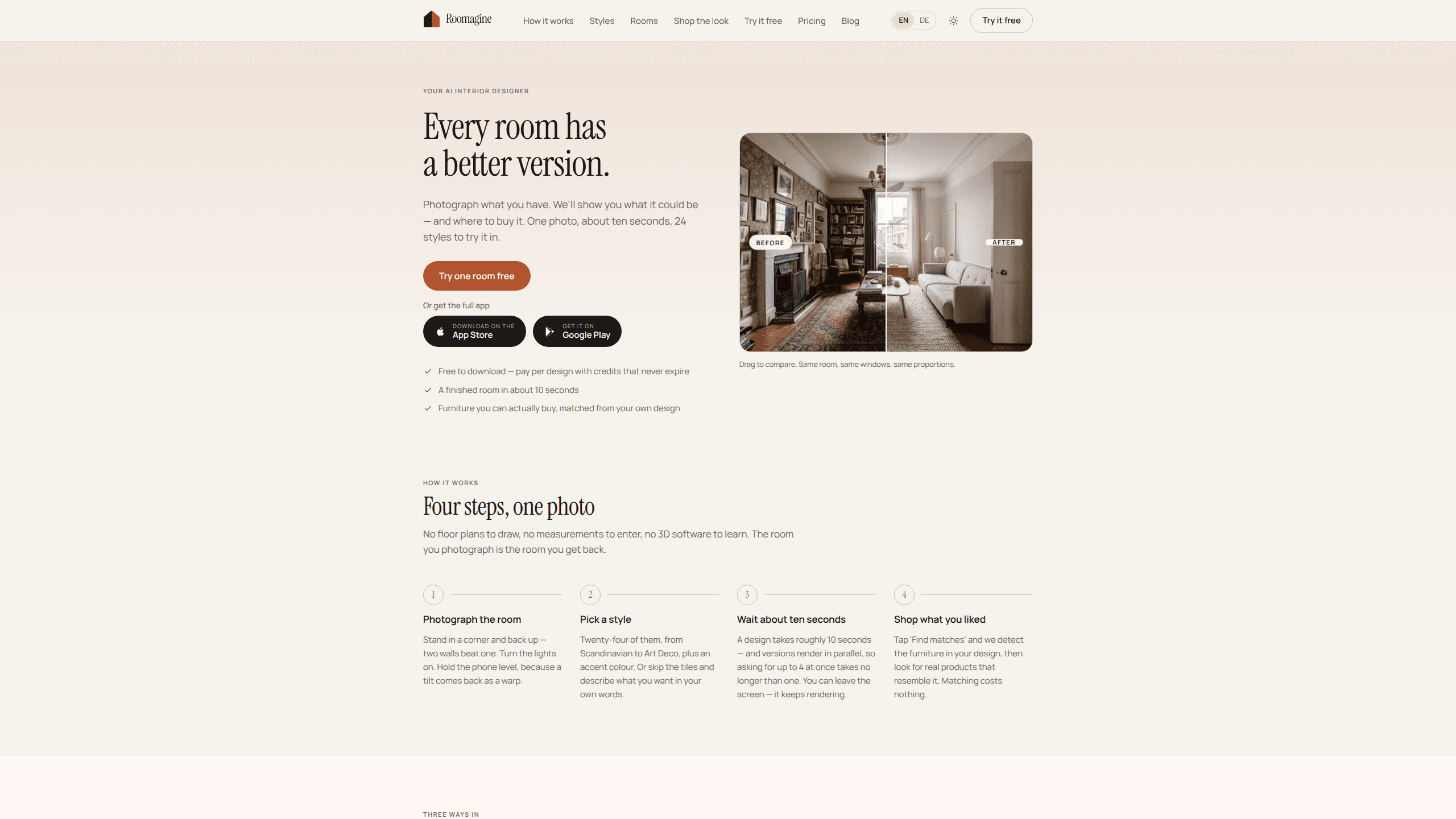
Roomagine is an AI interior design app that takes one photo of your room and gives you a restyled version of it in about ten seconds, keeping your walls, windows, and doors exactly in place. You pay per design with credits that never expire rather than a monthly subscription, and when you like a result you can tap into a furniture match that points to real products you can buy. It's made by Bitfuse UG in Germany. It runs on iPhone, Android, and the web, too. And it used to be called RoomGenius, which is worth knowing if you've seen the older name floating around. The pitch is simple. Photograph what you have, see what it could be, then find the pieces.
About Roomagine
What Is Roomagine
Roomagine is an AI room restyling tool built around a single input: a normal photo of a real space. You don't draw a floor plan, you don't type in measurements, and you don't learn any 3D software. Stand in the corner of your living room. Snap the shot. Pick a style. Roughly ten seconds later you're looking at the same room with new furniture, finishes, and lighting.
The part that separates it from a generic image generator? It holds the architecture fixed. Windows stay put. Doorways don't move. Awkward corners stay awkward. That matters more than it sounds. The whole value of a redesign preview is trusting that what you see is actually buildable in your room and not some generic showroom the AI dreamed up.
The other piece is shopping. Tap "Find matches" on a finished design and Roomagine detects the furniture it placed, then looks for real products that resemble those pieces. Matching doesn't cost anything extra. So the loop is photo, style, render, shop, which is a tighter workflow than screenshotting a result and reverse-image-searching for an hour.
One honest limit: it restyles rooms as a camera sees them, from eye level. Feed it a top-down floor plan and it won't reconstruct a three-dimensional space from it. The team is upfront about that, and you can see the reasoning, since reading a plan is a different problem than restyling a photo.
Getting Started
- Open the app or the web version and photograph the room you want to change. Back into a corner so two walls are visible, turn the lights on, and keep the phone level, because a tilted shot comes back warped.
- Pick a style from the tiles or type your own description in plain words, such as "warm oak, low light, one big plant, nothing matching."
- Wait about ten seconds. You can ask for up to four versions at once, and because they render in parallel you don't wait meaningfully longer than for one.
- Tap "Find matches" on any design you like to surface real furniture products that resemble what the AI placed.
- Rerun the same photo in a different style to compare directions before you commit to buying anything.
Product Information
A quick look at Roomagine's pricing, supported platforms, and performance.
Best for
The users, tasks, and scenarios where this tool fits best.
Users
- Homeowners
- Renters
- People moving in or mid-renovation
- Design-curious tinkerers
Tasks
- Restyling a room you already live in while keeping its architecture in place.
- Furnishing an empty room from scratch without drawing a layout.
- Turning a rough paper sketch into a photorealistic, furnished version of the space.
- Finding buyable furniture that matches a design you just generated.
Scenarios
- You're stuck on one wall and want options before you commit.
- You want to compare a Scandinavian versus an Art Deco take on the same room.
- You're staging a space and need a convincing visual fast.
Key features
One Photo, About Ten Seconds
The entire input is a single photograph. No measurements. No layout tool. No learning curve. From there a design takes roughly ten seconds to render, and versions run in parallel, so requesting four takes about as long as requesting one. You can even leave the screen while it works, because the render continues in the background. For anyone who's wrestled with desktop design software, the speed alone changes how you use it. You'll try more ideas simply because trying them is cheap in time.
The Architecture Stays Put
This is the feature I'd point to first if you're skeptical of the category. Roomagine keeps the windows, proportions, and awkward corners of your actual room and restyles everything inside it. That's why the output feels like your space and not a stock interior. There are three ways in, and each gets its own treatment: a room you already live in, an empty room you're furnishing from scratch, and a hand-drawn sketch. In every case the fixed thing is the architecture. The one gap is floor plans, which it deliberately won't fake.
Twenty-Four Styles Plus a Text Box
Eight styles sit one tap away, and sixteen more hide behind "More styles." The list runs from Scandinavian and Minimalist to Mid-Century Modern, Art Deco, Mediterranean, and Japanese Zen, with an accent color to go alongside. If none of the tiles fit, you skip them and describe the room in your own words, the way you'd say it out loud. Custom prompts render one version at a time so you can read the result before spending another credit. The app also remembers the last style you used, which is a small thing that saves re-clicking every session.
Eight Room Types, Each With Its Own Rules
A bathroom isn't a living room with a different sofa, and Roomagine treats that distinction as real. Every room type carries its own vocabulary, so sanitaryware and kitchen units stay where the plumbing is while their finishes change around them. That's the kind of detail that decides whether a preview is trustworthy enough to act on. If you're redoing a kitchen, you want the sink to remain under the window it's plumbed to, not teleport across the room.
Shop What You Liked
Tap "Find matches" and the app detects the furniture in your design, then hunts for real products that resemble it. The matching itself costs nothing. So there's no penalty for checking. This closes the loop that most AI design tools leave open. Normally you love a render, then spend an evening trying to identify a chair that may not even exist. Here the render and the shopping list come from the same source, which is a genuinely better workflow, even if the matches are approximations rather than exact items.
Pay Per Design, Credits That Don't Expire
Roomagine doesn't lock you into a subscription. It's free to download, and you pay per design with credits that never expire. For someone who redesigns a couple of rooms a year rather than a professional churning out staging shots daily, that model removes the pressure to extract value from a monthly fee. I'm not certain of the exact per-credit price, since it varies by store and region, so check the in-app purchase screen before you commit. What I can say is the "never expire" part is the detail that matters most, because unused credits that vanish after thirty days are just a subscription in disguise.
Pros and cons
Pros
- Only needs a single photo, with no measurements, floor plans, or 3D skills required.
- Keeps your room's walls, windows, and proportions intact, so the preview feels buildable.
- Roughly ten seconds per design, with parallel renders so extra versions are fast.
- Twenty-four preset styles plus free-text prompts for anything the tiles miss.
- Furniture matching finds real, buyable products and costs nothing to run.
- Credits never expire, so you're not renting access by the month.
Cons
- Won't reconstruct a room from a top-down floor plan, so architectural drawings are out.
- Furniture matches are approximations, so they resemble the rendered pieces rather than matching them exactly.
- Per-credit pricing varies by region, and the exact cost isn't published on the marketing site.
- Custom text prompts render one version at a time, which is slower than the tiled styles.
Frequently asked questions
It's an AI interior design app that restyles a room from a single photo in about ten seconds. It keeps your walls, windows, and doors in place, adds new furniture and finishes, and can then find real products that resemble what it placed.
Related content
Explore related tools, skills, and articles for Roomagine.
Roomagine Alternatives

Google EmbeddingGemma 2
Google DeepMind · Writing · Image · CodingGoogle EmbeddingGemma 2 is a 740M-parameter open model that turns text, code, images, audio, and video frames into vectors in one 768-dimension space, running on phones and laptops.

Tractionwave
TractionWave · Image · MarketingTractionWave is an AI attention heatmap tool for static ads. Upload a PNG or JPG and it returns predicted attention, ranked hotspots, and fixes before you spend budget.

Imejis.io
Imejis.io · Image · MarketingImejis.io is an AI design studio for agents and marketing teams. Describe an image in plain words, and it writes the copy, builds the layout, reflows it to every size, then exports a finished file.