

RoomStaging
RoomStaging (founder Roman Deiniuk) · Image
RoomStaging is an AI virtual staging platform that turns photos of empty, cluttered, or outdated rooms into furnished, photorealistic interiors in roughly 15 seconds. Think of it as a real estate photo editor that also happens to stage the room for you. Real estate agents, property developers, and photographers use it to make listings more appealing without renting furniture or booking a photo shoot. It runs in a browser, offers more than 50 design styles, and starts with a free trial that needs no credit card.
About RoomStaging
What Is RoomStaging
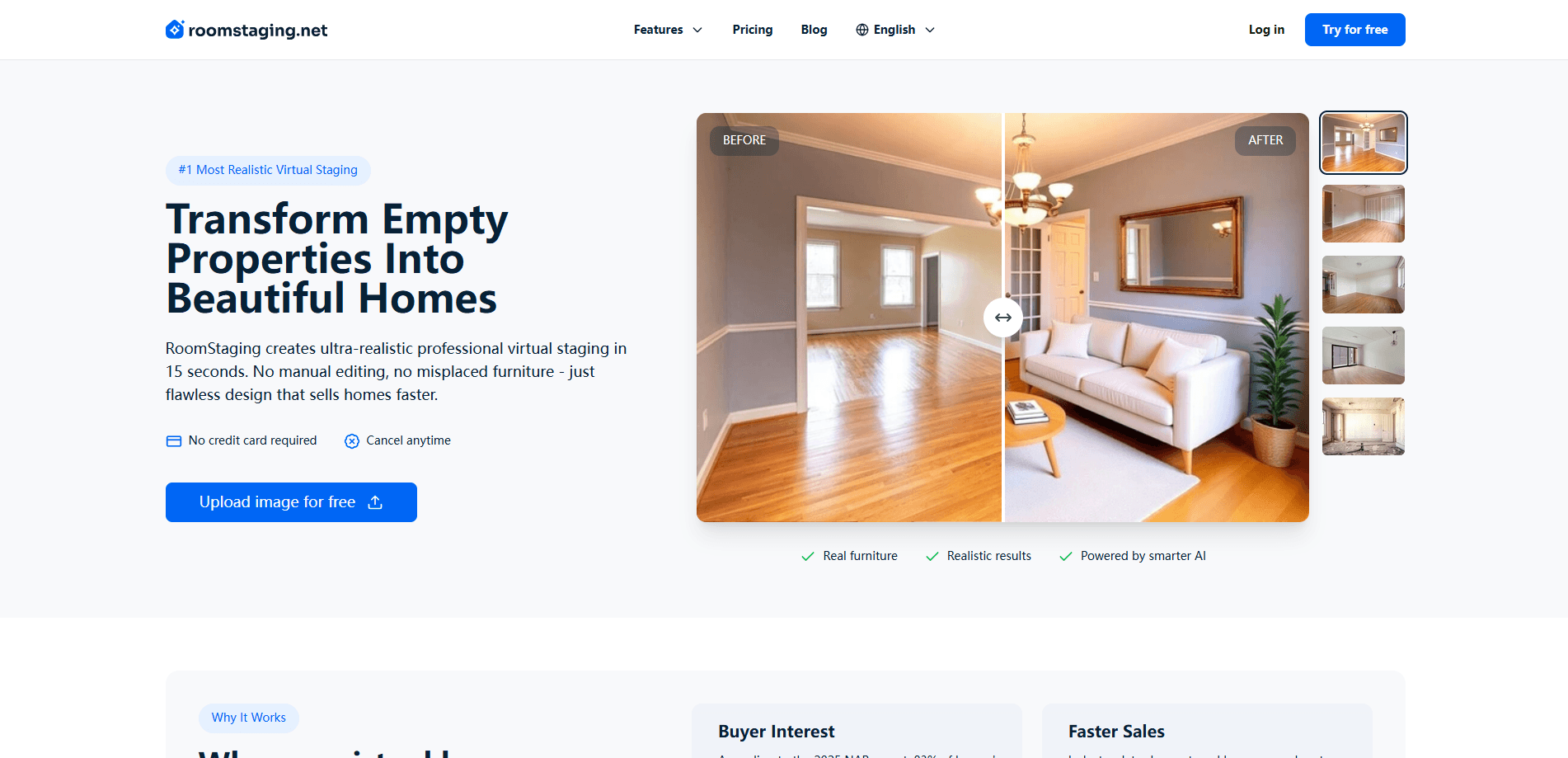
RoomStaging is a web-based virtual staging tool built for the real estate market. You upload a photo of a room, pick a design style, and the home staging AI fills the space with furniture, decor, and lighting that matches the original walls, windows, and doors. The pitch is simple: property listing photos that help buyers picture daily life in a property tend to draw more interest than an empty shell.
The platform does more than add furniture. It also cleans up clutter, fixes poor lighting, and produces redesigns for rooms that are already furnished but need a fresh look. Taken together, that combination covers the most common problems agents run into when they're preparing photos for a new listing on a tight schedule.
The main limits are practical. Everything depends on the quality of the photo you feed it, so a dim, blurry shot taken on an old phone won't turn into the kind of crisp, magazine-cover interior that makes a buyer stop scrolling and book a viewing. Results are AI-generated visuals, not real furniture, so they need a clear disclaimer in most markets. And since the heavy lifting happens on RoomStaging's servers rather than on your own machine, you need a stable internet connection and a paid credit balance once the free trial runs out. Does that rule it out for offline work? Basically, yes.
Getting Started
- Create an account on the RoomStaging website and start the free trial, which doesn't ask for a credit card.
- Upload a photo of the room you want to stage, whether it's empty, cluttered, or already furnished.
- Choose a design style from the 50+ options, or pick a custom direction for the space.
- Let the AI generate the staged image, which usually lands in about 15 seconds.
- Download the finished photo and drop it into your listing, presentation, or client deck.
Product Information
A quick look at RoomStaging's pricing, supported platforms, and performance.
Best for
The users, tasks, and scenarios where this tool fits best.
Users
- Real estate agents
- Property developers and builders
- Real estate photographers
- Homeowners planning a sale
Tasks
- Staging empty rooms
- Cleaning up messy photos
- Reimagining outdated interiors
- Fixing weak listing shots
Scenarios
- Prepping a new listing this week
- Testing a renovation idea with clients
- Marketing a hard-to-sell property
Key features
Photorealistic Staging From a Single Photo
You give RoomStaging one photo and it keeps the room's bones intact. Walls, windows, floors, and doors stay put while furniture and decor get layered around them. Big difference. That's the part that makes a staged image believable rather than a generic render pasted on top.
50+ Design Styles
The style library spans modern, Scandinavian, industrial, coastal, and plenty of others. You can match the taste of a target buyer or keep every listing in a region consistent. Having real choice here matters. A farmhouse look won't help you sell a downtown loft, and a sleek industrial style can feel out of place in a suburban family home that buyers want to picture their own kids growing up in.
Roughly 15-Second Turnaround
Speed is the headline claim, and it holds up in the demo flow. The site clocks results at about 15 seconds, which is faster than a lot of the tools it compares itself to. That matters when you're an agent juggling several listings at once and every minute spent waiting on renders is a minute not spent showing property. Not ideal for anyone on a tight deadline.
Clutter Removal and Photo Cleanup
Beyond staging, RoomStaging can wipe out personal items, mess, and distracting objects. It also nudges lighting, color, and contrast toward something that reads better on a screen. In practice, a photo taken at 5pm on a cloudy day can still look listing-ready. That saves a reshoot.
Redesign for Occupied Rooms
Not every property is empty. For furnished homes, the redesign mode restyles the existing space so it photographs better. Think of it as an interior design AI that works from a photo instead of a floor plan. Handy for sellers who've lived in a place for years and want a cleaner, more current look without emptying it out.
Browser-Based Workflow
There's nothing to install. You log in, upload, generate, and download straight from the browser. That keeps the learning curve shallow for agents who aren't designers and don't want to be. Fire it up on a laptop, and you're staging within minutes.
Pros and cons
Pros
- Turns an empty room photo into a furnished image in about 15 seconds.
- More than 50 design styles cover most property types and buyer tastes.
- Free trial without a credit card lets you judge output quality before paying.
- Cleans up clutter and weak lighting in the same pass as staging.
- Per-image cost drops as low as $0.07 on larger plans.
Cons
- Image quality depends heavily on the source photo, so bad input gives bad output.
- Results are AI visuals, not real furniture, so listings need a disclosure in most markets.
- You burn credits for each variation, which frustrates users who like to iterate a lot.
- No public API, so agencies can't wire it into their own listing pipeline.
Frequently asked questions
You upload a room photo, pick a style, and the AI generates a staged version in about 15 seconds. It keeps the original room structure and adds furniture, decor, and lighting to match.
Related content
Explore related tools, skills, and articles for RoomStaging.
RoomStaging Alternatives

Google EmbeddingGemma 2
Google DeepMind · Writing · Image · CodingGoogle EmbeddingGemma 2 is a 740M-parameter open model that turns text, code, images, audio, and video frames into vectors in one 768-dimension space, running on phones and laptops.

Tractionwave
TractionWave · Image · MarketingTractionWave is an AI attention heatmap tool for static ads. Upload a PNG or JPG and it returns predicted attention, ranked hotspots, and fixes before you spend budget.

Imejis.io
Imejis.io · Image · MarketingImejis.io is an AI design studio for agents and marketing teams. Describe an image in plain words, and it writes the copy, builds the layout, reflows it to every size, then exports a finished file.