

Ruby
Codeongrass · Productivity · Business
Ruby is an AI call assistant for macOS that joins your side of a live call, listens as you talk, and feeds you the question worth asking while the conversation is still happening. You brief it once, take the call, and it slides you a prompt or a reminder without a bot joining or showing up in a screen share. It runs on your own Claude subscription, so the transcript and notes stay with you. If real-time call notes from a screen-share safe assistant sound like what you've been missing, that's the pitch.
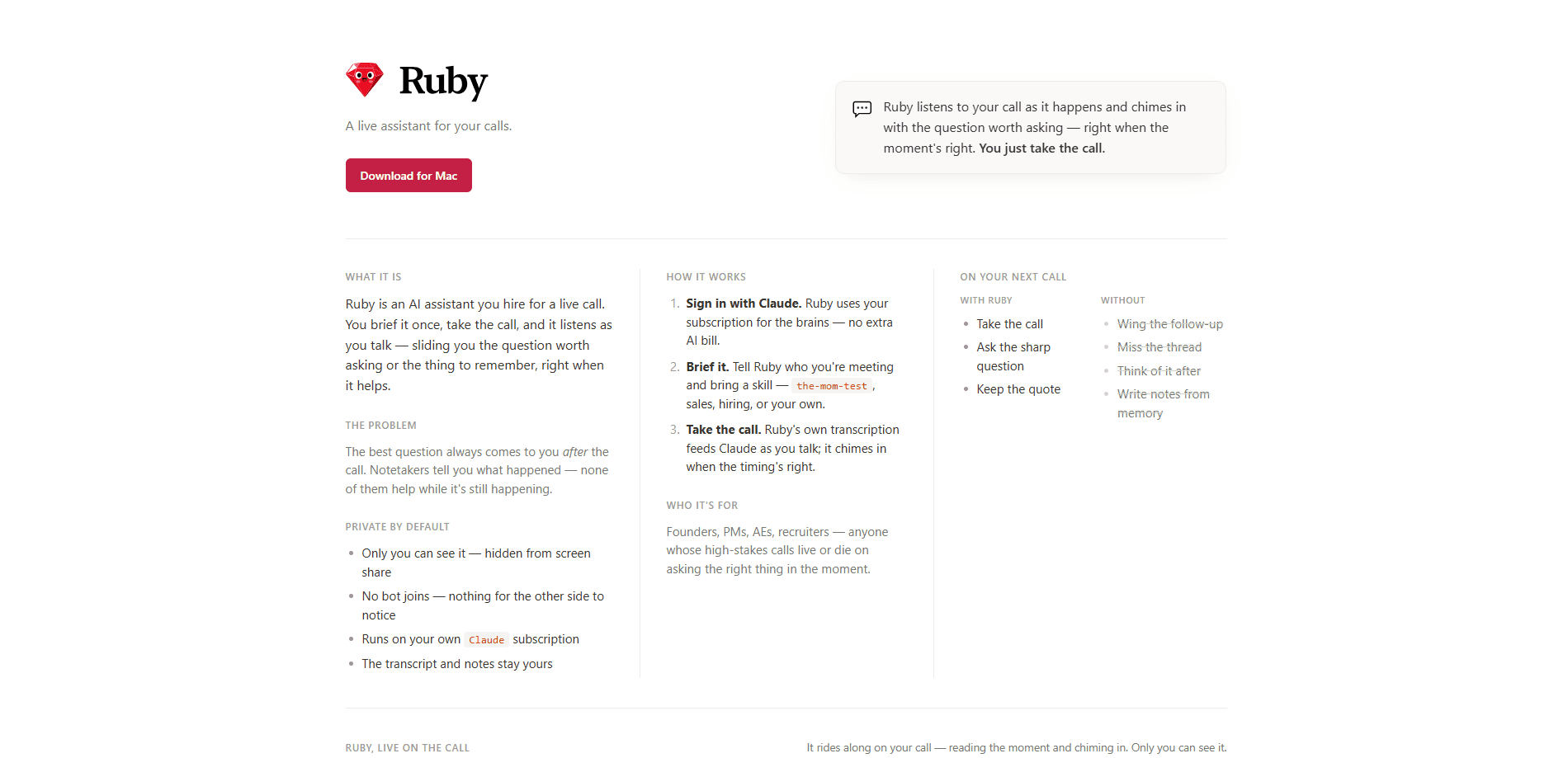
About Ruby
What Is Ruby
Ruby is a desktop assistant built for calls where the follow-up question matters more than the recap. Most note-taking tools wait until the call ends and hand you a summary of what already happened. Ruby works in the other direction. It transcribes your side of the conversation live, feeds that text to Claude, and nudges you with a sharp question or a detail you should hold onto at the moment it helps. Treat it less like an AI meeting assistant and more like a second pair of eyes on your own side of the table.
The setup is deliberately small. You sign in with Claude, so the assistant borrows your existing subscription instead of adding another AI bill, and you bring a skill, which is basically a briefing for the kind of call you're on: a sales conversation, a hiring interview, or your own custom playbook built around the questions you always forget to ask. Ruby then rides along quietly as you talk. Nothing else to configure.
Privacy is the main design bet, and it shapes how the whole thing works. No bot joins the meeting, so nobody on the other end has a reason to notice. The prompt window stays hidden from screen share, and only you can see it. The transcript and the notes it writes afterward stay yours, and nothing gets handed off to the other participants.
The limits are worth naming up front. Ruby is Mac only for now, and it needs macOS 14.4 or later, so this is really a private call assistant for Mac rather than for everyone. Windows users are out of luck. It leans entirely on your Claude subscription, so if that plan changes or runs out, so does Ruby. The site describes the assistant through its own framing, and independent reviews were thin when we looked, so treat the promotional lines as the vendor's claims until you try it yourself.
Getting Started
- Download Ruby for Mac from the official site and install it. You'll need macOS 14.4 or newer.
- Sign in with your Claude account. Ruby uses that subscription for its reasoning, so there's no separate AI bill to set up.
- Brief it before the call. Tell Ruby who you're meeting and attach a skill such as the-mom-test, sales, or hiring, or bring your own.
- Take the call normally. Ruby transcribes live and chimes in with a question or reminder when the timing fits.
- Review the notes it writes once the call wraps, then reuse the skill on your next conversation.
Product Information
A quick look at Ruby's pricing, supported platforms, and performance.
Best for
The users, tasks, and scenarios where this tool fits best.
Users
- Founders
- Product managers
- Account executives
- Recruiters
Tasks
- Sharpening a follow-up
- Capturing a key quote
- Running a structured interview
- Debriefing after a call
Scenarios
- A sales call where the budget question keeps slipping
- A user interview over Zoom
- A first-round screening call
- A founder call with an investor
Key features
Live In-Call Prompts
Ruby listens as the call unfolds and sends you the question or reminder that fits the moment. The point isn't a full transcript to read later. It's a nudge while the answer still matters, so you can steer the conversation instead of replaying it afterward. Timing is everything here.
Private by Default
No bot joins the call, and the prompt window is hidden from screen share, so the other side has nothing to notice. Only you see what Ruby surfaces. For calls where a visible notetaker would change the tone of the room, that difference carries real weight. Ever noticed how people clam up once they spot a recorder?
Runs on Your Claude Subscription
You sign in with Claude, and Ruby uses that plan for its reasoning. There's no second AI bill to track. If you already pay for Claude, the assistant piggybacks on it. If you don't, that's the cost you're signing up for.
Bring Your Own Skill
Before a call you attach a skill, which is a briefing for the situation. The site names a few, including the-mom-test, sales, and hiring, and you can write your own. That's how Ruby knows what a good question looks like for your kind of conversation. Generic prompts only go so far.
Live Transcription Feeding the Model
Ruby transcribes your side of the call in real time and pipes that text into Claude. The model reads the live thread rather than a clean-up pass. That's what makes the timing of a prompt feel tied to what's actually being said.
Notes Written After the Call
When the conversation ends, Ruby turns the transcript into notes. The transcript and notes stay with you. No chasing a recording someone else controls, no reconstructing the call from memory.
macOS Desktop App
Ruby is a Mac application that needs macOS 14.4 or later. It sits on your machine rather than in a browser tab. That's part of how it keeps the prompt out of a shared screen.
Pros and cons
Pros
- Prompts arrive mid-call, which is when a good question is actually useful.
- Hidden from screen share and no bot joins, so participants don't see it.
- Borrows your Claude subscription instead of adding a second AI bill.
- Custom skills let you tailor it to sales, hiring, or your own playbook.
- Notes come from the live transcript, so they reflect what was really said.
Cons
- Mac only, and it needs macOS 14.4 or newer, so Windows users are out.
- It depends on your Claude plan; no subscription means no assistant.
- Independent reviews were scarce, so most of what's public is the vendor's own description.
Frequently asked questions
It listens to your side of the conversation, transcribes it live, and sends you the question or reminder that fits the moment, which is why people describe it as real-time call notes rather than a recap. Think of it as a prompt in your ear instead of a summary you read afterward.
Related content
Explore related tools, skills, and articles for Ruby.
Ruby Alternatives

Base Code
Base44 (Wix) · Coding · ProductivityBase Code is a shared cloud development environment from Base44. Teammates describe changes to an existing GitHub codebase in chat, preview them live and send them back as pull requests.

Knocket
Knocket (Tencent RTC team) · Productivity · Business · ChatbotKnocket is a free live chat and contact page tool that lets visitors message you from your website, app, or a shareable link, with every reply handled from Telegram or one inbox.

FloorGen
Vinit Kumar (FloorGen) · Productivity · China AIFloorGen is a browser-based floor plan maker that turns a sentence or a sketch into an editable 2D plan and a 3D walkthrough. Export to PDF, DXF or video, and draw without an account.