

RunDiffusion
RunDiffusion · Image
RunDiffusion is a cloud AI image generator and video generator in one browser workspace. It runs models like Flux, Kling, and Veo plus open source tools like ComfyUI, all under one license.
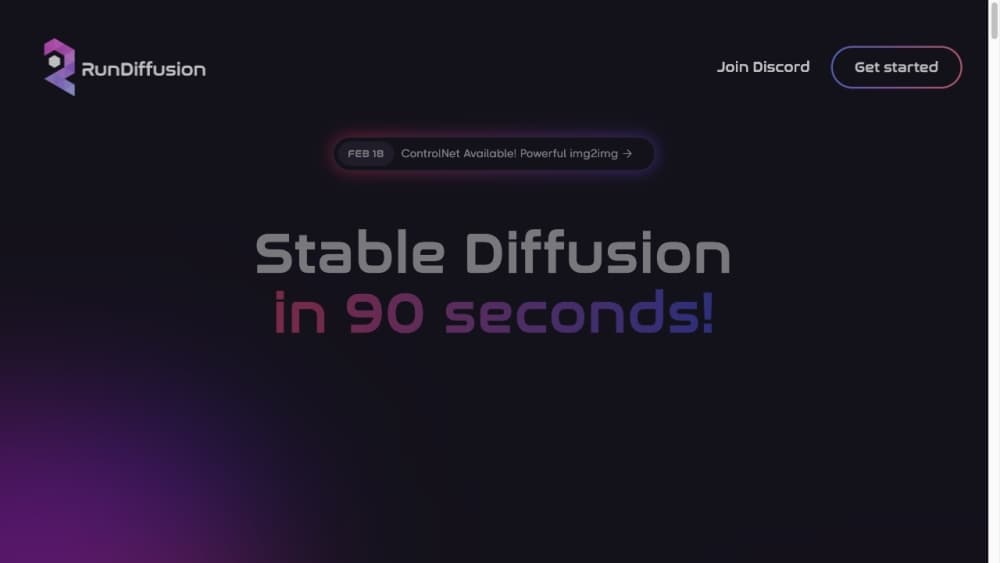
About RunDiffusion
What Is RunDiffusion
RunDiffusion is a browser-based workspace for AI image and video generation aimed at designers, studios, and teams rather than hobbyists. Instead of paying for several separate subscriptions and juggling accounts, you open one platform and pick from a catalog of leading models: Flux and Ideogram for images, Kling and Veo for video, plus others from Google, OpenAI, Black Forest Labs, and Bytedance. You don't install anything or rent a GPU separately.
The reason people switch is speed. Bridging several tools for one project means exporting files, matching settings, and re-telling a prompt three times. RunDiffusion keeps generation, editing, and upscaling in one place, so a single session covers a whole concept. A unified commercial license sits on top, which matters if you bill clients for the output.
Two limits shape the fit. It's a cloud product, so you're dependent on your connection and the platform's compute, not your own GPU. And the catalog spans hosted foundation models and open source tools at once, which can be a lot to navigate at first. If you want a managed creative stack without maintaining infrastructure, it lands well.
Getting Started
- Create an account at rundiffusion.com with an email and password, or start free to try the open source tools.
- Pick a workspace or a model. Choose the image or video generator you need, or launch ComfyUI and Auto1111 directly in the browser.
- Set up your workflow. Load a shared workflow, pick a model, and write your prompt with any reference images you want to use.
- Generate and refine. Run the job, then edit the result with tools like background removal, object removal, or upscaling without leaving the platform.
- Download or share. Export your files, or keep them in shared cloud storage so teammates can build on the same assets.
Product Information
A quick look at RunDiffusion's pricing, supported platforms, and performance.
Best for
The users, tasks, and scenarios where this tool fits best.
Users
- Graphic and brand designers
- Creative studios and agencies
- Motion and video artists
Tasks
- Generating marketing visuals from a brief
- Turning a still into a short video clip
- Training a custom image model on your own material
- Cleaning up product photos
Scenarios
- Producing a full campaign concept in one sitting
- Running a shared client account
- Testing an idea before committing
Key features
One Platform, One License
RunDiffusion bundles hundreds of AI apps under a single subscription and a unified commercial license. For teams that sell creative work, that removes the awkward question of which tool's terms apply to which deliverable. You generate, edit, and license output from one account, which simplifies billing and client contracts.
A Large Model Catalog
The platform hosts image models like Flux, Ideogram, Recraft, Bria, and Qwen Image, plus video models such as Kling, Veo, Sora 2, Seedance, Wan, Hailuo, and Luma Ray. New models tend to show up quickly, so you're not locked into one vendor's roadmap. You compare outputs across models without separate sign-ups.
Cloud ComfyUI and Auto1111
Open source tools that normally demand a powerful local GPU run in the browser here. ComfyUI, Auto1111, Fooocus, and Kohya are available without setup, which suits creators who want node-based control but don't own the hardware. You keep the flexibility of open source workflows without maintaining a machine.
Runnit Scenes
Runnit Scenes turns a static image into a short video sequence using a set of specialized models. It applies professional camera moves like dolly zoom and arc shots for production-style results. It's aimed at quick motion clips rather than long-form editing.
Exclusive Creative Tools
Beyond the shared catalog, RunDiffusion builds tools of its own: Person & Object Remover, Remove Background, Building Sketch to Render, Headshot Generator v2, a YouTube Thumbnail Maker, and a Character Stat Sheet. Each one handles a specific production task that would otherwise need a separate app. Architecture and design teams get particular use out of the sketch-to-render tool.
Team Collaboration
Shared workflows, models, and media assets let a studio work from one setup. Instead of emailing a workflow file that breaks on someone else's machine, teammates open the same saved workflow in the same workspace. The Team plan covers groups of up to four, with priority support and higher limits.
Pros and cons
Pros
- Access to leading image and video models from Google, OpenAI, Black Forest Labs, Bytedance, and others through a single account and license.
- Open source tools like ComfyUI and Auto1111 run in the cloud, so you don't need a capable GPU to use them.
- Shared workflows and assets keep a team on the same setup, which cuts file-passing and setup drift.
- A free tier with daily tokens and a commercial license on paid plans lets you test output before committing budget. RunDiffusion pricing starts low for hobby use and scales with team size.
- Studio-specific tools, from background removal to sketch-to-render, cover tasks that would otherwise need extra apps.
Cons
- It's cloud-only, so you can't run models locally and your work depends on your connection and the platform's availability.
- The wide catalog of models and tools can overwhelm new users who don't yet know which one suits a task.
- Real pricing needs care: the headline monthly rates assume yearly billing, and the Team plan's seat limit is four before you move to Enterprise.
- No public API is documented, so automation and custom integrations aren't an option for now.
Frequently asked questions
RunDiffusion is a cloud platform for generating and editing AI images and video. You use it to produce marketing visuals, concept art, motion clips, and retouched product shots from a single browser workspace, drawing on models like Flux, Kling, and Veo.
Related content
Explore related tools, skills, and articles for RunDiffusion.
RunDiffusion Alternatives

Google EmbeddingGemma 2
Google DeepMind · Writing · Image · CodingGoogle EmbeddingGemma 2 is a 740M-parameter open model that turns text, code, images, audio, and video frames into vectors in one 768-dimension space, running on phones and laptops.

Tractionwave
TractionWave · Image · MarketingTractionWave is an AI attention heatmap tool for static ads. Upload a PNG or JPG and it returns predicted attention, ranked hotspots, and fixes before you spend budget.

Imejis.io
Imejis.io · Image · MarketingImejis.io is an AI design studio for agents and marketing teams. Describe an image in plain words, and it writes the copy, builds the layout, reflows it to every size, then exports a finished file.