

Saidar
Saidar · Productivity
Saidar is an AI personal assistant that connects to 50+ apps such as Gmail, Google Calendar, and Notion to schedule meetings, send emails, and run recurring tasks for you.
About Saidar
What Is Saidar
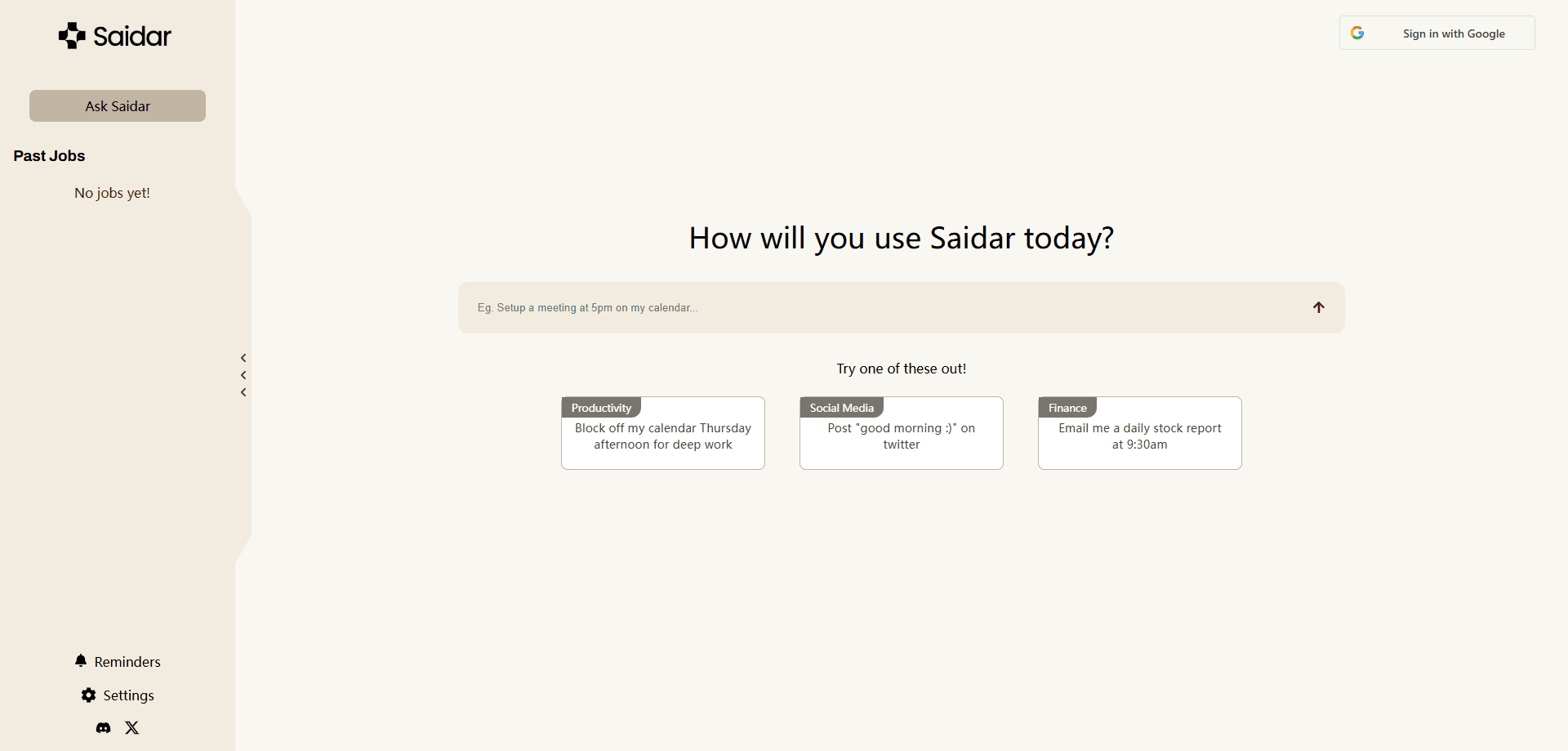
Saidar is an AI personal assistant built around one idea: it doesn't just answer questions, it does the work. The product brands itself as an AI secretary, and the pitch is a to-do list that clears itself. You describe what you want in plain language, and Saidar connects to your apps to carry it out.
The tool links to more than 50 services, including Gmail, Google Calendar, Slack, Notion, and Google Docs, using MCP (Model Context Protocol) connectors under the hood. Those MCP integrations let it chain several steps into one request. Ask it to prep you for the week, and it can pull your meetings, summarize them, and email you the rundown.
The catch is access. Saidar can't touch any app you haven't connected, and every action runs on the permissions you grant. The free plan is limited, so heavy users should expect to pay. It's aimed at people drowning in admin work, not at teams that need deep enterprise controls.
On cost, Saidar pricing splits into a Basic plan at $20 per month and an Unlimited plan at $200 per month, with annual options for both. The free tier covers light use.
Getting Started
- Sign up at saidar.ai with Google, Apple, or an email address.
- Connect the apps you want it to use, such as Gmail, Google Calendar, and Notion, and approve the permissions.
- Type a request in natural language, like "Summarize and prep for all meetings I have this week."
- Let Saidar run the steps across your connected apps, then review the result in chat or in your inbox.
- Set a recurring job, such as a daily stock report at 8am, and it runs on schedule.
Product Information
A quick look at Saidar's pricing, supported platforms, and performance.
Best for
The users, tasks, and scenarios where this tool fits best.
Users
- Busy professionals
- Founders and solo operators
- Students and researchers
Tasks
- Recurring email reports
- Meeting prep
- Inbox triage
Scenarios
- Starting the day with a plan
- Managing a packed calendar
- Automating repetitive admin
Key features
Multi-App Connections
Saidar links to 50+ services, including Gmail, Google Calendar, Slack, Notion, and Google Docs, through MCP connectors. You connect the accounts you trust, and it acts inside them on your behalf. The breadth is the point: one productivity assistant spans tools that usually live in separate tabs.
Natural Language Task Automation
You describe a task the way you'd tell a colleague, and Saidar turns it into a sequence of actions. AI task automation here means a single request can span several apps, so "email the notes and add a follow-up to my calendar" runs as one job. It's built for people who want results, not a syntax to learn.
Scheduling and Calendar Management
Saidar books meetings, sends your daily schedule, and briefs you before calls. It works directly with Google Calendar, so events it creates show up where you already plan your day. Rescheduling and prep both start from a plain request.
Recurring Jobs and Reports
Set a task once and Saidar runs it on a schedule, from a daily stock report to a weekly summary. Recurring work that used to need a reminder now fires on its own. You pick the timing and the destination, usually your inbox.
Email Monitoring and Summaries
Once Gmail is connected, Saidar reads incoming mail, drafts replies, and sends you a nudge when something matters. This Gmail automation cuts the time you spend scanning a cluttered inbox. Different accounts can be handled with different instructions.
Reasoning and Memory
Saidar keeps memory across sessions and chains related actions, so it carries context from one request to the next. That makes multi-step work feel like a conversation rather than a series of one-off commands. Memory is also a privacy consideration, since it stores records of the actions it performs.
iOS App and Web Access
Saidar runs in the browser and as an iOS app, with a layout the team says is smoother on a phone. You can start a task on one and check results on the other. The mobile app uses Apple's payment system for subscriptions.
Pros and cons
Pros
- Connects to 50+ apps, so it can act across Gmail, Calendar, Notion, and Slack in one place
- Handles multi-step tasks from a single plain-language request
- Recurring jobs run automatically, cutting daily admin work
- Memory carries context between sessions
- Free plan and an iOS app make it easy to try
Cons
- It can only act in apps you've explicitly connected and authorized
- The free plan is limited, so regular use pushes you toward a paid tier
- Records of actions are stored for transparency, which raises privacy questions for sensitive inboxes
- Teams needing granular enterprise controls will find it thin
Frequently asked questions
Saidar is an AI personal assistant that automates admin work such as email, scheduling, and recurring reports by connecting to apps you already use. You give it instructions in plain language and it carries them out.
Related content
Explore related tools, skills, and articles for Saidar.
Saidar Alternatives

Udon
Udon · Coding · ProductivityUdon turns an Apple Silicon Mac into a home server you run from a browser, with container controls, file shares, and an optional AI sysadmin.

offstage
offstage cloud · Coding · Productivityoffstage gives AI coding agents and CI jobs a real Mac: a fresh macOS account on Apple silicon, driven over an API and billed by the second.

BotBus
Chengdu Tuyang Tusen Technology Co., Ltd. · Coding · ProductivityBotBus lets you control AI coding agents from your phone and watch: approve commands, start tasks and read results while the code stays on your desktop.