

Scholé
Scholé · Leaning
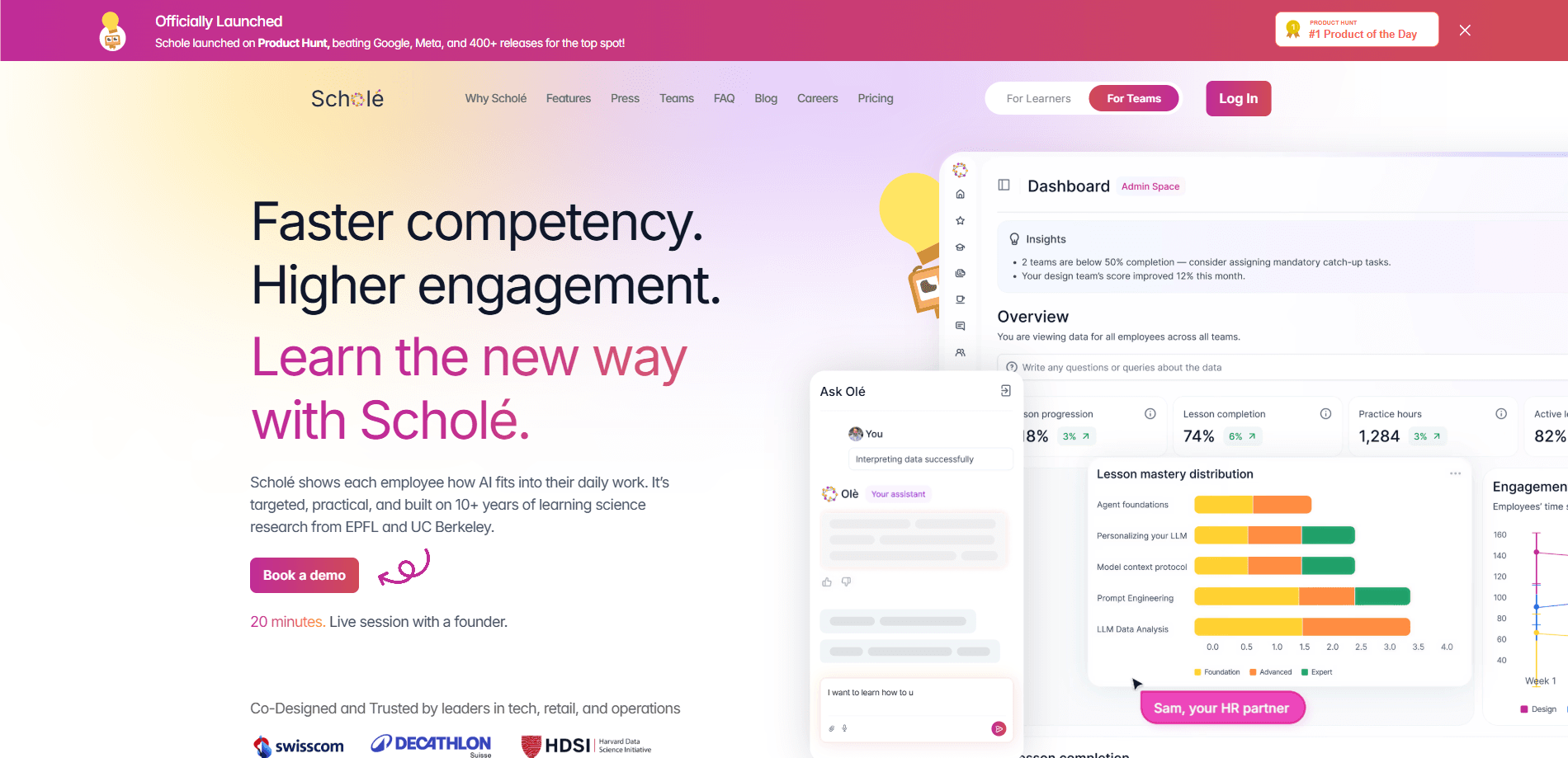
Scholé is an AI-native learning platform that builds short, interactive lessons around the way you actually work. Instead of dumping a fixed course on everyone, it looks at your role, the tools you use, and the tasks on your plate, then assembles a lesson from your own workplace materials. Teams use it to close the gap between buying AI tools and knowing how to use them day to day.
About Scholé
What Is Scholé
Scholé is a learning platform built for people who need to pick up AI skills fast, without sitting through a semester of generic coursework. You tell it what you do, and it turns that into a lesson plan: explanations in your context, short video segments, code exercises, quizzes, and drag-and-drop drills. Vendors call this "adaptive" and "personalized," and for once the labels fit. The platform picks a format for each part of a lesson rather than forcing everything into reading or video. That matters more than it sounds.
The pitch behind Scholé is an adoption gap. Companies buy ChatGPT, Copilot, Gemini, and Claude, then watch usage stall. Employees don't know how those tools map to their own tasks. Scholé targets that gap directly. Adaptive learning meets people at their experience level, including the ones who've never written a prompt and aren't sure where to begin. That's the promise of corporate AI training in one product.
The catch: it's an enterprise-first product. Personal access exists and starts free, but the company knowledge base, coach features, and team rollout live behind a demo and a sales conversation. Solo learners get a taste, not the meal. If you just want casual lessons, you won't see the full picture without talking to the team.
Getting Started
- Sign up at schole.ai with an email or Google account. The free tier takes about three minutes and asks for no credit card.
- Describe your role, the tools you use, and the tasks you want help with, or point Scholé at your company knowledge base if your team has one set up.
- Pick a topic, or let "Ask Olé," the built-in assistant, suggest one from your documents. A short lesson plan appears in seconds.
- Work through the lesson in whatever format fits, then ask Olé to make it shorter, add a hands-on section, or raise the difficulty.
- Upload finished work, like a draft email or a spreadsheet, to have it reviewed against the brief you set.
Product Information
A quick look at Scholé's pricing, supported platforms, and performance.
Best for
The users, tasks, and scenarios where this tool fits best.
Users
- Teams adopting AI tools
- Non-technical employees
- L&D and enablement leads
- Individual learners
Tasks
- Writing better prompts
- Onboarding to a specific tool
- Practicing judgment calls
- Reviewing real output
Scenarios
- A finance team prepping a monthly close
- A support desk ramping new staff
- A manager mentoring a report
- A solo learner on a commute
Key features
Adaptive lesson building
Scholé claims 24 ways to teach a single topic and picks one per lesson segment on the fly. Some parts land as an explanation, others as a concept map, a fill-in-the-blank, or a checker-graded code exercise. You don't choose the format. The platform does, based on what each section actually needs, which is a real departure from the one-format-fits-all course model most teams are stuck with.
Lessons grounded in your own materials
The platform builds lessons from documents and tasks you provide rather than a stock curriculum. Point it at your company knowledge base, and a lesson on Copilot or Gemini uses your policies and examples, so the training reflects how your team actually works rather than a generic template authored for no one in particular. That context is the difference between a lesson you remember and one you forget by lunch.
Ask Olé assistant
Olé is a chat assistant grounded in your documents, not the open web. Ask whether a policy covers annual plans, and it answers from your files. You can also reshape a lesson mid-stream: make it shorter, add a hands-on section, or bump the difficulty. Handy. It's less a tutor and more an editor for the lesson in front of you.
Coach and role-play scenarios
Some lessons include live scenarios with a coach and mini role-plays you run mid-lesson. You practice something like answering "Can you do it by Friday?" and get feedback on the approach, not just the wording, which is closer to how managers actually coach than any multiple-choice quiz ever manages to be.
Hands-on task checklists
Rather than quiz you on theory, Scholé has you do the work inside the real tool. Practice turns into real files and links your team already needs. A checklist might read "Export last month, build the pivot, share the link." You finish the actual task, then move on. Learning by doing, minus the busywork. For teams, this turns lessons into output they can use.
Multi-format media generation
Lessons pull in generated explainer videos, trimmed high-value clips from longer recordings, audio for the commute, diagrams, slide decks, and illustrated images. When a 30-minute video hides two useful minutes, Scholé serves the 90 seconds that matter. Nobody wants to scrub a webinar for one slide. Format choice stays tied to the learner and the moment, so a rushed manager at their desk and a commuter on a train get different versions of the same lesson without anyone filing a support ticket.
Privacy-first data handling
The official site states no one trains on your data, Scholé included, and that model providers can't either. Runs sit on Microsoft Azure in Switzerland, with GDPR compliance and a SOC 2 and ISO audit in progress. A DPA is offered per team, which is a detail legal teams ask about before anyone uploads an internal document. For companies feeding in internal docs, those are the terms that decide the deal.
Pros and cons
Pros
- Lessons build from your real role, tools, and documents, so they map to actual work instead of abstract examples.
- The 24-format approach fits different learners. Audio for the commute, code exercises for builders, role-plays for managers.
- It's free to try, and the signup takes about three minutes with no credit card required, which lowers the bar for a team that wants to test the product before committing budget to a rollout across hundreds of employees.
- Strong privacy stance: no training on your data, Swiss hosting, GDPR compliance, and a DPA for every team.
- Ask Olé answers from your own documents rather than guessing from the open web.
Cons
- Full value sits behind an enterprise demo and a sales call, so individual buyers see a limited product.
- No public API, which blocks teams that want to wire lessons into their own systems.
- Pricing isn't listed on the site, so you can't budget without talking to the team first.
- Company knowledge base features are still in beta for some plans, so coverage may vary.
Frequently asked questions
Scholé is an AI learning platform for workplace upskilling. It builds short, interactive lessons from your role, tools, and documents. Coverage runs from prompt writing to pivot tables. Teams use it to make sure people actually apply the AI tools they've already bought.
Related content
Explore related tools, skills, and articles for Scholé.
Scholé Alternatives

HireKey
HireKey · Voice & Language · Productivity · LeaningHireKey is an AI job search copilot built by a former tech recruiter. It checks role fit, tailors resumes, runs interview practice and tracks every application.

Lune
Retrograde Labs · Productivity · LeaningLune is a research search engine for scientific AI agents. It runs as an MCP server that lets Claude, ChatGPT and Cursor search peer-reviewed computer science papers and cite them.
Coddy
Coddy · Coding · LeaningCoddy is a gamified platform to learn to code through short interactive lessons in 20+ languages, with a browser editor, an AI tutor and free certificates.