

ScienHub
ScienHub · Productivity
ScienHub is a free browser-based LaTeX editor with real-time collaboration, instant cloud compilation, and built-in Git version control for research teams.
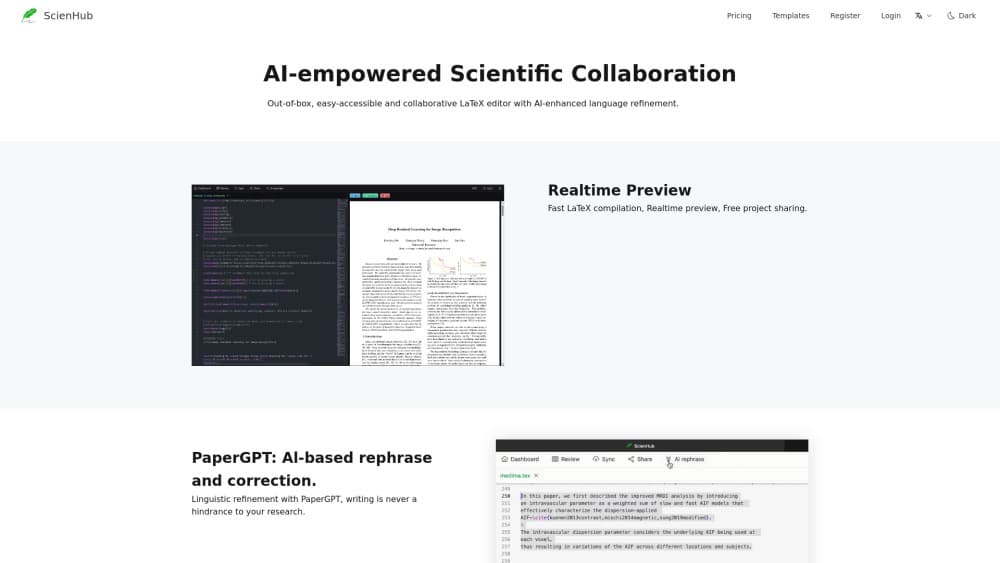
About ScienHub
What Is ScienHub
ScienHub is a collaborative LaTeX editor that runs entirely in a web browser. You open a project, write in LaTeX, and compile on remote build servers. There's nothing to install, no TeX Live download, no editor plugins to configure. The product positions itself as a free Overleaf alternative, and the comparison is fair: same workflow, no paywall on collaboration.
The main problem it solves is the friction around shared scientific writing. A lab group writing a paper usually needs three things at once: several authors editing the same file, a compiler that doesn't time out on a long thesis, and version history that survives a bad afternoon of edits. ScienHub puts all three in one browser tab. Collaboration runs on Yjs, a conflict-free replicated data type, so two people can type in the same paragraph and the text merges without locks or conflict dialogs.
The limits are worth knowing before you commit. The service is free right now, and the terms say that can change at any time. Storage and compute sit on ScienHub's servers, so a long outage stops your work unless you have a local copy. The company also states that data loss is possible and asks users to keep backups of important documents.
Getting Started
- Create an account with an email address at scienhub.com. A China-facing mirror at scienhub.cn serves the same editor.
- Start a project from a blank document or clone a built-in LaTeX template for an article, thesis, or beamer slides.
- Write in the editor with autocomplete and syntax highlighting, then press Ctrl+Enter to compile and preview the PDF.
- Invite co-authors from Settings and Members, and assign each one a role: read, comment, write, or maintain.
- Keep a Git remote connected if you want a second copy of the history outside ScienHub.
Product Information
A quick look at ScienHub's pricing, supported platforms, and performance.
Best for
The users, tasks, and scenarios where this tool fits best.
Users
- Research groups writing joint papers
- Graduate students working with an advisor
- Overleaf free users who hit the compile limit
Tasks
- Drafting a journal article
- Writing a thesis chapter by chapter
- Preparing conference slides
- Co-authoring under a deadline
Scenarios
- A lab group split across two cities
- An advisor reviewing a draft the night before submission
- A researcher on a train with patchy Wi-Fi
Key features
Real-Time Collaboration
ScienHub syncs edits through Yjs, a CRDT library that merges changes without a central lock. Every keystroke reaches other connected editors within milliseconds, and each collaborator gets a cursor in a distinct color with their username attached. Two people can type in the same paragraph at once. Nothing breaks, and no one gets a "file is locked" message.
Offline Editing
Lose your connection and the editor keeps working. Yjs stores changes in the browser's IndexedDB, then merges them with the server copy when you reconnect. That matters on trains, in libraries with weak Wi-Fi, and anywhere a browser tab survives longer than the network does. The merge happens automatically, so you don't pick a winning version by hand.
Cloud Compilation With No Timeout
Compilation runs on dedicated build servers with a full LaTeX distribution installed. ScienHub says there's no compile timeout, so a 200-page thesis with 50 figures finishes the same way a two-page abstract does. One click or Ctrl+Enter starts a build, and the PDF preview refreshes when it's done. Heavy packages and large image folders are the usual reason free plans fail here, and this is the gap the product targets.
Git Version Control
Every project is a Git repository. You get the full commit history, branches, and merges without paying for an integration. If your group already keeps code or manuscripts on GitHub, you can connect the remote and keep an outside copy of the history. For anyone who has lost a night's work to an overwritten file, this is the feature that earns the switch.
A Full LaTeX Writing Environment
The editor ships with autocomplete, syntax highlighting, and a one-click compile button. It's a complete LaTeX environment in the browser rather than a text box with a preview pane. You still write raw LaTeX, so the workflow carries over from a desktop setup, and the learning curve stays where it was.
Templates for Common Documents
New projects can start from a blank file or from built-in templates for articles, theses, and beamer presentations. Templates remove the first painful hour of preamble setup, especially for students who haven't memorized which packages a thesis class needs. You can also clone a template and edit it like any other project.
Roles and Permissions
Project owners assign roles with clear boundaries: can read, can comment, can edit files, and can manage members. The four map onto the usual academic hierarchy of reader, reviewer, co-author, and project lead. Removing someone takes two clicks in Settings and Members, and their session ends right away, which is useful when a project changes hands.
Pros and cons
Pros
- Collaboration is free with no seat limit, which removes the main reason lab groups pay for Overleaf.
- Compilation has no timeout, so long theses and figure-heavy papers build without the usual free-plan failure.
- Git history comes with every project at no cost, giving you branches, merges, and an outside backup route.
- The editor runs in a browser with nothing to install, which helps on borrowed laptops and locked-down lab machines.
- Offline edits merge back automatically, so a dropped connection doesn't cost you the paragraph you just wrote.
Cons
- The free status is temporary by the company's own terms, so pricing could change and there's no paid tier to compare against.
- No public API is documented, which rules out automated builds or custom integrations for now.
- Files live on ScienHub's servers, and the terms warn that data loss is possible, so you need your own backups.
- The feature set is narrow: it's a LaTeX editor, not a reference manager, plagiarism checker, or journal submission tool.
Frequently asked questions
ScienHub is an online LaTeX editor for writing and compiling scientific documents in a browser. Research teams use it for journal articles, theses, and beamer slides, with several authors editing the same project at once.
Related content
Explore related tools, skills, and articles for ScienHub.
ScienHub Alternatives

Base Code
Base44 (Wix) · Coding · ProductivityBase Code is a shared cloud development environment from Base44. Teammates describe changes to an existing GitHub codebase in chat, preview them live and send them back as pull requests.

Knocket
Knocket (Tencent RTC team) · Productivity · Business · ChatbotKnocket is a free live chat and contact page tool that lets visitors message you from your website, app, or a shareable link, with every reply handled from Telegram or one inbox.

FloorGen
Vinit Kumar (FloorGen) · Productivity · China AIFloorGen is a browser-based floor plan maker that turns a sentence or a sketch into an editable 2D plan and a 3D walkthrough. Export to PDF, DXF or video, and draw without an account.