

SciMaster
Shanghai Jiao Tong University and DP Technology · Leaning · Business
SciMaster is a scientific AI agent from Shanghai Jiao Tong University and DP Technology. It runs literature search, computation, and report writing in one flow, turning one question into a cited report.
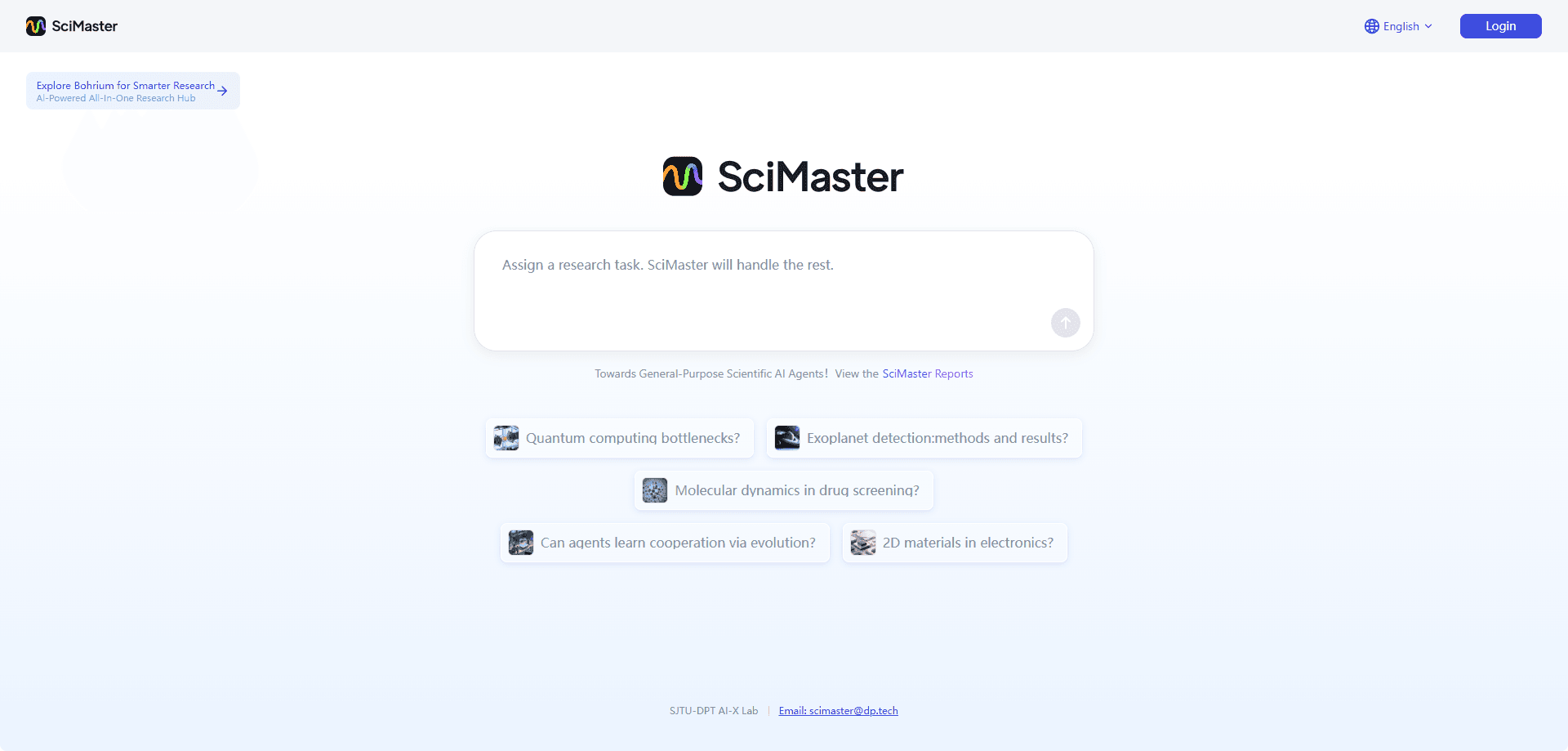
About SciMaster
What Is SciMaster
SciMaster is the first general-purpose research agent built for scientific work. It grew out of a joint project between Shanghai Jiao Tong University, the Shanghai Algorithm Innovation Institute, and DP Technology, the company behind the Bohrium science platform. Instead of answering with a few loose snippets, it plans a research question the way a grad student would: it breaks the problem into sub-tasks, searches papers and the open web, runs calculations, and hands back a written report. Many people now describe this kind of AI research work as "AI for science," and SciMaster is a direct attempt to make it usable.
The idea behind it is simple. Scientific literature has exploded while the human reading speed hasn't, and modern problems often need tools from several fields at once. SciMaster tries to close that gap by chaining many steps together in one place. It draws on Bohrium's library of roughly 170 million research papers and can call scientific software for tasks like molecular simulation and DFT calculations.
The catch is that it's built for people with real research questions. It isn't a chat toy, and it won't replace domain judgment. You still need to know your field well enough to read the output critically. Access has also been limited in waves, with early users joining through invitation codes. For everyday writing or quick factual lookups, a general chatbot is faster and cheaper.
Getting Started
- Create a Bohrium account and open the SciMaster agent from the Bohrium workspace.
- Type a precise scientific question, such as a review topic or a method comparison you need mapped out.
- Start the run and watch SciMaster split the problem into sub-tasks. You can pause the plan and edit the chain of thought before it continues.
- Review the generated report, check the cited sources, and export or share it as needed.
Product Information
A quick look at SciMaster's pricing, supported platforms, and performance.
Best for
The users, tasks, and scenarios where this tool fits best.
Users
- Graduate students
- Research scientists
- Lab leads and analysts
Tasks
- Deep literature reviews
- Method and algorithm surveys
- Computational work
Scenarios
- Mapping a brand new topic
- Preparing a research proposal
- Cross-disciplinary work
Key features
Deep Research Reports
Give SciMaster a scientific question and it plans the work, splits it into sub-tasks, searches papers and the web, and writes a full report you can export or share. The point isn't a short answer, it's a document you could hand to a colleague. Every claim can be traced back to a source, which cuts down on the usual worry that an AI just made something up.
Flexible Tool Calling
SciMaster doesn't just read. It calls scientific software from the Bohrium stack for tasks like molecular dynamics and DFT calculations. You can pick tools yourself, or let the agent decide which ones fit the problem. That mix of reading and computing is what separates it from a plain research chatbot.
Chain-of-Thought Editing
When the agent is planning, you can hit pause and edit its reasoning before it keeps going. If it misreads your question or picks a weak path, you fix the plan instead of starting over. Researchers who tried it describe the feel as steering a collaborator rather than accepting whatever comes back.
Paper and Web Search Combined
SciMaster pulls from Bohrium's large paper library and the live web at the same time. That means your report can carry both well-established results and recent developments that haven't reached the textbooks. It uses several search modes, including web search, page parsing, and paper search, and picks between them based on the query.
Long-Horizon Task Handling
The agent is built to keep going across long, multi-step jobs that would burn through a normal chatbot's context. It manages its own memory so it doesn't lose the thread across days of work. That matters for research tasks that involve many rounds of iteration rather than one quick prompt.
Open Foundation
The X-Master agent that anchors SciMaster is open source, and the team published the work on arXiv. Researchers who want to see how the system reasons, or build on it, can dig into the code instead of taking a black box on trust.
Pros and cons
Pros
- Produces cited, exportable reports rather than loose chat answers.
- Combines literature search with real scientific computation in one run.
- The chain-of-thought pause and edit lets you correct the plan mid-flight.
- Open foundation and published research make the system inspectable.
Cons
- It's aimed at researchers, so casual users will find it heavy for simple questions.
- Access has arrived in limited invitation waves, so onboarding can be slow.
- Output quality leans on how well you frame the question, and weak prompts get weak reports.
- No public pricing detail makes it hard to plan costs before you commit.
Frequently asked questions
SciMaster is used to run scientific research tasks end to end. It searches papers and the web, calls computation tools, and writes a sourced report, which makes it a fit for literature reviews, method surveys, and early project scoping.
Related content
Explore related tools, skills, and articles for SciMaster.
SciMaster Alternatives

HireKey
HireKey · Voice & Language · Productivity · LeaningHireKey is an AI job search copilot built by a former tech recruiter. It checks role fit, tailors resumes, runs interview practice and tracks every application.

Lune
Retrograde Labs · Productivity · LeaningLune is a research search engine for scientific AI agents. It runs as an MCP server that lets Claude, ChatGPT and Cursor search peer-reviewed computer science papers and cite them.
Coddy
Coddy · Coding · LeaningCoddy is a gamified platform to learn to code through short interactive lessons in 20+ languages, with a browser editor, an AI tutor and free certificates.