

ScreenApp - AI Voice Recorder
ScreenApp Pty Ltd · Productivity
ScreenApp is an AI voice recorder that turns meetings, lectures and calls into searchable transcripts and structured notes. It runs in the browser, on mobile and on desktop.
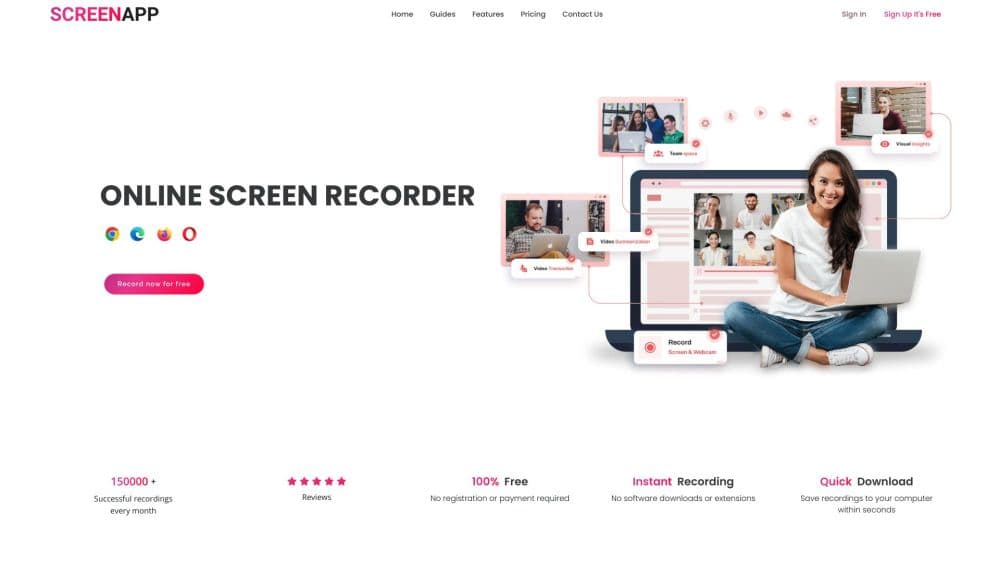
About ScreenApp - AI Voice Recorder
What Is ScreenApp
ScreenApp is a recording and transcription service built by ScreenApp Pty Ltd, a Sydney company founded in 2023. It captures audio, screen and webcam, then runs the recording through AI to produce a transcript with speaker labels, notes, action items and answers you can ask about in chat. It's a tool, not a full meeting platform, so the recording workflow is the whole product.
The pitch is simple. You record a conversation once, and afterward you get something you can read and search instead of a file you have to sit through again. Notes, action items and decisions come out of the transcript without you writing them down.
The limits matter too. Accuracy holds up on clear audio and drops on noisy or crowded recordings. Live captions and translation are still described as beta, so treat them as a convenience rather than something to rely on. And privacy settings aren't a compliance guarantee on their own.
Getting Started
- Create a free account at screenapp.io. No credit card is needed for the free tier.
- Choose how you record: the browser recorder, the Chrome extension, the Mac or Windows app, the iOS or Android app, or a meeting bot that joins a scheduled call.
- Stop the recording when you're done. ScreenApp processes the audio and returns a transcript with speaker labels.
- Read the summary and notes, or open the chat and ask questions about what was said.
- Export the result or run a template to reshare it as minutes, a document or a PDF.
Product Information
A quick look at ScreenApp - AI Voice Recorder's pricing, supported platforms, and performance.
Best for
The users, tasks, and scenarios where this tool fits best.
Users
- Students
- Journalists and researchers
- Remote teams
Tasks
- Turning meetings into minutes with a meeting transcript tool
- Transcribing interviews as a voice to text app
- Drafting from spoken ideas
Scenarios
- Back-to-back meeting days
- Working across languages
- Reviewing a long video
Key features
AI Voice Recording and Transcription
This audio transcription app also works as a screen recorder with transcription. It captures from a browser tab, a microphone or a full screen session, then transcribes the audio with speaker labels. The company's own testing reported up to 95.8% accuracy on clear English audio, and it notes the transcription stack has changed since, so results vary on noisy recordings. The transcript itself is the starting point for everything else the tool does.
AI Notes and Summaries
Every recording can produce a structured note with key points, action items and decisions, drawn from the transcript rather than a separate pass. You get the gist of an hour-long call without listening to it, which is the main reason people keep using it after the first week.
Chat With Your Recordings
As an AI note taker, it lets you ask questions about a recording and get answers grounded in what was actually said. That turns an archive of calls into something closer to a searchable knowledge base, and it's the feature that separates ScreenApp from a plain transcriber.
Meeting Bot and Calendar Recording
For a scheduled call, this doubles as an AI meeting assistant when a bot joins Zoom, Google Meet or Microsoft Teams and records automatically. If you'd rather not have a bot in the room, you can record your own tab instead and still get the same transcript and notes a few minutes after the call.
Templates and Document Export
Templates apply a fixed structure to a transcript, so the same recording can come out as meeting minutes, a report or a formatted PDF. Voice-to-text conversion handles uploaded audio and video, which is useful when the recording started somewhere else.
Translation and Speaker Labels
Recordings can be translated for people who speak another language, and speaker diarization tags who said what. Both matter when a transcript has to be shared with a team rather than just read by the person who recorded it.
Pros and cons
Pros
- Free tier covers 2 transcriptions up to 45 minutes each plus 10 AI chats a month, enough to judge the tool before paying.
- Recording options are broad: browser, Chrome extension, Mac, Windows, iOS, Android and a meeting bot.
- Notes, action items and a chat interface turn a transcript into something you actually reuse.
- Paid plans stay affordable, with Pro at $19/mo billed annually.
- An enterprise plan adds API and webhook access for teams wiring recordings into other systems.
Cons
- Transcription accuracy depends on audio quality. Noisy or multi-speaker recordings need cleanup by hand.
- Live captions and translation are still labeled beta, so you shouldn't depend on them for anything critical.
- The free tier's 45-minute recording cap and 3-upload limit run out fast if you record often.
- Enterprise SSO and SAML aren't available, which blocks some larger companies from adopting it.
Frequently asked questions
It records audio or screen activity and turns it into a transcript with speaker labels, AI notes and action items. You can then search the recording or ask questions about it in chat.
Related content
Explore related tools, skills, and articles for ScreenApp - AI Voice Recorder.
ScreenApp - AI Voice Recorder Alternatives

Base Code
Base44 (Wix) · Coding · ProductivityBase Code is a shared cloud development environment from Base44. Teammates describe changes to an existing GitHub codebase in chat, preview them live and send them back as pull requests.

Knocket
Knocket (Tencent RTC team) · Productivity · Business · ChatbotKnocket is a free live chat and contact page tool that lets visitors message you from your website, app, or a shareable link, with every reply handled from Telegram or one inbox.

FloorGen
Vinit Kumar (FloorGen) · Productivity · China AIFloorGen is a browser-based floor plan maker that turns a sentence or a sketch into an editable 2D plan and a 3D walkthrough. Export to PDF, DXF or video, and draw without an account.