

Screens
Agiloft (Screens) · Productivity
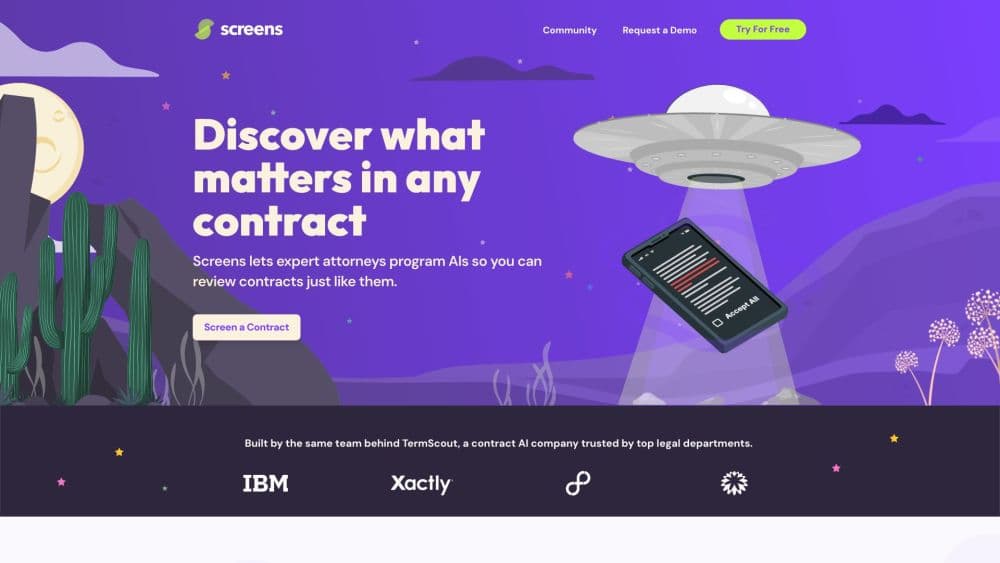
Screens is an AI contract review tool that works inside Microsoft Word, scoring agreements against playbooks and drafting redlines you can accept or rewrite.
About Screens
What Is Screens
Screens is a contract review tool built around Microsoft Word. It handles AI contract review and contract redlining in the same window: you open an agreement, run a screen against it, and get a standards score, flagged clauses, and suggested redlines without leaving the document. The web app at app.screens.ai covers bulk uploads, side-by-side comparison, and questions across a whole portfolio.
The product started in January 2024 as a spinoff of TermScout, an AI contract review company, and it remains a legal AI tool aimed at people who read contracts for a living. The original idea was a marketplace where lawyers packaged their own review standards into screens and sold them to other teams. Agiloft acquired the company in January 2025, and Screens now ships as Agiloft Astra. The screens.ai domain redirects to Agiloft's Astra page, while the Word add-in and the Screens name stay in use.
That history explains both the strength and the catch. The screens are written by practicing lawyers, so a first pass on an NDA or an MSA takes minutes instead of an afternoon. The output still needs a human read: the tool flags what falls outside your standards, and deciding whether a deviation is acceptable stays with you. The free tier also limits you to three custom screens, and its monthly credits reset rather than roll over.
Getting Started
- Create a workspace at app.screens.ai with a work email. The free plan doesn't ask for a card.
- Install the Microsoft Word add-in from AppSource. It runs in Word on Microsoft 365, on desktop and in the browser.
- Pick a screen from the community library or build one. A screen holds the clauses you care about plus pass/fail standards for each of them.
- Open a contract in Word, run the screen, then work through the score, the flagged clauses, and the suggested redlines. Accept, edit, or reject each change.
Product Information
A quick look at Screens's pricing, supported platforms, and performance.
Best for
The users, tasks, and scenarios where this tool fits best.
Users
- In-house legal teams at small and mid-size companies
- Procurement and sales operations staff
- Solo lawyers and legal consultants
Tasks
- First-pass review of vendor and customer paper
- Standardizing redlines across a team
- Auditing a contract portfolio
Scenarios
- Clearing a backlog of supplier contracts before a renewal cycle
- Answering a business question in minutes
- Checking exposure to a new regulation
Key features
Review and Redline Inside Microsoft Word
The Word add-in is the center of the product. You run a screen on the open document, see which clauses pass and which fail, and get a suggested redline for each failure. Clicking a suggestion inserts the change into the file, so the negotiation happens in the document your counterparty will receive. Word-based reviews don't draw credits, which makes heavy daily use practical on the free plan.
Screens and Playbooks That Encode Your Standards
A screen is a list of requirements with pass/fail tests, not a free-form prompt. You define what an acceptable limitation of liability, indemnity, or governing law clause looks like, and the tool measures each contract against that. Teams usually start from a community screen and edit it, which is faster than writing standards from scratch and keeps the wording close to how your lawyers already think.
Standards Scores and Risk Reports
Every review returns a score that shows how far a contract sits from your requirements, plus the specific clauses behind the number. That makes triage possible: a 92 and a 41 don't need the same amount of attention. The extracted clauses sit next to the score, so a reviewer can check the reasoning instead of trusting a summary.
Community Library of Expert Screens
The community side of Screens is a catalog of review sets published by outside lawyers and contract specialists. Some cover common agreement types, others focus on a sector or a single negotiation issue. All community screens work with the Word add-in, and paid plans lift the cap on how many custom screens you can build.
Portfolio Analysis and the Astra Assistant
The web app takes Word files, PDFs, and publicly hosted contracts in bulk, then answers questions across the set. Astra Assistant handles plain-language requests such as which contracts lack a data protection addendum or where liability caps sit below policy. Results come back as structured tables and per-document summaries, and contract portfolio analysis at this scale is the part that turns contract analysis into something a finance or procurement team can use without reading every page.
Credit Tracking and Data Controls
Astra runs on credits, shown in the corner of the app and shared across a workspace. The free plan includes 1,000 credits a month, and uploads, screens, custom columns, and assistant questions each draw a different amount. Agiloft's Clean Data Promise says customer contract data is never used to train AI models, and data residency can be set to the US, EU, Canada, or Australia.
Pros and cons
Pros
- Works where contracts already live: review and redlining happen in Microsoft Word, so there's no export, re-upload, or second copy of the file to track.
- Standards are explicit: a screen spells out what passes and what fails, which makes a review repeatable and easy to hand to a colleague.
- Free plan is usable: unlimited users, uncapped Word add-in use, 1,000 credits a month, and three custom screens cover a small team's routine work.
- Portfolio questions in plain language: the Astra Assistant answers questions across hundreds of agreements without a data team or a custom report.
- Clear data terms: no training on customer contracts, plus residency options in the US, EU, Canada, and Australia.
Cons
- Credits are hard to budget: uploads, screens, and assistant questions burn different amounts, and unused credits don't carry into the next month.
- Word is the main door: the deepest review flow assumes Microsoft Word, so teams working in Google Docs end up converting files first.
- Free tier caps custom screens at three: a team with more than three standard agreement types will hit the limit quickly.
- No documented public API: without one, connecting Astra to a homegrown CLM or data warehouse means going through Agiloft rather than building it yourself.
Frequently asked questions
Screens is an AI contract review tool that checks agreements against pass/fail standards called screens, then drafts redlines. It runs as a Microsoft Word add-in and as a web app for bulk review and portfolio questions.
Related content
Explore related tools, skills, and articles for Screens.
Screens Alternatives

Base Code
Base44 (Wix) · Coding · ProductivityBase Code is a shared cloud development environment from Base44. Teammates describe changes to an existing GitHub codebase in chat, preview them live and send them back as pull requests.

Knocket
Knocket (Tencent RTC team) · Productivity · Business · ChatbotKnocket is a free live chat and contact page tool that lets visitors message you from your website, app, or a shareable link, with every reply handled from Telegram or one inbox.

FloorGen
Vinit Kumar (FloorGen) · Productivity · China AIFloorGen is a browser-based floor plan maker that turns a sentence or a sketch into an editable 2D plan and a 3D walkthrough. Export to PDF, DXF or video, and draw without an account.