

AI Video Generator : SelfyzAI+
Wondershare · Image · China AI
SelfyzAI is a phone app that turns a single photo into a short video, an AI avatar or a restyled portrait, using templates and several generative models without any editing skills.
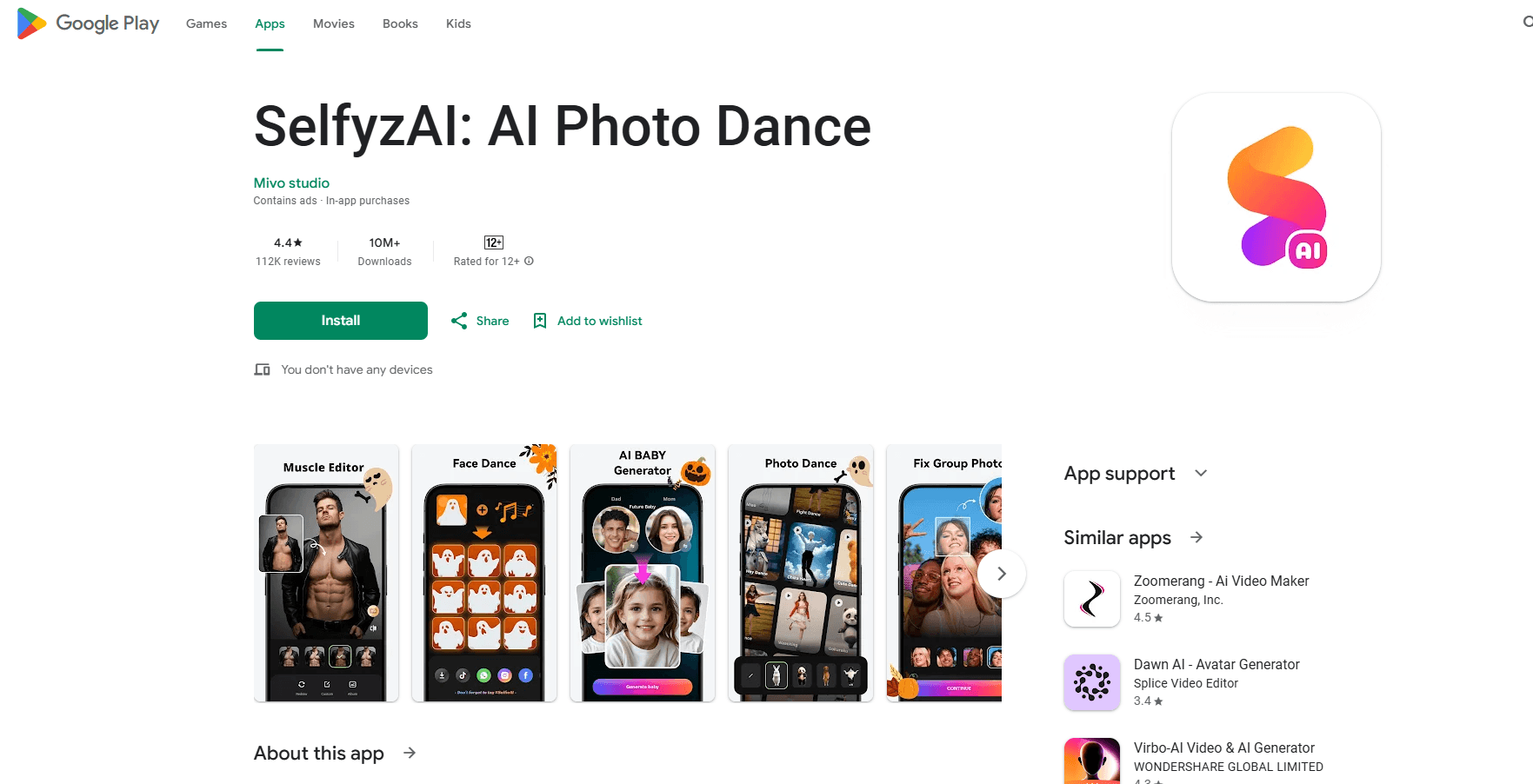
About AI Video Generator : SelfyzAI+
What Is SelfyzAI
SelfyzAI is a mobile photo and video studio built around one idea: take a still image and make it move. You upload a picture, pick a template or write a prompt, and the app produces a clip or an edited image. The name on the store listing is AI Video Generator : SelfyzAI+, and the tool comes from Wondershare, the company behind Filmora and PDFelement.
The core feature is image to video. You can upload up to three photos, describe what you want, choose a duration, an aspect ratio and a motion level, and the app renders a short clip. A second layer of the app is built on ready-made templates. The popular ones are the couple effects, where one photo of two people or two single shots become a hugging or kissing video. People use them to bring old family photos to life or to place a favorite character next to themselves.
Beyond video, SelfyzAI covers image generation and retouching. Text prompts produce portraits, anime, Ghibli and cyberpunk looks. An avatar tool makes profile pictures and headshots. A retouch suite handles skin smoothing, teeth whitening, background replacement and object removal. The app also reads a couple's face photos and predicts what a future baby might look like, a feature that has circulated widely online.
The engine room is a set of third-party models rather than one house model. Nano Banana, PixVerse, Sora, Kling, Veo and Wan are named on the app's own store page, and Wondershare has said it added Gemini Veo 3 and Nano Banana Pro to the lineup. That mix means users get current-generation results without subscribing to each model separately.
There are limits worth stating. Rendering depends on remote servers, so queues move slower at busy hours and the app asks you not to lock the screen mid-job. The most realistic results need a clear, front-facing, well-lit photo. And the couple and dance templates, while fun, work best on faces the model can read cleanly.
Getting Started
- Install AI Video Generator : SelfyzAI+ on Android or iOS, or open the web version.
- Sign up, which unlocks a set of free credits for the lighter tools.
- Pick a mode: image to video, a template, an avatar tool or the retouch suite.
- Upload a clear photo and, for video, add a prompt plus a duration and aspect ratio.
- Generate, wait for the render, then save the result or share it to social media.
Product Information
A quick look at AI Video Generator : SelfyzAI+'s pricing, supported platforms, and performance.
Best for
The users, tasks, and scenarios where this tool fits best.
Users
- Social media creators
- People reviving old photos
- Casual editors who want AI looks
Tasks
- Image to video
- Template video
- AI portrait and avatar
Scenarios
- Making a couple video
- Restoring a memory
- Building a profile set
Key features
Image to video with up to three photos
The main tool takes stills and turns them into motion. You can load as many as three images, type what should happen, and set the duration, the aspect ratio and how much movement the clip carries. The app reads the subjects across the photos and builds a scene that follows your prompt. It's the feature the product is named for, and the one most reviewers point to when they explain why the app stood out in a crowded photo category.
Template-driven couple and dance videos
A large share of the app is a library of one-tap templates. The headline effects turn two single photos or one photo of two people into a hugging, kissing or dancing clip. Users often animate wedding shots, old family pictures or a favorite character to make something that feels personal. The templates lower the skill needed to near zero: choose a style, drop in a photo, wait.
AI portrait, avatar and art generation
Text prompts and reference photos feed a generator that produces portraits, anime figures, Ghibli-style scenes and cyberpunk looks. A separate avatar tool makes professional headshots and social profile pictures. The app can also predict a future baby's appearance from two parents' face photos. Wondershare has since added a select-and-instruct editing mode, where you box part of an image and describe the change instead of regenerating the whole picture.
Retouch, smart editing and restoration
The retouch suite covers the everyday fixes: skin smoothing, teeth whitening, face refinement, object removal, background replacement and image extension, which the app calls outpainting. There's a restoration path for old or damaged photos too. These tools matter because a photo often needs cleanup before it can go into a video, and keeping both in one app saves a round trip.
Multiple generation models in one place
Rather than train its own engine, SelfyzAI wires in several leading models. Nano Banana, PixVerse, Sora, Kling, Veo and Wan are listed on the store page, and the app has added Gemini Veo 3 and Nano Banana Pro over time. For a user, that means the prompt style and quality keep pace with the field without juggling separate subscriptions.
Cross-platform access
The app runs on Android and iOS, and there is a web front end. The same account carries across devices, so a project can start on a phone and be reviewed elsewhere. Wondershare has said the product supports fourteen languages, which fits an audience spread across markets.
Pros and cons
Pros
- Turns a single photo into a video without editing experience.
- One-tap templates make couple, hug and dance clips fast to produce.
- Covers video, image generation, avatars and retouching in one app.
- Draws on current models such as Veo, Kling and Nano Banana.
- Free credits let new users test real prompts before paying.
Cons
- Renders depend on servers, so queues slow down at peak times.
- Couple and dance effects need clear, well-lit, front-facing photos.
- Results vary by photo, and some templates look artificial on hard faces.
- Credits run out quickly on heavier video jobs.
- Little public detail on data handling and commercial licensing.
Frequently asked questions
It is a mobile photo and video app from Wondershare, listed as AI Video Generator : SelfyzAI+. Its main job is turning a still photo into a short video, and it also generates avatars, portraits and retouched images.
Related content
Explore related tools, skills, and articles for AI Video Generator : SelfyzAI+.
AI Video Generator : SelfyzAI+ Alternatives

Google EmbeddingGemma 2
Google DeepMind · Writing · Image · CodingGoogle EmbeddingGemma 2 is a 740M-parameter open model that turns text, code, images, audio, and video frames into vectors in one 768-dimension space, running on phones and laptops.

Tractionwave
TractionWave · Image · MarketingTractionWave is an AI attention heatmap tool for static ads. Upload a PNG or JPG and it returns predicted attention, ranked hotspots, and fixes before you spend budget.

Imejis.io
Imejis.io · Image · MarketingImejis.io is an AI design studio for agents and marketing teams. Describe an image in plain words, and it writes the copy, builds the layout, reflows it to every size, then exports a finished file.