

Sellio
Sellio · Productivity · Business · Chatbot
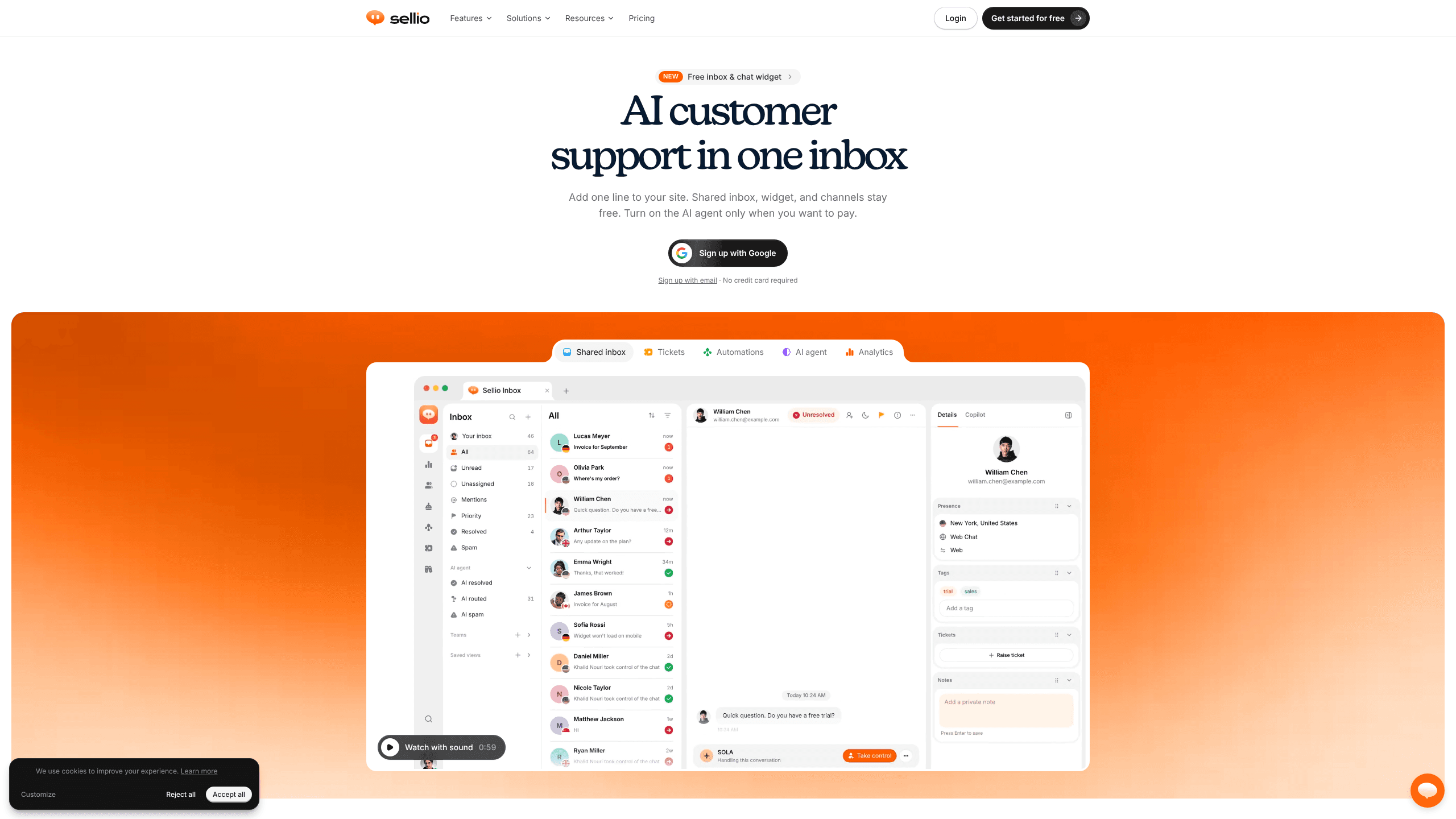
Sellio is a shared inbox and live chat platform for small support teams, with an AI agent trained on your own content, plus tickets, automations and analytics at one workspace price.
About Sellio
What Is Sellio
Sellio is AI customer support software for teams that answer the same customers on a website, in WhatsApp and in email. Every message lands in one shared inbox, so a conversation can pass between teammates without the customer repeating themselves. The product runs in a browser, as a Mac desktop app, and as mobile apps for iOS and Android.
The AI agent sits in front of the queue. You feed it your website pages, help center articles, Notion pages, Google Drive files and PDF or DOCX documents, then test its answers in a playground before it goes live. It replies to routine questions first and hands the chat to a person when it isn't sure. Spend stays under control because each workspace sets a daily answer limit and a monthly token cap.
Sellio is built for teams of roughly two to twenty people, and the pricing shows it. Plans are sold per workspace, not per seat, so a new hire doesn't add a new bill line. The trade-off is that deep enterprise requirements are out of reach: no HIPAA option, no data residency choice, and no marketplace app for Shopify or WordPress. The widget installs with a script tag instead.
Getting Started
- Create a workspace at sellio.chat with Google sign-in. The free plan needs no credit card and has no time limit.
- Add the widget. Copy one script tag into your site, or follow the install guide for HTML, WordPress, Shopify, Wix, Squarespace, Webflow, React, Next.js, Vue or Nuxt.
- Connect channels from Settings. WhatsApp uses a Business number through Meta's Cloud API, Instagram links to a professional account, Telegram takes a bot token from BotFather, and email forwards your support address.
- Train the AI agent. Crawl your site, upload documents, write plain-language instructions, then test replies in the playground and set the limits you're comfortable with.
- Invite the team, build a few views and automations, and watch response time, resolution and CX score in analytics during the first week.
Product Information
A quick look at Sellio's pricing, supported platforms, and performance.
Best for
The users, tasks, and scenarios where this tool fits best.
Users
- Small support teams of two to twenty people
- SaaS founders and solo operators
- Ecommerce and local service businesses
Tasks
- Answering repeat questions about shipping, returns, opening hours or pricing
- Consolidating support channels into a single queue
- Turning a chat into trackable work
- Reporting on support quality
Scenarios
- Launching live chat on a new site in an afternoon
- Covering nights and weekends
- Outgrowing per-seat helpdesk pricing
Key features
Shared inbox with real ownership
Conversations arrive in one list with assignment, private notes, @mentions, teams and saved views. A teammate can pick up a chat mid-thread and see what was already promised, which cuts the internal "who has this one?" round trip. Snooze keeps a slow request out of the way until it matters again.
AI agent trained on your own content
The agent learns from a website crawl, plain text, an FAQ list, PDF, DOCX, TXT and MD files, Notion and Google Drive, plus your own help center and news pages. You write its instructions in ordinary language, set an avatar and a welcome message, then test answers in the playground. Handover rules decide when a person takes over, and the daily answer limit plus monthly token cap stop a runaway bill.
Every channel in one place
Website chat, WhatsApp Business, Instagram direct messages, Facebook Messenger, Telegram, email and Twilio SMS all reach the same inbox. Slack, Discord and Microsoft Teams mirror conversations into a thread where the team can reply without switching apps. The result is an omnichannel inbox with one set of notes and one ticket trail per customer. Each channel has its own switch, so you can keep the AI away from email until you're ready.
A chat widget that looks like your site
The widget takes your brand color, light or dark mode, corner radius and welcome text, and updates the moment you save. Visitors can send files and voice notes, and the JavaScript API lets you open the chat, send a message or pass visitor data from your own app. HMAC-SHA256 identity verification stops someone from spoofing a logged-in customer.
Tickets, contacts and automations
A contact is created on the first message from any channel, with company, tags, segments and full history attached. Anything that needs work after the chat becomes a ticket with an owner and a status. Automations run on a visual canvas: greet, tag, route and follow up without writing code, then test the flow before it touches a real customer.
Analytics and a public API
Analytics covers response time, resolution, CX score and AI performance across nine report pages, with filters, targets, scheduled reports and CSV export. Developers get a REST API under /api/public/v1 with scoped keys, an OpenAPI 3.1 spec and a 120 requests per minute limit. A read-only MCP server lets an AI assistant pull conversations, contacts, tickets and support metrics.
Pros and cons
Pros
- Pricing is per workspace with unlimited operators on paid plans, so support headcount doesn't multiply the bill.
- The AI agent ships with hard spend controls, a test playground and clear handover rules instead of a single "enable AI" switch.
- Installation takes one script tag, and the docs cover the common site builders and JavaScript frameworks.
- Conversations from WhatsApp, Instagram, Telegram and email share the same assignment, notes and ticket flow.
- A public REST API, OpenAPI spec and MCP server make it usable for teams that want their own reporting or internal tools.
Cons
- No HIPAA option and no data residency choice, which rules it out for healthcare and for buyers with strict procurement rules.
- AI replies to email are off by default, and message-triggered workflows run on website chat only, so email automation needs manual setup and stops short of the full channel list.
- The Windows desktop app hasn't shipped yet, so Windows users work in a browser tab until the signed installer is ready.
- There's no Shopify app or WordPress plugin, which means a non-technical store owner has to paste code into a theme file or ask someone for help.
Frequently asked questions
Yes. The free plan covers two team members, one website chat channel, one API key, one AI agent and five AI replies, with no credit card and no time limit. Email and messaging channels start on the Mini plan at $20 a month, which comes with a seven-day trial.
Related content
Explore related tools, skills, and articles for Sellio.
Sellio Alternatives

Base Code
Base44 (Wix) · Coding · ProductivityBase Code is a shared cloud development environment from Base44. Teammates describe changes to an existing GitHub codebase in chat, preview them live and send them back as pull requests.

Knocket
Knocket (Tencent RTC team) · Productivity · Business · ChatbotKnocket is a free live chat and contact page tool that lets visitors message you from your website, app, or a shareable link, with every reply handled from Telegram or one inbox.

FloorGen
Vinit Kumar (FloorGen) · Productivity · China AIFloorGen is a browser-based floor plan maker that turns a sentence or a sketch into an editable 2D plan and a 3D walkthrough. Export to PDF, DXF or video, and draw without an account.