

Sendsteps
Sendsteps · Productivity · Marketing
Sendsteps is an AI first presentation tool that helps teachers and trainers build interactive lessons, collect live student responses, and improve the next session with AI that recommends rather than replaces.
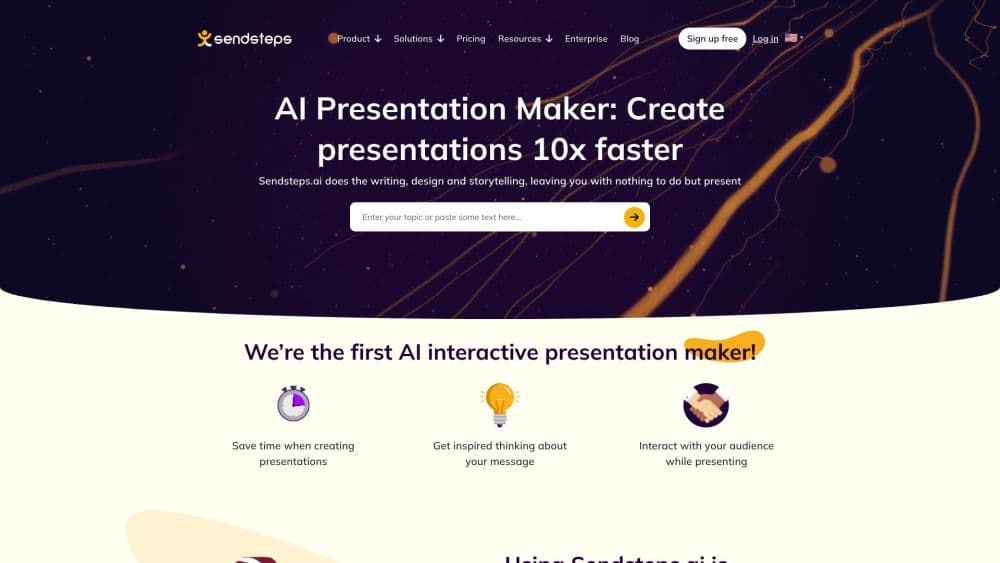
About Sendsteps
What Is Sendsteps
Sendsteps is a web based platform for education and corporate training. Teachers import a document or a PowerPoint as editable slides, or start from a topic, and the tool turns the material into a lesson with polls, quizzes, word clouds, and surveys built in. AI drafts a structure, questions, and a lesson flow, and you approve each suggestion before it lands in the deck.
The product exists to close a gap that single purpose tools leave open. A slide generator helps you build, a live quiz tool helps you engage, and a survey tool collects answers after the fact. As a classroom engagement tool, Sendsteps links those steps into one loop it calls Create, Engage, Validate, and Improve, then turns the responses into data a teacher can act on. It sits next to your learning management system instead of replacing it, so grades and course records stay where your institution already keeps them.
The clearest limit is that the improvement step depends on participation. If students do not answer, there is little for the AI to work from, and the loop stays half closed. The tool also leans on an internet connection during a live session, which is a factor in rooms with unreliable Wi Fi.
Getting Started
- Sign up for a free account on the Sendsteps website. No credit card is needed to start.
- Create a lesson by importing a PowerPoint or document, starting from notes, or entering a topic and letting AI draft a structure.
- Add interactive elements such as polls, quizzes, word clouds, or a survey, and place them where they fit the lesson flow.
- Present live from the web app, Microsoft Teams, or PowerPoint, and let students respond on their own devices.
- Review the results dashboard after the session, then use the AI suggestions to adjust the next lesson.
Product Information
A quick look at Sendsteps's pricing, supported platforms, and performance.
Best for
The users, tasks, and scenarios where this tool fits best.
Users
- Teachers and lecturers
- Corporate trainers and L and D teams
- Institutions evaluating classroom tools
- Instructional designers building reusable lessons
Tasks
- Running live polls and quizzes during a class
- Checking prior knowledge before a lesson
- Collecting feedback after a session
- Converting an existing PowerPoint into an interactive lesson
- Building self paced material
Scenarios
- A large lecture hall where only a few students ever raise a hand
- A training session with a fixed agenda and a hard stop
- A course that repeats each term
Key features
AI Assist That Recommends Instead of Replaces
Sendsteps builds AI into the workflow rather than forcing it on you. You can let AI draft a lesson structure, questions, and a flow from a topic or a document, then review every suggestion. Institutions and teachers decide when and how the AI is used, which matters for schools with a policy on classroom tools.
Create From Materials You Already Have
Create starts from a document, notes, a topic, or a PowerPoint imported as editable slides. You do not rebuild a lesson from a blank page. Powerpoint adds AI enrichment to imported slides on the paid plans, so existing decks pick up interactive elements without a manual pass through each one.
Live Engagement Across the Whole Room
Students respond on their own device, so they do not have to speak in front of the room first. The platform supports 20 plus question types, including polls, quizzes, word clouds, and open questions, plus unlimited participants on the free plan. Participation stops being a test of confidence and starts being a check of understanding.
Validation During the Lesson, Not After
An education AI platform is only as useful as the signals it returns to the teacher. Teacher insight dashboards show who understood while the lesson is still running, with outlier detection to flag answers that fall outside the group. That timing is the point. You can help during the session instead of discovering the gap after the test.
The Improve Step Built On Real Responses
After students respond, AI reads what this lesson showed and recommends content, question, and delivery changes for the next one. You keep control over what to keep, change, or ignore. The improvement suggestion is grounded in your own class data, not a generic template.
Privacy and AI on Your Terms
Sendsteps runs on EU based infrastructure, holds ISO 27001 certification, and keeps its privacy statement, data processing agreement, and sub processor list current. Campus and enterprise plans add central governance safe AI with a choice of LLM, SSO and role management, and an LMS connection.
Pros and cons
Pros
- Connects creation, engagement, validation, and improvement in one loop, so you are not stitching together three separate tools.
- Free plan includes unlimited participants and 20 plus question types, which makes live presenting genuinely free to start.
- Built in AI generation is optional and reviewable, so schools with strict tool policies can still adopt it.
- EU based infrastructure and ISO 27001 certification answer the data protection questions institutions raise first.
- Works with materials you already have, including PowerPoint imports and surveys before, during, or after a session.
Cons
- The improvement step depends on student participation, so a quiet class gives the AI little to work from.
- Learning Signals, the AI lesson summary, and Improve this lesson are marked coming soon, so the most advanced improvement features are not fully live yet.
- Live sessions need a stable internet connection, which can be a real constraint in rooms with weak Wi Fi.
- Exporting results to PDF and Excel sits on the paid plans, so free users cannot share impact data in those formats.
- There is no public API, so teams that want to pull response data into their own reporting must work through the interface.
Frequently asked questions
Sendsteps turns a topic, document, or PowerPoint into an interactive lesson, runs it live or in self paced mode, and shows teachers who understood. It is built around a learning loop of Create, Engage, Validate, and Improve.
Related content
Explore related tools, skills, and articles for Sendsteps.
Sendsteps Alternatives

Base Code
Base44 (Wix) · Coding · ProductivityBase Code is a shared cloud development environment from Base44. Teammates describe changes to an existing GitHub codebase in chat, preview them live and send them back as pull requests.

Knocket
Knocket (Tencent RTC team) · Productivity · Business · ChatbotKnocket is a free live chat and contact page tool that lets visitors message you from your website, app, or a shareable link, with every reply handled from Telegram or one inbox.

FloorGen
Vinit Kumar (FloorGen) · Productivity · China AIFloorGen is a browser-based floor plan maker that turns a sentence or a sketch into an editable 2D plan and a 3D walkthrough. Export to PDF, DXF or video, and draw without an account.