

Shakker
Shakker · Image
Shakker is an AI image generator and Stable Diffusion model hub for creators who want to generate, edit, and train visuals in one browser.
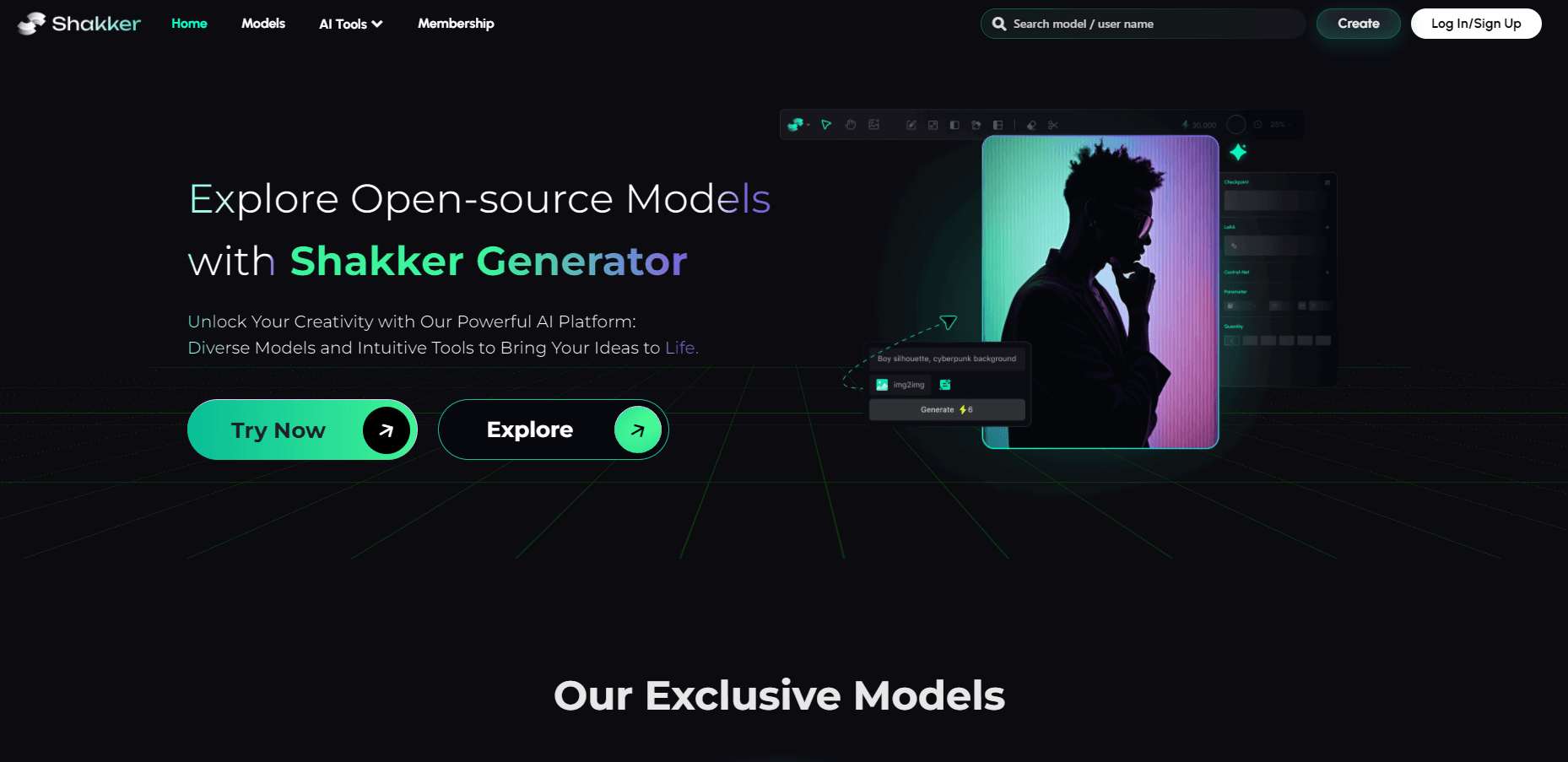
About Shakker
What Is Shakker
Shakker is a web-based AI image generator built around one idea: give creators a single place to find models, generate images, and push the results further. You pick from a library of community and official models, type a prompt, and get an image back in seconds. No local GPU. No install. No command line.
The platform goes past plain text-to-image. It hosts an online version of A1111 WebUI and an online ComfyUI, so people who already work with Stable Diffusion can bring their usual workflows into the browser. It also runs an online training tool, which lets you teach a model your own subject or style without renting a machine. Face swap and style transfer round out the toolset.
The catch is scope. Shakker leans hard on Stable Diffusion and the tools around it, so if you want a simpler closed-model generator with a curated look, this isn't that. Generation runs on credits, and heavy use of advanced pipelines adds up. Where you stand on control versus convenience decides whether Shakker fits.
Getting Started
- Create a free account on the Shakker website.
- Pick a tool: the quick Generator, online A1111 WebUI, or online ComfyUI.
- Choose a model from the hub that matches your target style, like illustration, photography, or concept art.
- Write your prompt, set the resolution and aspect ratio, then generate.
- Edit or upscale the result, or train your own model if you need a specific look.
Product Information
A quick look at Shakker's pricing, supported platforms, and performance.
Best for
The users, tasks, and scenarios where this tool fits best.
Users
- Digital artists and illustrators
- Game and concept artists
- Product and marketing teams
- Stable Diffusion hobbyists
Tasks
- Text-to-image generation
- Face swap and style transfer
- Model training
- Upscaling and export
Scenarios
- Launching a product page and needing clean visuals without a photo shoot.
- Building a game asset sheet where every character shares one visual style.
- Posting daily social content and wanting a steady supply of fresh images.
- Testing an art direction before committing budget to a full render.
Key features
Model Hub with Named Styles
The hub gathers models across illustration, photography, logo and icon, product design, architecture, and game art. Instead of hunting for a checkpoint on a forum and hoping it loads cleanly, you browse categories and load a model straight into your session.
Shakker Generator
The core AI art generator takes a text prompt and returns an image in seconds, with controls for resolution, aspect ratio, and seeds. It's the fastest entry point if you just want a picture and don't care about node graphs yet.
Online A1111 WebUI
The familiar Automatic1111 interface runs in your browser. If you've used it locally, the layout and settings carry over, so you can keep your habits without maintaining a GPU rig.
Online ComfyUI with Custom Nodes
ComfyUI on Shakker lets you build node-based workflows and add custom nodes, which suits repeatable pipelines. People who automate generations get the same control they'd have offline, minus the setup headaches. It's the deep end of the tool.
Online Training
You can train a model on your own images directly on the platform. That's how you get a consistent character or house style across a whole project. It saves you from renting cloud GPUs yourself.
AI Face Swap and Style Transfer
Two focused tools sit alongside generation. Face swap moves a likeness between images, and style transfer repaints a photo in a chosen artistic style while holding the structure.
Infinite Canvas
The infinite canvas works like a workspace you can pan and zoom, so you can spread out variations and compare them side by side. It's built for iterating on one idea rather than one-shot prompts.
Pros and cons
Pros
- Runs entirely in the browser, so there's no GPU or local install to manage.
- A wide model hub plus A1111 and ComfyUI cover both easy and advanced workflows.
- Online training lets you build custom models without your own hardware.
- Free plan means you can test generation before paying.
Cons
- It centers on Stable Diffusion, so fans of closed-model generators may find it more hands-on than they want.
- Credits drive heavier use of advanced pipelines, which adds cost for frequent creators.
- There's no public API, so you can't wire the generator into your own app.
- The breadth of tools takes time to learn if you're new to node-based interfaces.
Frequently asked questions
Shakker is an AI image tool for generating, editing, and training visuals. You can create images from text, swap faces, restyle photos, and train custom models, all in the browser.
Related content
Explore related tools, skills, and articles for Shakker.
Shakker Alternatives

Google EmbeddingGemma 2
Google DeepMind · Writing · Image · CodingGoogle EmbeddingGemma 2 is a 740M-parameter open model that turns text, code, images, audio, and video frames into vectors in one 768-dimension space, running on phones and laptops.

Tractionwave
TractionWave · Image · MarketingTractionWave is an AI attention heatmap tool for static ads. Upload a PNG or JPG and it returns predicted attention, ranked hotspots, and fixes before you spend budget.

Imejis.io
Imejis.io · Image · MarketingImejis.io is an AI design studio for agents and marketing teams. Describe an image in plain words, and it writes the copy, builds the layout, reflows it to every size, then exports a finished file.