

Shavely - Team Translator Chat
Shavely · AI Assistant
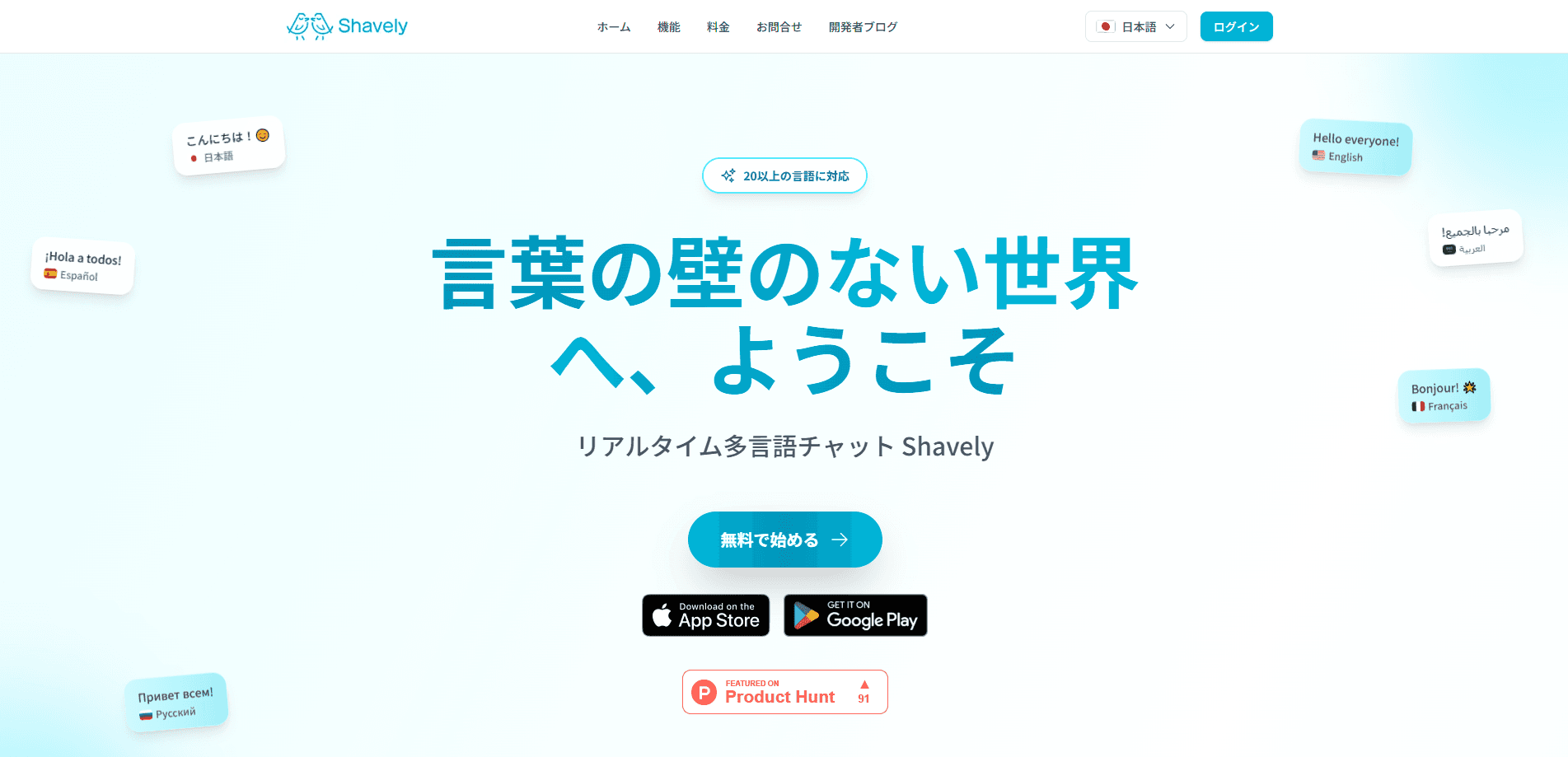
Shavely - Team Translator Chat is a messaging app built for groups where nobody shares a common language. Every message you type gets translated in real time and lands in each member's inbox in the language they picked, across 29 languages. Hotels, factories, restaurants and support desks use it to give shift handovers and safety instructions without an interpreter in the room. It's a team tool first. There's a free monthly ticket allowance, and rooms can run in a browser if a worker would rather not install anything.
About Shavely - Team Translator Chat
What Is Shavely - Team Translator Chat
Shavely is a multilingual team chat app whose whole point is automatic translation. You write in your language, and everyone else reads in theirs. It isn't a general-purpose messenger with a translate button bolted on. The translation is the product, and the chat is just how you reach it.
The problem it targets is narrower than "language barriers" in the abstract. On a hotel floor or a construction site, instructions have to land right the first time. A cleaner who can't read a shift update in English will either guess or ask someone, and both cost time. Shavely removes the guesswork by letting you auto-translate every message a member receives, in the language they set when they joined. No more guesswork.
The trade-off is that it's a team tool, not a personal translator. It wants an admin who opens a room and invites people, and the free tier caps how much translation you get each month. Need a one-off document translated? A plain translator app will do that cheaper.
Getting Started
- Sign up for a free account with your email on the Shavely website, which takes about a minute.
- Create a chat room from the + icon in the header. Pick a name tied to a use case, like "Cleaning Team" or "Safety Alerts".
- Open the three-dot menu in the room and choose Invite Friends, then copy the invite link and send it to staff over SMS or another messenger.
- Have each worker install the app or open the link in a browser, then set their native language so every message shows up translated.
- Send your first message, like "Good morning", and it appears in each member's chosen language.
Product Information
A quick look at Shavely - Team Translator Chat's pricing, supported platforms, and performance.
Best for
The users, tasks, and scenarios where this tool fits best.
Users
- Hotel and hospitality crews
- Factory and construction supervisors
- Customer support teams
Tasks
- Broadcasting shift changes and daily tasks
- Sending safety and emergency updates
- Running a multilingual group chat
Scenarios
- A hotel where housekeeping, kitchen and front desk staff speak different languages and share one operational chat.
- A construction site where a supervisor needs to brief workers from several countries before the day starts.
- A support desk handling tickets from customers who write in different languages with a small, mixed-language team.
Key features
Real-time translation across 29 languages
Every message is translated as it's sent, not after someone copies it into a separate tool. Members read in the language they set. Nobody switches languages to follow the thread. The 29-language coverage is wide enough to cover most mixed crews in hospitality, manufacturing and support.
Custom dictionaries for workplace terms
Generic translation engines mangle job-specific vocabulary. Shavely lets an organization define how its own operational phrases and internal terms get translated, so a room number, a machine name or a safety code reads the same way every time. This is the feature that separates it from a normal messenger's built-in translate. It's a small thing that turns out to matter a lot.
Browser access without an install
Staff can join from a smartphone or tablet browser, so a worker who doesn't want another app on their phone can still take part. That matters for on-site rollout, where asking a whole crew to install something on day one is the usual point of failure. Shavely positions this as the core of its multilingual workforce software pitch. It's the part that decides whether a rollout actually happens.
Room-based setup with link or QR invites
An admin creates a room in about a minute and shares an invite link or QR code. Workers scan it, pick their language and they're in. Small teams can be running the same day, and the site's own guidance puts a 50-person rollout at about a week.
Pay-as-you-go tickets instead of a subscription
Shavely sells one-time tickets for rooms rather than a monthly seat plan. A ticket covers one room for a set window, from a day to a month, and you buy the next one only when you need it. There's no automatic monthly charge. A free allowance of 5 tickets lands each month.
Free tier for small and short runs
The 5 monthly tickets cover small groups at no cost, so a team can test the whole model before spending anything. Short events and one-off jobs fit here too. You only burn a ticket when you open a room.
Pros and cons
Pros
- Every message is translated automatically. A multilingual crew never needs a dedicated translator.
- Custom dictionaries keep workplace and internal terms consistent across a site.
- Browser access means workers can join without installing an app. That speeds up on-site rollout.
- Pay-as-you-go tickets avoid a recurring subscription. 5 free tickets a month cover small teams.
- Setup is quick. Create a room, share a link, and staff are talking the same day.
Cons
- Pricing runs in yen tickets, so teams outside Japan will need to convert costs before budgeting.
- The free allowance is capped at 5 tickets a month, so heavier teams will hit the paid tier fast.
- It's a team room model rather than a personal translator. It's the wrong fit if you just need a one-off document translated.
- No public API is listed, which limits plugging translation into your own systems.
Frequently asked questions
It's a group chat app that translates every message in real time, so each member reads the conversation in the language they chose. You type in your own language, and the app handles the rest across 29 languages.
Related content
Explore related tools, skills, and articles for Shavely - Team Translator Chat.
Shavely - Team Translator Chat Alternatives

Iplan AI
Iplan AI · Productivity · AI AssistantIplan AI is an AI travel planner that turns a few trip details into a full day-by-day itinerary in seconds. You answer questions about your destination, interests, budget, and travel companions, and the tool builds a plan you can edit, share, and carry with you on any device. It targets travelers who want a solid draft without spending hours in spreadsheets and browser tabs. Think of it as an itinerary generator that does the tedious part for you.

Screenhelp
Screenhelp · Productivity · AI AssistantScreenhelp is an AI screen assistant that turns a single keyboard shortcut into real-time help. You press Ctrl+Shift+Space, it captures what's on your screen, and it streams an answer into a private panel in about two seconds. Think of it as an AI screenshot helper you trigger on demand. It runs on Mac, Windows, and the web, starts free with 30 answers a month, and stays invisible during screen sharing on Zoom, Teams, and Google Meet.

Rainbow
Rainbow · AI AssistantRainbow is an AI weather forecast app built around short-term precipitation nowcasting. Its engine pushes min-by-min rain and snow predictions up to four hours ahead, blending live satellite and radar feeds into hyperlocal forecasts. The app adds live rain radar, a seven-day outlook, precipitation alerts, home-screen widgets, and a hurricane tracker, and it runs on both Android and iOS with a free tier plus paid upgrades.