

Sheet0
NPI (Sheet0) · Coding · Productivity
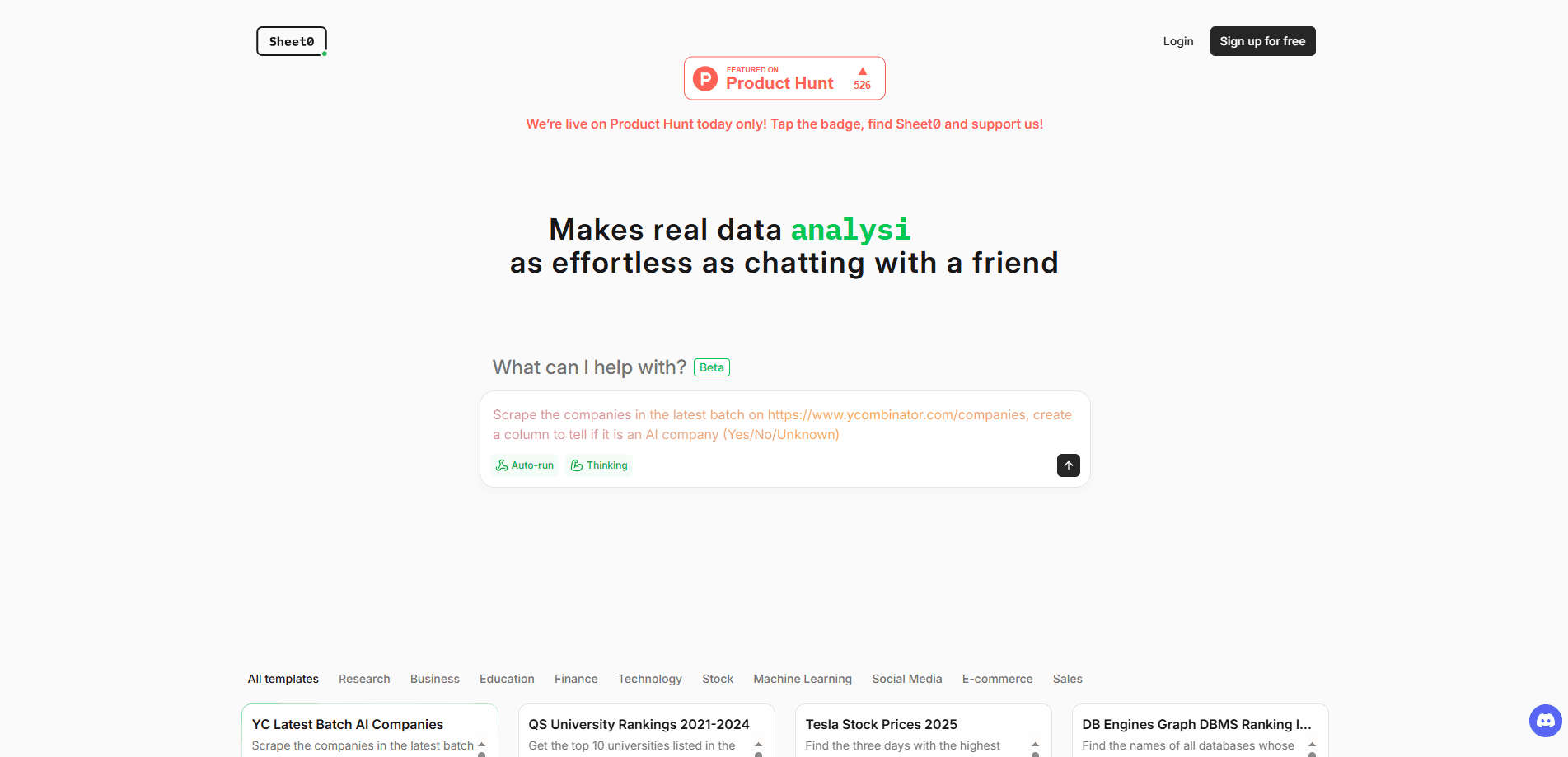
Sheet0 is a data agent that converts webpages, files, and APIs into clean spreadsheets. Think of it as a spreadsheet agent that sits between a browser and a database. You describe the data you want in plain language and it builds the code to fetch it. The pitch is accuracy over speed. Instead of guessing at messy pages, Sheet0 writes small programs that read the source, rerun on schedule, and patch themselves when a site changes, even when the underlying page gets redesigned months later.
About Sheet0
What Is Sheet0
Sheet0 is an AI data agent built for people who need structured data but don't want to write scrapers. Point it at a webpage, an uploaded file, or an API endpoint, describe the fields you want, and it produces a spreadsheet you can keep, share, or export. The company positions it as an "L4" agent, borrowing the self-driving scale to signal how much it does on its own. In practice that means it plans the steps, executes code, checks its own work, and retries when a step fails.
The core problem it solves is the gap between raw pages and usable tables. Copying prices, listings, or contacts by hand is slow and never stays current. Traditional web scraping tools break the moment a site tweaks its layout. Sheet0's answer is to treat each task as structured data extraction, not a one-off copy-paste. A change in the page usually means a small fix, not a rebuild.
The main limitation is scope. Sheet0 is a data tool, not a general chatbot or a spreadsheet app like Excel. It's strongest at collection and cleanup. It also works best when you can define the fields you want clearly. Vague requests produce vague tables, and heavily protected sites can still block automated access.
Getting Started
- Sign in at sheet0.com with an email account and open a new sheet.
- Paste a webpage URL, upload a file, or add an API endpoint as your data source.
- Describe the columns you want in plain English, for example names, prices, and dates.
- Review the generated table, adjust any column definitions, and let Sheet0 rerun the task.
- Export the result or keep it as a live sheet that refreshes when the source changes.
Product Information
A quick look at Sheet0's pricing, supported platforms, and performance.
Best for
The users, tasks, and scenarios where this tool fits best.
Users
- Analysts who pull the same numbers from sites every week and want a table that refreshes on its own.
- Founders and marketers doing market research who need competitor pricing or listings without hiring a developer.
- Operations staff who collect leads, product data, or directory entries and want it cleaned before it hits a spreadsheet.
Tasks
- Turning a public listing page into a sortable spreadsheet with prices, ratings, and links.
- Extracting a defined set of fields from uploaded PDFs or CSV files into one consistent table.
- Pulling records from a JSON API and reshaping them into columns you can chart.
Scenarios
- Weekly competitor price tracking where the page layout shifts now and then.
- Building a research dataset from several sources before a report.
- Cleaning a messy export into a format a teammate can actually use.
Key features
Code-Based Data Collection
Sheet0 doesn't just read a page and guess what the data means. It writes a small program to fetch and parse the source, which is why it can follow rules precisely instead of approximating. That's the engine behind its structured data extraction. For you, that means fewer half-right rows and a result you can trace back to the page it came from. When a column looks off, you can see why rather than accept a black-box answer.
Plain-Language Column Setup
You define your output by describing it. Ask for "product name, current price, and whether it's in stock," and Sheet0 maps those to the fields it finds. This is no-code data collection in the plainest sense: the tool does the wiring for you. The sheet stays readable because the columns match how you talk about the data. You can refine the wording and rerun the whole task without rewriting a single line of code.
Self-Repair When Sources Change
Websites move things around, and that's usually where scrapers die. Sheet0 watches for the failure and attempts a fix on its own before flagging a problem. It won't rescue a page that's been completely rebuilt. But it handles the small breaks that would otherwise send you back to a developer. That's the difference between a tool you run once and one you can schedule.
Scheduling and Live Sheets
A sheet isn't a static file. You can set a task to run again, so prices, listings, or records stay current without you reopening the page. This turns a manual chore into a background job. In that sense it behaves like a living AI spreadsheet. The tradeoff is that live data depends on the source staying reachable, so a site that blocks bots can stall a scheduled run.
Web, File, and API Sources
Sheet0 accepts more than webpage URLs. You can feed it uploaded files or point it at an API endpoint, then shape the output into the same kind of table. That flexibility matters when a project mixes sources, like a competitor's site plus your own internal export. It means one place to assemble a dataset instead of three separate tools. For research, that alone saves a lot of shuffling.
Pros and cons
Pros
- Handles common data-collection jobs without any coding, which opens the task up to non-developers.
- Code-based execution tends to be more accurate than pure AI extraction on structured pages, and the difference shows up in fewer broken rows.
- Self-repair cuts down on the maintenance that usually kills one-off scrapers.
- Accepts webpages, files, and APIs, so you can combine sources in one sheet.
- Output drops straight into a spreadsheet, so there's no export dance.
- Doubles as a web scraping tool and a data cleaner in one pass.
Cons
- It's a data tool, not a spreadsheet app, so heavy modeling and formulas still belong elsewhere.
- Heavily protected or login-gated sites can block automated access, which limits coverage.
- Clear column definitions matter a lot; fuzzy requests lead to fuzzy tables.
- Pricing and quota details aren't easy to find upfront, so heavy users should confirm limits before committing.
Frequently asked questions
It collects and structures data. You give it a source and describe the columns you want, and it produces a clean spreadsheet. No manual copy-paste involved.
Related content
Explore related tools, skills, and articles for Sheet0.
Sheet0 Alternatives
Forefront
Forefront · CodingForefront is a web platform for building with open-source AI. It lets you fine-tune leading open-source language models on your own data, evaluate how they perform, and run them through an API or export them to host yourself. Developers who want the convenience of a closed-source platform but insist on owning their models and data are the target audience here.

Startkit
StartKit.AI · CodingStartkit is a boilerplate for building AI SaaS and AI wrapper products. Think of it as an AI startup boilerplate with the boring parts already wired up: authentication, Stripe and Lemon Squeezy payments, usage limits, transactional email, and an AI API starter that talks to OpenAI, Anthropic, Groq, or Llama. You clone the repo, set your price, and start on the part of your product that people actually pay for. It's Next.js under React and Tailwind, so most of the boilerplate code already feels familiar.
Testim
Tricentis · CodingTestim is an AI-powered test automation platform for building and running end-to-end tests across web, mobile, and Salesforce applications. It leans on machine learning to keep tests stable when an interface changes, so teams spend less time fixing broken selectors. Not bad for an automated testing tool you can start using today. You create tests by recording actions in a browser, then optionally add JavaScript when you need more control. It's a solid pick for busy QA teams.