

Sheetsbase
Sheetsbase · Productivity
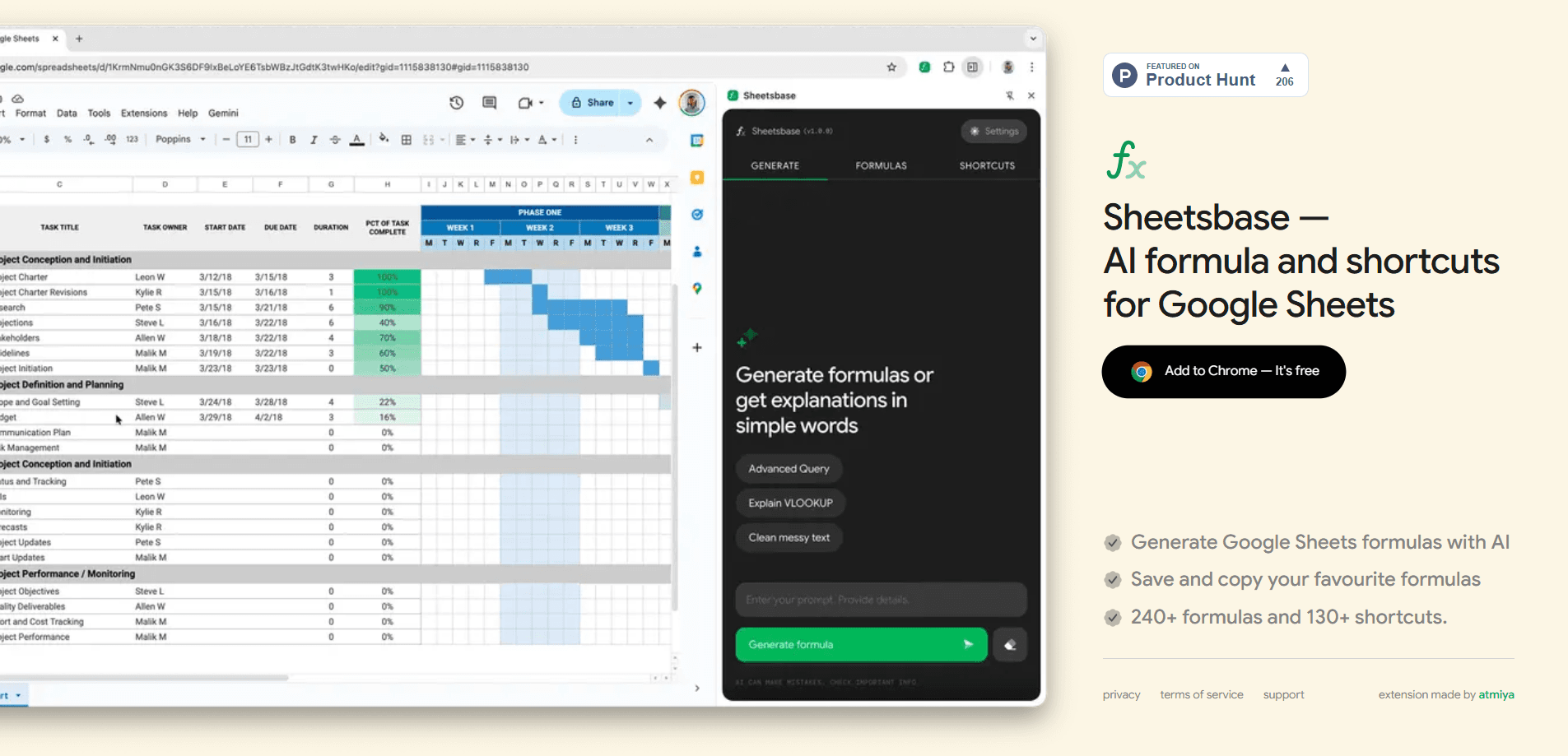
Sheetsbase is a Chrome extension that turns plain English into working Google Sheets formulas and keeps the useful ones within reach. It works as a formula helper you call from inside the sheet. Instead of opening a help tab or another AI chatbot, you describe what you want in a cell and it hands back a formula you can drop in and adjust. It also packs a searchable set of more than 130 spreadsheet shortcuts and a formula library of 240+ function examples. If you build spreadsheets often and keep forgetting the exact syntax of VLOOKUP or how to nest an INDEX/MATCH, this trims the back-and-forth. It runs as a compact add-on for Google Sheets rather than a full spreadsheet app.
About Sheetsbase
What Is Sheetsbase
Sheetsbase is a small Chrome extension built specifically for Google Sheets. Its job is to remove the pause that happens whenever a formula slips your mind. You type a description like "sum column B where column A says March," and the AI formula generator writes the formula for you. No hunting through documentation. No switching tabs to a general-purpose assistant.
The second half of the tool is memory. Formulas worth keeping go onto a shelf so you can copy them into the next workbook instead of rebuilding them from scratch. That saves minutes. On top of that sits a shortcut finder that searches more than 130 keyboard shortcuts by the task you're trying to do. There's also a browsable list of 240+ example functions for reference while you work.
The limits are worth knowing up front. Sheetsbase is a Google Sheets tool, so it does nothing in Excel or other spreadsheet apps. It's an extension. That means it lives in Chrome and depends on the browser being open with Sheets loaded. And since the AI generation runs through its own service, you'll want to check how your prompts are handled if your sheets contain anything sensitive. The official site doesn't spell out a free tier, so treat pricing as a question to confirm before you commit.
Getting Started
- Install the Sheetsbase extension from the Chrome Web Store and keep it pinned so you can reach it quickly.
- Open any Google Sheet, then launch the extension from the toolbar or with its shortcut.
- Use the AI formula box to describe the result you want in a sentence, and copy the generated formula into the cell you need.
- Save the formulas you'll reuse to your formula shelf, and search the shortcut finder when you want to speed up a manual step.
- Browse the example library when you'd rather learn a function than generate one.
Product Information
A quick look at Sheetsbase's pricing, supported platforms, and performance.
Best for
The users, tasks, and scenarios where this tool fits best.
Users
- Spreadsheet-heavy office workers
- Analysts and operations staff
- Google Sheets beginners
Tasks
- Writing tricky formulas
- Reusing formulas across workbooks
- Learning keyboard shortcuts
Scenarios
- Cleaning a messy export from another tool and needing quick formulas for trimming and splitting text.
- Building a monthly report where the same few formulas appear in every new sheet.
- Trying to work faster in a shared team sheet without breaking your flow to search for help.
Key features
AI Formula Generation
The headline feature is the AI formula generator. You describe the outcome in everyday language, and Sheetsbase returns a Google Sheets formula you can place directly and then tweak. It's aimed at the moment you know what you want but can't recall the exact function or how to combine two of them without breaking the syntax and staring at an error you don't understand. Handy. The output is a starting point, so you should read it before trusting it on important data.
Formula Shelf for Reuse
Formulas you'll need again can be saved to a personal shelf inside the extension. That beats digging through old files to copy a working formula. When you want it back, you copy the saved formula and place it into whichever sheet you're in, which is a real time-saver on the monthly reports most teams rebuild from the same handful of building blocks. That's where it saves real time on recurring reports.
Searchable Shortcut Finder
Sheetsbase indexes more than 130 Google Sheets shortcuts and lets you search by the task rather than the keys. If you know you want to "freeze a row" but not the combination, you type the intent and get the shortcut. Not ideal to learn them all. New users pick these up faster than a printed cheat sheet, and it keeps hands off the mouse.
Library of 240+ Function Examples
There's a browsable formula library of 240+ practical function examples for reference. When you'd rather understand a function than have one generated for you, this gives you working patterns to study rather than a black-box answer you have to take on faith. It's most useful for common lookups, math, and text functions you'll meet again and again. Read, copy, learn.
Stays Inside the Sheet
Everything runs from a compact panel without pulling you into a separate tab or app. That's the design goal: keep formula discovery and shortcut recall in the same place you're already working, so a quick lookup never turns into fifteen minutes of scrambled tab-hopping you can't retrace. Less tab hopping means fewer chances to lose your train of thought mid-task.
Pros and cons
Pros
- Generates Google Sheets formulas from plain-language descriptions, which cuts down on syntax hunting.
- Saves formulas to a shelf so recurring work doesn't start from zero every time.
- More than 130 shortcuts are searchable by task, not just listed by key combination.
- 240+ function examples give you something to learn from, not only generated answers.
- Runs inside Google Sheets, so you stay in one window.
Cons
- It's a Chrome extension for Google Sheets only, so it won't help in Excel or standalone spreadsheet tools.
- AI-generated formulas still need review before you trust them on real data, which adds a verification step.
- The official site doesn't clearly state the free tier or paid pricing, so you have to confirm costs yourself.
Frequently asked questions
Sheetsbase is a Chrome extension that generates Google Sheets formulas from a plain-language description, stores the formulas you want to reuse, and provides a searchable set of 130+ shortcuts plus 240+ function examples. It's built to keep formula help inside the sheet instead of in another tab.
Related content
Explore related tools, skills, and articles for Sheetsbase.
Sheetsbase Alternatives

Base Code
Base44 (Wix) · Coding · ProductivityBase Code is a shared cloud development environment from Base44. Teammates describe changes to an existing GitHub codebase in chat, preview them live and send them back as pull requests.

Knocket
Knocket (Tencent RTC team) · Productivity · Business · ChatbotKnocket is a free live chat and contact page tool that lets visitors message you from your website, app, or a shareable link, with every reply handled from Telegram or one inbox.

FloorGen
Vinit Kumar (FloorGen) · Productivity · China AIFloorGen is a browser-based floor plan maker that turns a sentence or a sketch into an editable 2D plan and a 3D walkthrough. Export to PDF, DXF or video, and draw without an account.