
Shuffle Design CLI
Shuffle · Image · Coding
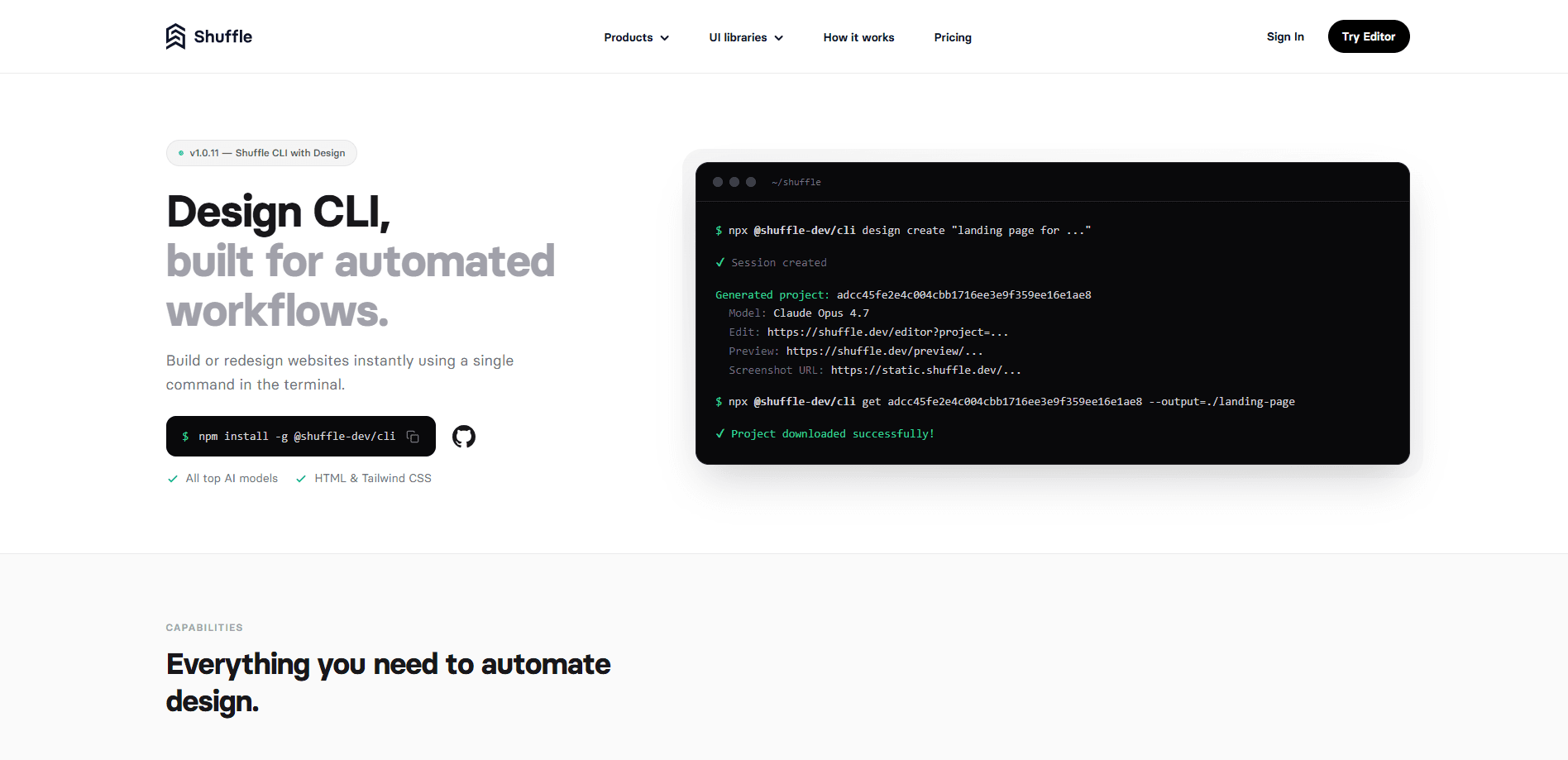
Shuffle Design CLI is a command line tool from Shuffle that generates and redesigns full landing pages from a single terminal command, drawing on top AI models like Claude Opus, GPT, Gemini Pro, and Kimi. It returns several design variants as clean, editable HTML with Tailwind CSS, so you can preview the output, refine it in Shuffle, and download the files for your own project. The tool targets anyone who wants repeatable design generation inside scripts, CI jobs, or internal dashboards rather than manual browser sessions. If that's you, it's a good fit.
About Shuffle Design CLI
What Is Shuffle Design CLI
Shuffle Design CLI is the terminal version of Shuffle's design engine. Think of it as a command line website builder driven by AI. You describe a page in plain text, and the tool asks several AI models to each produce a take on it. What comes back isn't a locked image or a hosted mockup. It's HTML and Tailwind CSS you can open, read, and change.
The main appeal is repetition. A designer clicking through a web app can build one page at a time. A CLI can be called from a script, run on a schedule, or wired into a Slack bot. That's AI design automation in its simplest form. Design generation becomes a step in a workflow instead of a manual task.
The catch is that this is a developer-facing tool. If you don't use a terminal, npm, or node, it won't do much for you. And it leans on your Shuffle account for generation, so the free tier and paid plans shape how much you can build.
Getting Started
- Install the CLI with
npm install -g @shuffle-dev/cli, or run it straight throughnpx @shuffle-dev/cliwithout a global install. - Sign in to your Shuffle account by running
shuffle auth. Your browser opens so you can finish login; on a remote server, useauth --no-openand open the printed URL on your desktop. - List the AI models you can use with
shuffle design models, or skip the picker by passing--allto run every active model. - Generate a page with
shuffle design create "Landing page for a B2B support platform", or redesign a live site withshuffle redesign create https://example.com "make it feel warmer". - Preview the variants, pull the ones you like into Shuffle for editing, and download the HTML and Tailwind CSS files locally.
Product Information
A quick look at Shuffle Design CLI's pricing, supported platforms, and performance.
Best for
The users, tasks, and scenarios where this tool fits best.
Users
- Developers who want design generation inside their own scripts
- Agencies handling client redesigns
- Design-savvy teams testing multiple AI models
Tasks
- Generating a landing page from a text brief
- Redesigning an existing website
- Automating outreach at scale
Scenarios
- Building a design step into a Slack-based workflow
- Running design generation on a schedule or CI job
- Prototyping several layouts before committing
Key features
Parallel Generation Across AI Models
Instead of one model producing one result, the CLI can run several top models at once. You pass a description, and each model returns its own design variant. The upside is comparison. You see different interpretations of the same brief side by side, which makes picking a direction faster than iterating with one model in isolation.
Website Redesign From a URL
The redesign path takes an existing live page and a direction, then builds a new version with the same content and a different look. Call it AI website redesign in one command. It screenshots the page first, so the model has real reference material rather than guesswork. Agencies lean on this one most. A redesign of a prospect's own site is a strong pitch.
Clean HTML and Tailwind CSS Output
Everything the tool generates comes back as readable HTML and Tailwind CSS, not a locked export. It works as a Tailwind CSS generator and a plain HTML generator at once. You can inspect the markup, adjust the classes, and move it into your stack. Shuffle's editor also exports to frameworks like Next.js, Laravel, and WordPress if you want to push the design further.
Scriptable, Automation-First Design
The CLI runs from scripts, CI jobs, and internal tools. That's the whole point of it existing next to Shuffle's browser editor. You get repeatable commands, your own prompts, and approval flows built on top of Shuffle's engine rather than a manual click path.
Remote and Server-Friendly Auth
Sign-in works when you're not at a desktop. On a remote server you run auth --no-open, open the printed callback URL in your local browser, and you're set. No SSH tunneling needed. Bind the callback with --host for servers behind a public IP or DNS name.
Included Workflow Examples
The public repo ships two working examples: a Slack bot that creates designs from mentions or DMs, and an outreach automation that redesigns prospect sites and sends offers via Resend. Both are runnable starting points. No abstract docs, no guesswork, just copy and run.
Project Sync and Local Cache
Beyond generation, the CLI lists your Shuffle projects, downloads them, and syncs the latest files to your local copy with sync. There's a status command for downloaded folders and a cleanup command for stale references, so long-running projects don't drift out of sync.
Pros and cons
Pros
- Runs from a terminal, so design generation fits into scripts, CI jobs, and bot workflows instead of a manual browser session.
- Multiple AI models in one command, which makes comparing design directions fast.
- Output is plain HTML and Tailwind CSS you can read, edit, and ship.
- Public examples for Slack bots and outreach automation give you a working starting point.
- Remote auth with `--no-open` and `--host` works on servers without a desktop.
Cons
- No public API. Automation runs through the CLI, so teams wanting an HTTP endpoint have to wrap it themselves.
- Requires Node.js and comfort with a terminal. Not a tool for non-developers.
- Generation depends on a Shuffle account and plan, so usage is tied to Shuffle's pricing rather than a flat free tool.
- Much of the value sits in Shuffle's surrounding editor and libraries. The CLI is strongest as part of that setup, not on its own.
Frequently asked questions
It generates new website designs and redesigns existing pages from text prompts, then returns the results as HTML and Tailwind CSS. You run it in a terminal, and it can be called from scripts or other tools.
Related content
Explore related tools, skills, and articles for Shuffle Design CLI.
Shuffle Design CLI Alternatives

X Ray Interpreter
X-ray Interpreter · ImageX Ray Interpreter is a web-based AI radiology tool that turns X-rays, CT scans, MRI, ultrasound, and PET images into plain-language reports. You upload a scan, get a preliminary X-ray interpretation in moments, then ask follow-up questions if something needs explaining. It works as a second opinion and a learning aid, not as a medical diagnosis.

Aieasypic
AIEasyPic · ImageAIEasyPic is an AI image generator that turns plain text prompts into finished artwork in seconds. You can also train custom models on your own photos, swap faces in existing images, and create short video clips from text, all from a browser. It suits casual creators who want quick visuals and hobbyists who want to build a personal model without touching any code.

Chargen
Chargen · ImageChargen is an AI character generator and worldbuilding toolkit built for Dungeons & Dragons and other tabletop RPGs. It turns a one-line idea into a painted character portrait, spins up NPCs, monsters, maps and encounters from the same session, and keeps every creature's details close at hand. The tabletop RPG art side runs on a credit system called Gold, while the text generators stay free for everyone.