

Business Planner
SigmaQu · Business
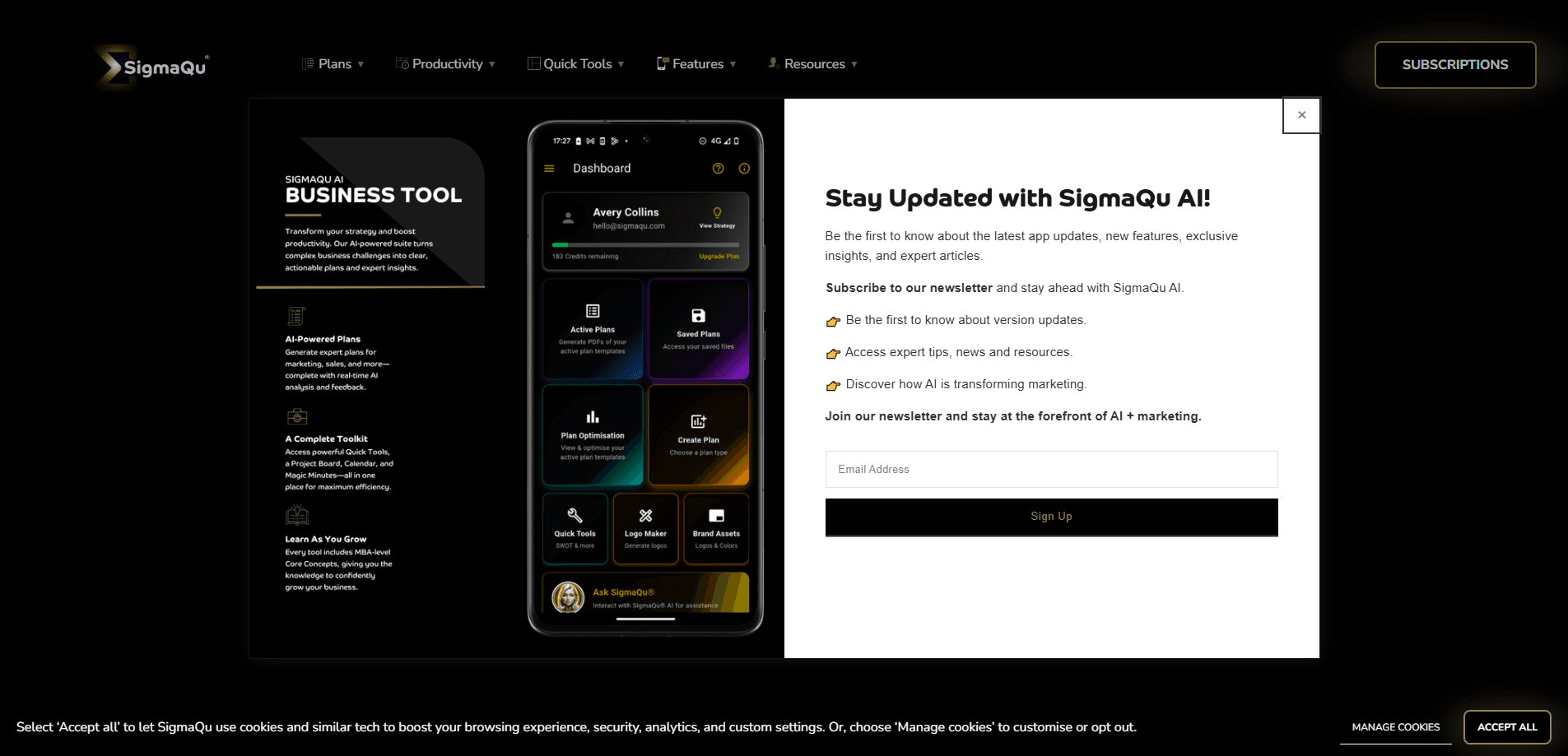
Business Planner is SigmaQu's AI business planning tool for founders and small teams who need to turn an idea into a real strategy. It pairs guided blueprints with a set of planning tools and an AI assistant called Sigma, so you refine a living plan instead of writing one document and filing it away. The platform runs on Gemini 2.5 Flash and comes both as a web app and an Android app.
About Business Planner
Getting Started
- Create an account on the SigmaQu website or install the Business Planner app from Google Play.
- Pick a blueprint that matches your situation, such as a startup plan or a growth strategy.
- Fill in the prompts the blueprint gives you with what's true about your business right now.
- Run one of the built-in planning tools when you need a specific answer, then ask Sigma to pressure-test your thinking.
- Save the plan, revisit it as numbers change, and keep editing instead of starting over.
Product Information
A quick look at Business Planner's pricing, supported platforms, and performance.
Best for
The users, tasks, and scenarios where this tool fits best.
Users
- Solo founders and early-stage startups
- Small business owners
- Students and first-time planners
Tasks
- Drafting a first business plan
- Testing a new direction
- Refining a strategy that's gone stale
Scenarios
- A weekend planning push before a Monday meeting with a potential partner.
- Ongoing strategy upkeep when monthly revenue or costs shift and your old assumptions stop holding.
- Preparing talking points before you pitch to a bank or an angel investor.
Key features
Guided Planning Blueprints
SigmaQu organizes its plans around blueprints, which are structured frameworks that walk you through the parts of a business plan step by step. Instead of a blank page, you get prompts that tell you what to fill in and why it matters. For someone who's never written a plan before, that structure removes a lot of the guesswork. No more staring at a cursor.
Sigma, the Built-In AI Assistant
Sigma is the assistant that runs on top of your plan. You can ask it for a second opinion, have it challenge an assumption, or get a fresh angle on a problem you're stuck on. The company packs it as a consultant in your pocket, and while that's marketing, the core idea holds: you get feedback without scheduling a call. It's powered by Gemini 2.5 Flash, so responses come back quickly. That speed matters.
Planning Tools for Specific Questions
Beyond the assistant, SigmaQu ships a set of quick tools you run when you need a concrete answer rather than general advice. The company's guidance is to reach for a tool when you want clarity on one decision, then fold the result back into your plan. That keeps the heavy thinking in one place instead of scattered across five browser tabs. It's a small win. Still a real one.
Living Plans Instead of Static Documents
The platform is built around editing plans over time. SigmaQu says its own team uses these blueprints every week to update answers and test ideas as things change. That matters. A business plan written once and never opened again has almost no value. Treating the plan as a living document is the whole premise.
Web and Android Access
You can use Business Planner in a browser or through the Android app on Google Play. The mobile version is handy for capturing an idea or updating numbers when you're away from a desk and don't want to wait until you're back at a laptop. There's no iPhone app, so iOS users are limited to the web version for now. That's a real gap.
Low-Cost Entry Point
SigmaQu positions the product as an affordable alternative to hiring a consultant. There's a free plan to start with, and the paid tier stays in the range a solo founder can absorb. For a first plan, that's a reasonable trade: you get structure and AI feedback without a retainer. Hard to argue with that.
Pros and cons
Pros
- Blueprints give beginners a clear path through a plan they'd otherwise struggle to structure.
- The AI assistant is available whenever you're working, so feedback doesn't wait on anyone's calendar.
- Keeping plans editable over time beats rewriting a document every quarter.
- An Android app means you can update numbers from your phone.
- Free tier and a low paid ceiling make it easy to test before committing.
Cons
- No iPhone app means iOS users are stuck with the browser version.
- It's not a replacement for project management or accounting tools, so you still need other software to run the business.
- The quality of what you get out depends on how much real information you put in, and vague inputs produce vague plans.
Frequently asked questions
It helps you build and maintain a business plan using structured blueprints, a set of planning tools, and an AI assistant called Sigma. You still do the thinking, but you get a framework and fast feedback along the way. Think of it as a sparring partner. Not a ghostwriter.
Related content
Explore related tools, skills, and articles for Business Planner.
Business Planner Alternatives
Liveplan
Palo Alto Software · BusinessLivePlan is business plan software that helps founders and small business owners turn an idea into a funder-ready plan. It combines AI-assisted writing, market research with cited sources, and connected financial forecasting so your income statement, cash flow, and balance sheet move together when you change one number. Over 1.5 million businesses have used it to plan, forecast, and track performance against real accounting data. That's a lot of founders. It's also a signal the tooling survived contact with real lenders.

Swms
Swms AI · Writing · Productivity · BusinessSwms is an AI safety compliance tool that turns a plain description of a job into ready-to-use safety documents. Describe your project, trade, and known hazards, and it writes a safe work method statement, job hazard analysis, safe work procedure, RAMS, or safety data sheet in seconds. It also ships with Oscar, a chat assistant that answers workplace safety questions in any language. Teams in construction, mining, transport, and warehousing use it to cut the paperwork that usually eats into a workday.

Rows
Rows (Superhuman) · Productivity · BusinessRows is an AI spreadsheet and data analysis tool that imports live data from more than 50 sources, then lets you work with it using plain language instead of SQL queries or nested formulas. You can pull numbers out of PDFs, connect ad platforms, databases, and bank accounts, and ask the AI to build reports, merge datasets, or set up models that recalculate themselves. It runs in the browser, works like a spreadsheet, and now sits under the Superhuman umbrella.