

Sintra: AI Employees
Playos, Inc. · Productivity · Marketing
Sintra is an AI employee platform that gives small teams a roster of named digital workers for social media, sales, support, SEO and admin, each plugged into your business tools.
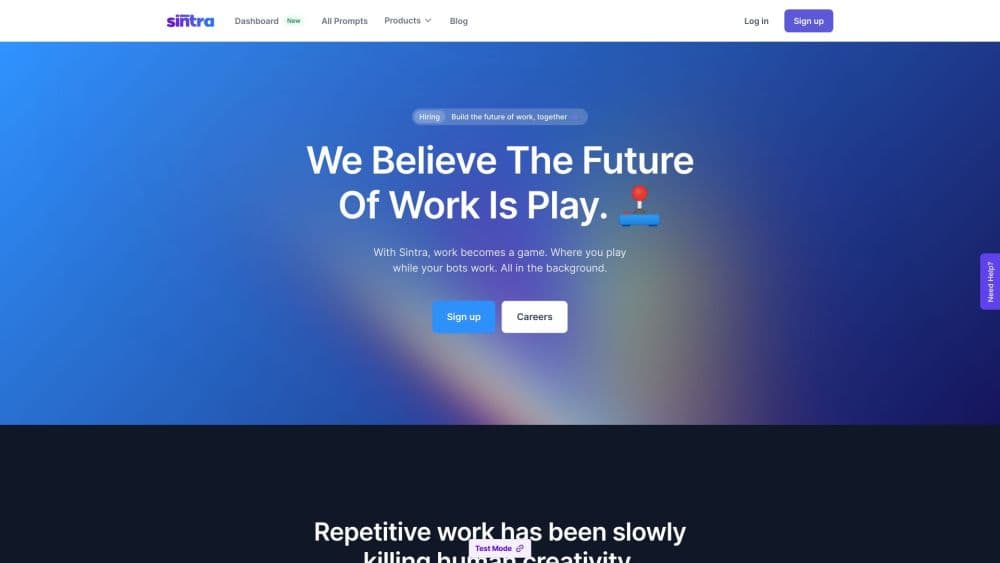
About Sintra: AI Employees
What Is Sintra
Sintra sells you a team rather than a toolbox. The pitch is that you hire AI employees the way you hire people: by role, not by feature list. Instead of one chatbot that answers whatever you type, you pick a worker by role: Soshie runs social media, Cassie handles customer support, Milli works sales calls, Seomi covers SEO, Scouty recruits, Penn writes copy. Twelve roles ship in the base plan, and each one opens as a chat window with its own training, tone and task habits.
The result is closer to an AI workforce than to a single assistant. The workers share context. You add your brand details, documents and tone of voice once, and that library sits behind every conversation as what Sintra calls Brain AI. Ask Penn for a landing page and it writes in your voice because it read the same brief your other helpers did. The same setup powers Use Cases, a menu of one-click jobs such as analyzing reviews, drafting email campaigns or removing image backgrounds.
The limits are worth knowing before you pay. Sintra charges per account rather than per seat, credits are capped at 250 a month, and the platform does its best work on the content and admin side. Anything that needs real system access, like filing taxes or closing books, still belongs to a person or a specialized tool.
Getting Started
- Buy a plan on sintra.ai and set up your login. Billing runs through Stripe, and a 14-day money-back guarantee covers the first two weeks.
- Add your business profile: brand description, goals, tone of voice, and any documents or website links the helpers should read.
- Connect the tools you already use, such as Gmail, Google Calendar, LinkedIn, Notion or Shopify, so the employees can act on live data.
- Open the role you need, then either chat with the employee or run a ready-made Use Case for the task.
- Review the draft, publish or assign it, and invite teammates into the same workspace to share outputs.
Product Information
A quick look at Sintra: AI Employees's pricing, supported platforms, and performance.
Best for
The users, tasks, and scenarios where this tool fits best.
Users
- Solo founders
- Small agencies
- Freelancers and consultants
Tasks
- Social media planning
- Customer email and comments
- SEO content
- Sales outreach
Scenarios
- A two-person shop with no marketing hire
- Preparing for a launch
- Entering a new market
Key features
Named employees for specific roles
Sintra's roster covers twelve jobs, from social media and copywriting to recruiting and data analysis. You hire the roles that match gaps in your team, so a store owner with no support staff can add Cassie without paying for a recruiter they will never use. Each worker keeps its own chat history and returns answers in the tone set for that job.
Brain AI brand memory
Brain AI stores your brand facts, tone and reference material in one place. Add a website link or upload a document and every helper draws on it, so the copywriter knows your product names and the support specialist knows your refund policy. Memory builds as you work, which means outputs drift closer to your house style over time instead of resetting each session.
Use Cases as shortcuts
Use Cases turn common jobs into a few clicks. Sintra lists tools for analyzing reviews, building a website outline, planning meals, generating email campaigns, finding SEO keywords, writing image hooks and cutting out backgrounds. They suit people who know the outcome they want but not the prompt needed to get there.
One-click integrations
Over 15 connectors link the staff to the tools you already run: Gmail, Outlook, Google Calendar, Google Drive, LinkedIn, Facebook, Instagram, TikTok, YouTube, Notion, Slack, Shopify, QuickBooks, HubSpot, Salesforce, Trello, GitHub and Google Analytics. A connected Gmail inbox means Cassie answers real messages, not mock ones you paste in.
Unlimited business profiles
One subscription can hold several business profiles, each with its own context, tools and helpers. Agencies and serial founders use this to keep clients or side projects apart while paying once. Workspaces can also be shared so teammates see the same drafts and reports.
Multilingual output
The helpers write, reply and localize in over 100 languages. A single operator can run social media in Italian, answer German inquiries and publish a French website without hiring native speakers for each market.
Pros and cons
Pros
- Role-based setup beats a blank chat box and an AI assistant team of generalists: you get a specialist with a defined job instead of guessing prompts all day.
- Brain AI context keeps answers on brand across every helper, which saves editing time on each output.
- The 12-month plan drops the monthly rate to $15.60, cheap next to one part-time hire.
- Real integrations mean the employees send, post and file work in your actual tools rather than handing you text to paste.
Cons
- The 250 monthly credits run out fast when you lean on image generation or long documents, and extra credit packs aren't listed with prices on the site.
- Work still lands in drafts: fast output raises the volume you have to check, and nothing ships without a human read.
- A single plan covers whichever helpers you need, so there is no cheap entry point for testing one role.
- Anything that needs system-level access, such as bookkeeping entries or complex legal review, sits outside what these chat-based employees can safely do.
Frequently asked questions
You don't buy a model, you hire AI employees: chat-based workers built around one job, such as social media management or customer support. It carries its own training, follows your brand context and can act inside connected tools like Gmail or LinkedIn, which separates it from a general chatbot.
Related content
Explore related tools, skills, and articles for Sintra: AI Employees.
Sintra: AI Employees Alternatives

Base Code
Base44 (Wix) · Coding · ProductivityBase Code is a shared cloud development environment from Base44. Teammates describe changes to an existing GitHub codebase in chat, preview them live and send them back as pull requests.

Knocket
Knocket (Tencent RTC team) · Productivity · Business · ChatbotKnocket is a free live chat and contact page tool that lets visitors message you from your website, app, or a shareable link, with every reply handled from Telegram or one inbox.

FloorGen
Vinit Kumar (FloorGen) · Productivity · China AIFloorGen is a browser-based floor plan maker that turns a sentence or a sketch into an editable 2D plan and a 3D walkthrough. Export to PDF, DXF or video, and draw without an account.