

SiteAudits.ai
SiteAudits.ai · Image · Marketing
SiteAudits.ai is an AI website audit tool that runs a free website audit and scores performance, SEO, accessibility, and design quality, then explains in plain language what to fix.
About SiteAudits.ai
What Is SiteAudits.ai
SiteAudits.ai is a web based tool that audits a website and turns the results into a readable report. You paste in a URL, the software crawls the page, and it comes back with scores plus a breakdown of what's working and what's dragging the site down. The pitch is aimed at people who own or manage a site but don't read code for a living.
The tool matters most when you suspect a site is losing visitors but can't say why. Instead of guessing, you get a list of concrete issues across performance, SEO, accessibility, design, and usability, each paired with a suggested fix. It covers ground that used to need several single purpose checkers stitched together.
The main limit is depth. SiteAudits.ai is a diagnostic, not a repair crew. It tells you what's wrong and points to the fix, but it won't edit your files, rewrite your copy, or change your hosting setup for you. Anyone after a quick website performance check will still need to hand the report to a developer or make the changes themselves.
Getting Started
- Open the SiteAudits.ai homepage and paste your website address into the audit field.
- Create an account, since the report and your audit history live behind a login.
- Run the audit and wait while the tool crawls the page and scores each category.
- Read the report, working from the highest impact issues first.
- Apply the recommended changes, then rerun the audit to confirm the score moved.
Product Information
A quick look at SiteAudits.ai's pricing, supported platforms, and performance.
Best for
The users, tasks, and scenarios where this tool fits best.
Users
- Small business owners
- Freelance web designers
- Marketing teams without a dedicated SEO hire
Tasks
- Spotting slow pages and delivery issues
- Checking SEO basics
- Auditing accessibility and cookie consent
Scenarios
- A site refresh that keeps stalling
- Pre launch sanity checks
- Periodic health checks on a site you rarely touch
Key features
Performance and Core Web Signals
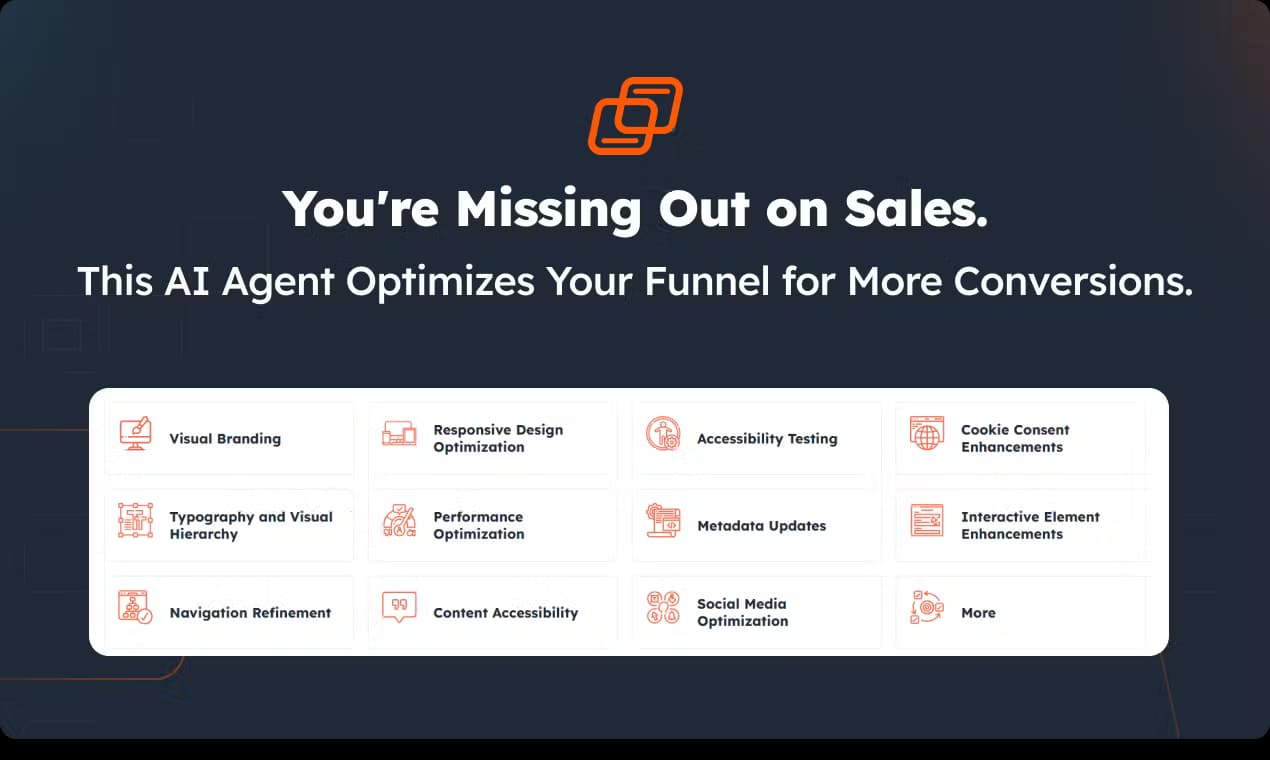
The audit checks how fast a page loads and where the bottlenecks sit. Instead of a single speed score, you get the specific elements dragging things down, such as oversized images or heavy scripts. That lets you decide whether a fix is a quick win or a bigger hosting conversation.
SEO Review Without the Jargon
SiteAudits.ai looks at the on page signals search engines care about, including metadata, structure, and content accessibility. Findings are written in sentences a non specialist can act on, so a business owner can pass them straight to whoever edits the site. It's a starting point for SEO, not a replacement for keyword research.
Accessibility Testing
The tool reviews accessibility elements that affect how easily people with disabilities can use your site. It flags things like missing labels or contrast issues that quietly lock users out. Treat the results as a first pass that points you toward a deeper audit rather than a compliance certificate.
Design and Usability Checks
Beyond technical faults, the audit weighs visual branding, typography, navigation, and responsive design. It answers whether a visitor can find what they want on a phone as easily as on a desktop. Navigation and hierarchy problems show up here, which often explain high bounce rates better than raw speed does.
Actionable Recommendations
Every issue comes with a suggested next step rather than a raw error code. The recommendations are grouped so you can see which fixes carry the most weight for the least effort. This is what separates the report from a bare pass or fail checker.
Cookie Consent and Metadata Coverage
The audit also inspects cookie consent setup and metadata, two areas teams routinely forget. Weak consent handling carries legal exposure in many regions, and stale metadata wastes the traffic you already earn. Catching both in one scan saves a separate compliance and SEO pass.
Pros and cons
Pros
- A free audit means you can see the report quality before deciding whether to go further.
- One scan covers performance, SEO, accessibility, design, and usability rather than forcing you to stitch five tools together.
- Reports are written in plain language, so they work as a client facing document as well as a personal checklist.
- Recommendations are prioritized by impact, which keeps a long issue list from becoming overwhelming.
Cons
- No publicly listed pricing, so you can't compare plans before you sign up.
- It diagnoses problems but doesn't fix them, which means a site owner still needs someone technical to make changes.
- Accessibility results read as a rough screen, so they can't stand in for a formal compliance audit.
- The audit depends on crawling a live page, so anything behind a login or heavy client side rendering may not get a full picture.
Frequently asked questions
It crawls a website and produces a scored report covering performance, SEO, accessibility, design, and usability, with a recommended fix for each issue. Think of it as a health check that tells you where to focus.
Related content
Explore related tools, skills, and articles for SiteAudits.ai.
SiteAudits.ai Alternatives

Google EmbeddingGemma 2
Google DeepMind · Writing · Image · CodingGoogle EmbeddingGemma 2 is a 740M-parameter open model that turns text, code, images, audio, and video frames into vectors in one 768-dimension space, running on phones and laptops.

Tractionwave
TractionWave · Image · MarketingTractionWave is an AI attention heatmap tool for static ads. Upload a PNG or JPG and it returns predicted attention, ranked hotspots, and fixes before you spend budget.

Imejis.io
Imejis.io · Image · MarketingImejis.io is an AI design studio for agents and marketing teams. Describe an image in plain words, and it writes the copy, builds the layout, reflows it to every size, then exports a finished file.