

SitSense
SitSense · AI Assistant
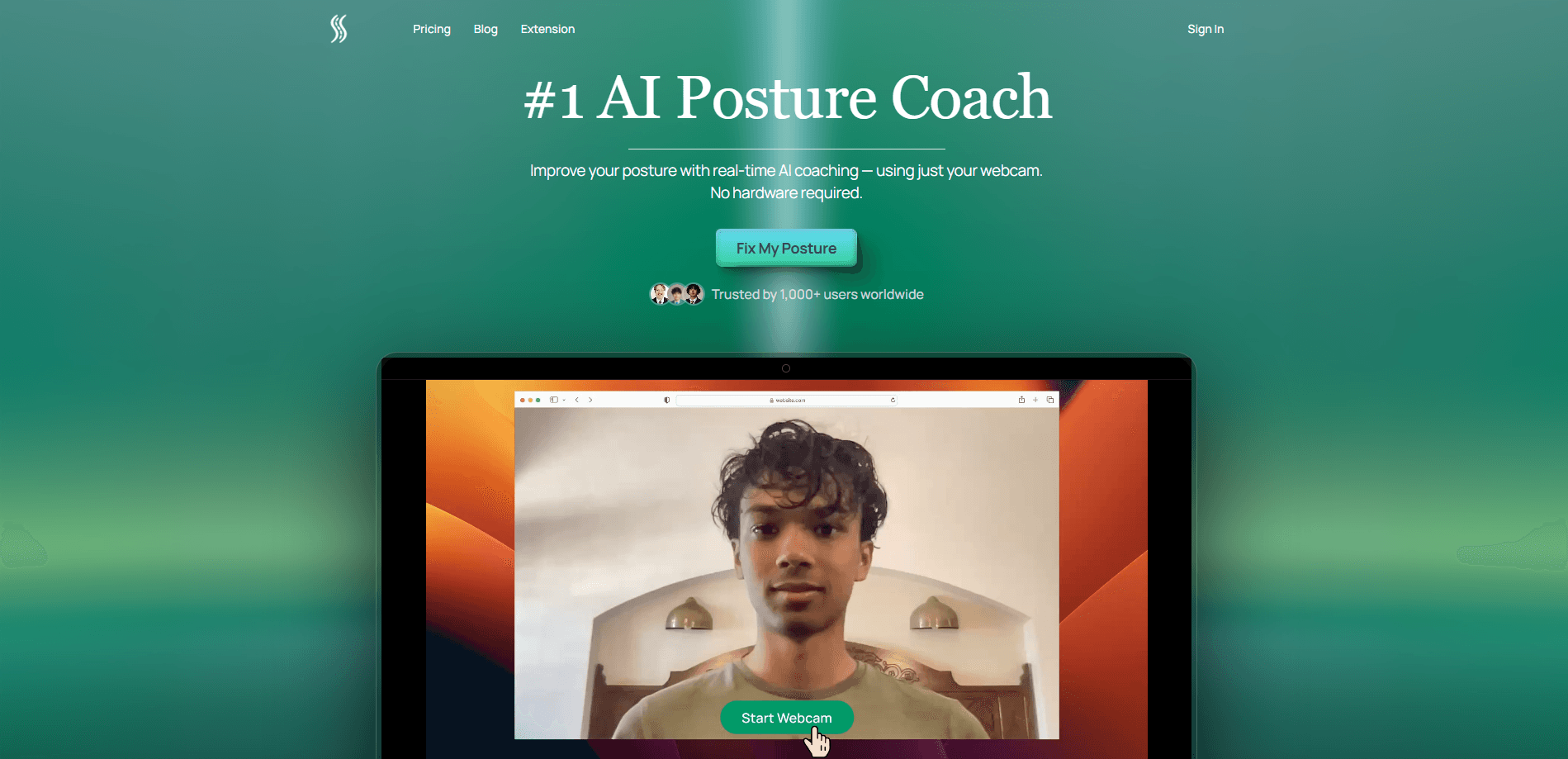
SitSense is an AI posture coach that turns the webcam you already own into a real-time slouching detector. It watches how you sit while you work, nudges you when you drift forward, and keeps a running record of your posture habits so you can see whether things are getting better. There's nothing to wear, nothing to install, and no video ever leaves your laptop.
About SitSense
What Is SitSense
SitSense is a browser-based posture coach for people who spend most of their day at a desk. Instead of asking you to strap on a wearable or clip a sensor to your shirt, it uses computer vision on your webcam to read your upper-body position. That includes forward head posture, rounded shoulders, and the slow slouch that creeps in around hour three of a long session.
It works as a posture correction app first and a data logger second. Real-time posture feedback is the core loop. Everything else supports it.
The idea is simple. Desk work quietly trains your body into bad shapes, and you rarely notice until your neck or lower back is complaining. SitSense tries to catch the drift early and give you a small correction before it becomes a habit.
The catch is that it needs a clear view of you and a working camera. If you sit far from your screen, work in a dark room, or keep your laptop lid angled away from your face, detection gets shakier. It also isn't a medical tool. It won't diagnose anything or replace a physiotherapist's advice.
Getting Started
- Open the SitSense site in a modern browser on Windows, macOS, or Linux.
- Click Start Webcam and allow camera access when the browser asks.
- Sit normally and let SitSense map your posture baseline within the first minute.
- Work as usual. Listen for the gentle nudge when it detects slouching and adjust your position.
- Review your session results each evening to spot patterns over time.
Product Information
A quick look at SitSense's pricing, supported platforms, and performance.
Best for
The users, tasks, and scenarios where this tool fits best.
Users
- Remote workers and developers
- Students and writers
- People with mild desk-related aches
Tasks
- Catching slouching in real time
- Reviewing posture trends
- Building a standing-or-sitting routine
Scenarios
- A full work-from-home day
- Long study blocks before exams
- Post-physio habit training
Key features
Real-Time Webcam Posture Detection
SitSense reads your upper body through the webcam and scores seven clinical metrics as you sit. When your head drifts forward or your shoulders round, it notices within seconds and gives you feedback. Slouching detection is the whole point here, catching bad posture while it's happening rather than after your back tells you about it. Nobody wants to learn about a bad habit three hours too late.
Live Slouching Alerts
The app doesn't wait until you stand up to say something. You get a gentle nudge the moment you slouch, which is enough to make you sit up without breaking your focus too much. So how often does it fire? About as often as you actually slouch. Developers who hate interruptions will appreciate that the feedback is calibrated to be a reminder, not an alarm.
On-Device Video Processing
All pose estimation runs in your browser, and no video or image is recorded, stored, or sent anywhere. Only numerical posture metrics are saved to track your progress. On-device posture tracking changes the deal for anyone uneasy about a camera watching them work. No frame leaves your machine. That's the feature that decides whether SitSense is worth trying.
Long-Term Posture Trends
The Pro plan keeps every session instead of just the last one, so you can see how your posture changes across weeks. Weekly reports land in your inbox with a summary of where you improved and where you slipped. It's the difference between a nudge and a direction.
Lifetime AI Coach
Pro includes an AI coach that works across all your sessions, not just the current one. It remembers your patterns and tailors the advice to your habits rather than repeating generic posture tips. Fewer canned reminders. More useful ones.
Daily Coaching and Morning Stories
Every free user gets a short daily story from the resident axolotl that lives in the app, plus a weekly check-in on how your body feels. It's a light-touch way to keep the habit going, and it avoids the score-out-of-100 guilt that other posture apps lean on.
Custom Goals and Targets
Pro users can set posture goals and targets, whether that's cutting down on slouch time during focus blocks or improving one specific metric. The app then tracks progress against those targets.
Pros and cons
Pros
- No wearable, clip, or extra hardware needed, since it uses the webcam you already have. Just sit down and go.
- Posture tracking is free forever with no trial and no credit card.
- Video stays on your device, so your camera feed never leaves your machine.
- Works across Windows, macOS, and Linux in all major browsers.
- Pro pricing is low at $2.92/month billed annually.
Cons
- Detection depends on a clear, well-lit view of you, and sitting at an odd angle or working in a dark room can weaken the accuracy of the slouching detection.
- Needs a webcam and a browser tab running, which won't suit people who work mostly on a phone or tablet.
- It's a habit tool, not a medical one, so it won't fix an underlying injury on its own.
Frequently asked questions
It uses your webcam to watch your posture while you work, alerts you when you slouch, and shows you patterns over time. Think of it as a posture coach for desk workers that runs quietly in the background. It doesn't score you or nag you.
Related content
Explore related tools, skills, and articles for SitSense.
SitSense Alternatives

Iplan AI
Iplan AI · Productivity · AI AssistantIplan AI is an AI travel planner that turns a few trip details into a full day-by-day itinerary in seconds. You answer questions about your destination, interests, budget, and travel companions, and the tool builds a plan you can edit, share, and carry with you on any device. It targets travelers who want a solid draft without spending hours in spreadsheets and browser tabs. Think of it as an itinerary generator that does the tedious part for you.

Screenhelp
Screenhelp · Productivity · AI AssistantScreenhelp is an AI screen assistant that turns a single keyboard shortcut into real-time help. You press Ctrl+Shift+Space, it captures what's on your screen, and it streams an answer into a private panel in about two seconds. Think of it as an AI screenshot helper you trigger on demand. It runs on Mac, Windows, and the web, starts free with 30 answers a month, and stays invisible during screen sharing on Zoom, Teams, and Google Meet.

Rainbow
Rainbow · AI AssistantRainbow is an AI weather forecast app built around short-term precipitation nowcasting. Its engine pushes min-by-min rain and snow predictions up to four hours ahead, blending live satellite and radar feeds into hyperlocal forecasts. The app adds live rain radar, a seven-day outlook, precipitation alerts, home-screen widgets, and a hurricane tracker, and it runs on both Android and iOS with a free tier plus paid upgrades.