

SkedPal
SkedPal · Productivity
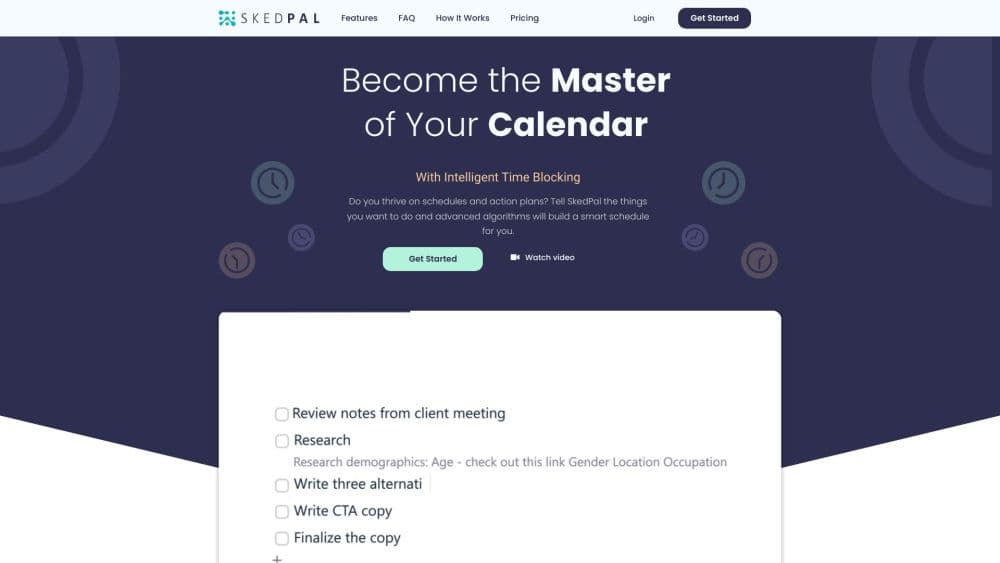
SkedPal is an AI calendar and time blocking app. This auto-scheduling app turns your to-do list into an adaptive, auto-scheduled plan, a practical productivity app that shows what to work on and when.
About SkedPal
What Is SkedPal
SkedPal is a task scheduling software that plans your day for you. You list everything you need to do, and the auto-scheduler places each task into open time based on your priorities, deadlines, availability, and existing meetings. Rather than blocking a single fixed slot yourself, you tell it the outcome you want, such as finishing a project by a certain date, and it finds the time on its own.
The problem it targets is the gap between a full to-do list and a realistic plan. Most people manage tasks in one app and their calendar in another, then spend mental energy deciding what fits where. SkedPal closes that gap by treating your whole list as the input and your calendar as the output. When priorities change or a meeting runs over, it reworks the plan instead of leaving you to rebuild it by hand.
The tradeoff is setup. SkedPal works best once you have spent time organizing tasks, priorities, and time budgets inside it, and its two paid plans cap how far ahead it will plan a schedule. It also centers on structured planning rather than quick reminders, so someone who just wants a grocery list will find it heavier than needed.
Getting Started
- Sign up for a free trial, which lasts 14 days and needs no credit card.
- Add your tasks to the Outline. Group them into projects and assign priorities and deadlines.
- Connect a calendar account so SkedPal can see your existing events and leave room around them.
- Set time budgets for zones like deep work or admin, so the scheduler knows how to spread your hours.
- Run the schedule, then check the Status Tracker to see what is done, what is slipping, and what is next.
Product Information
A quick look at SkedPal's pricing, supported platforms, and performance.
Best for
The users, tasks, and scenarios where this tool fits best.
Users
- Busy professionals
- Freelancers and multi-project workers
- Students and researchers
Tasks
- Scheduling deep work
- Replanning after disruptions
- Tracking whether a plan is realistic
Scenarios
- Running a self-scheduled workweek
- Coordinating team work with personal time
- Automating incoming tasks
Key features
AI Auto-Scheduling
The auto-scheduler takes your priorities, availability, and calendar events and builds a schedule for you. Instead of picking one time slot, you describe the goal, such as finishing a project by a set date, and it finds the time. The company reports it has curated user schedules over 10 million times.
Time Budgeting
Time budgeting lets you allocate a set number of hours to zones such as deep work or admin tasks. The scheduler then spreads those hours across the week so no single category swallows your day. It is the main way to keep balance between focused work and the routine tasks that crowd it out.
Prioritization Board
The prioritization board ranks tasks by relative priority rather than forcing you to assign absolute times. When time is scarce, the order decides what gets scheduled first, which keeps the most important work ahead of the rest. It fits the idea that scheduling is a zero-sum choice about what matters most.
Status Tracker
The Status Tracker gives live feedback on what is done, what is falling behind, and how realistic your plan is. It reflects changes as your day unfolds, so you can see a slipping week before it collapses. SkedPal frames it as the tool that keeps you aware and in control when interruptions hit.
Calendar Sync
SkedPal syncs with your existing calendars so the schedule reflects your full picture and avoids double bookings. The Core plan supports one external account, while Pro removes the limit. Google, Office 365, and iCloud are the supported calendar services.
Plan Window
The scheduler looks ahead either 21 days on Core or 60 days on Pro. A longer window lets it place a task weeks out when near-term slots are full, which matters for projects with deadlines further away. The window is the main planning limit to weigh when choosing a plan.
Progress Tracking
Pro adds integrated time tracking so you can log the time each task actually takes. Comparing planned against actual effort shows where your estimates drift, which feeds back into better budgets. Notifications on desktop and mobile are built to help rather than interrupt.
Integrations
SkedPal connects to Asana for two-way project sync and to hundreds of apps through Zapier. The Asana link keeps team projects aligned while you keep personal control of timing, and Zapier turns incoming items into scheduled time. Together they let you bring work in without manual re-entry.
Pros and cons
Pros
- Turns a plain to-do list into a full, time-blocked calendar without you placing every task by hand.
- Reschedules automatically when priorities change or interruptions happen, so the plan stays current.
- Connects with Google, Office 365, and iCloud calendars, plus Asana and hundreds of apps through Zapier.
- Status Tracker and time budgets make it easy to see whether a plan is realistic before a deadline hits.
- A 14-day free trial with no credit card lets you test the auto-scheduler and integrations first.
Cons
- There is no free plan, so continued use means paying either $9.95 or $14.95 per month billed annually.
- The Core plan limits planning to a 21-day window and a single calendar account, which caps how far ahead longer projects can be scheduled.
- Getting full value takes setup, since tasks, priorities, and time budgets all need organizing before the scheduler produces a useful plan.
Frequently asked questions
SkedPal schedules your tasks for you. You add work to its Outline, set priorities and deadlines, and the auto-scheduler places each task into open time around your existing calendar events. It is built for people who want a realistic, time-blocked plan instead of a static to-do list.
Related content
Explore related tools, skills, and articles for SkedPal.
SkedPal Alternatives

Base Code
Base44 (Wix) · Coding · ProductivityBase Code is a shared cloud development environment from Base44. Teammates describe changes to an existing GitHub codebase in chat, preview them live and send them back as pull requests.

Knocket
Knocket (Tencent RTC team) · Productivity · Business · ChatbotKnocket is a free live chat and contact page tool that lets visitors message you from your website, app, or a shareable link, with every reply handled from Telegram or one inbox.

FloorGen
Vinit Kumar (FloorGen) · Productivity · China AIFloorGen is a browser-based floor plan maker that turns a sentence or a sketch into an editable 2D plan and a 3D walkthrough. Export to PDF, DXF or video, and draw without an account.