

Sketch Logo AI - Logo Maker
Sketch Logo AI (Okapi Tech) · Image
Sketch Logo AI is an AI logo maker that turns a rough sketch, an uploaded image or a text prompt into a finished logo, with 2D and 3D output plus PNG and SVG export.
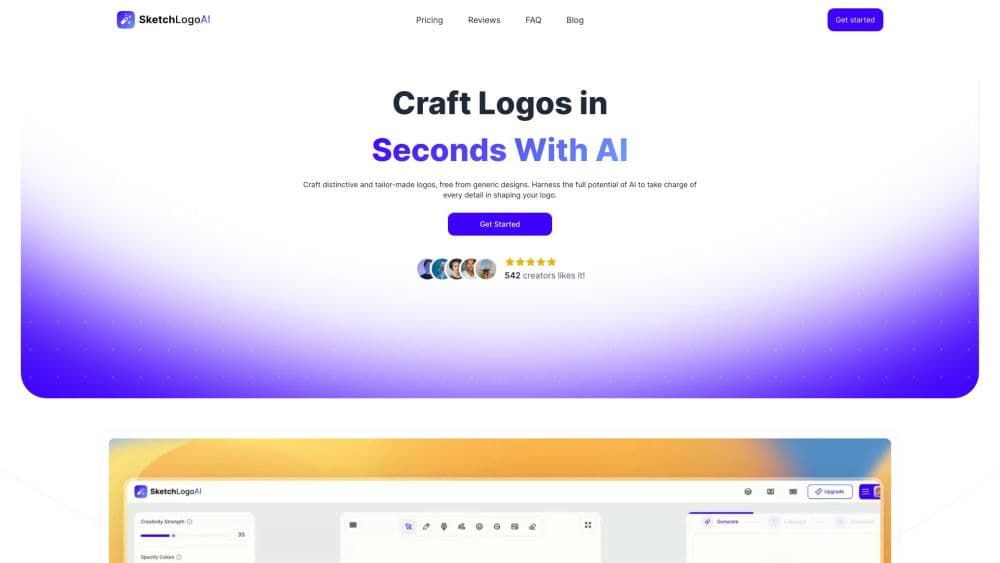
About Sketch Logo AI - Logo Maker
What Is Sketch Logo AI
Sketch Logo AI is a browser and mobile logo design tool built around one promise: give it whatever you've got, a pencil doodle, a photo of another logo, a one-line description, and it hands back a finished mark. The generated file comes out as high-definition SVG, so the same logo works on a business card and on a shop sign.
The tool exists because the two usual options both cost you something. Hiring a designer takes weeks and real money. Template-based logo makers give you something fast, but half your neighborhood ends up with the same shape. Sketching is different. You draw a rough idea with a finger or a mouse, the AI reads the strokes and the layout, and you get a polished version to keep evolving.
The limits are worth knowing before you subscribe. There's no free tier, only a paid plan billed monthly or yearly. Everything runs in a generative model, so a strong result often takes several generations, and a logo built from AI output is a starting point for a trademark search, not a substitute for one. Sketch Logo AI doesn't file or check trademarks for you.
Getting Started
- Sign up on sketchlogo.ai with an email address, or install the app from the App Store or Google Play.
- Type your brand name and a short description, and pick a direction from the preset styles.
- Draw a quick sketch of the shape you have in mind, or skip the drawing and let the prompt lead.
- Adjust colors, fonts and icons from the built-in libraries, then regenerate for new variations.
- Download the finished logo as PNG or SVG and use it wherever the brand shows up.
Product Information
A quick look at Sketch Logo AI - Logo Maker's pricing, supported platforms, and performance.
Best for
The users, tasks, and scenarios where this tool fits best.
Users
- Founders launching a brand
- Small business owners
- Creators and tattoo artists
Tasks
- Turning a paper doodle into a digital logo
- Refreshing an old logo
- Building social media graphics
Scenarios
- A weekend brand sprint
- A seasonal promotion
- A side project test
Key features
Sketch to Logo
You draw the idea on screen with a finger or a mouse, and the model reads the shapes you put down. It's the feature that separates this tool from prompt-only generators. The AI keeps the structure of your drawing and refines the lines, which means the result looks like what you had in mind.
Prompt to Logo
If drawing isn't your thing, you type the brand name, a short description and the mood you want. You can combine the prompt with a sketch, or skip the drawing entirely and let text drive the result. Fifteen preset styles give the model a starting direction.
2D to 3D Logo
Any flat logo or image can be pushed into a 3D illustration. This works best for attention-grabbing marketing pieces, like a launch post or a product page banner. It's a second output, not a replacement for the flat logo you'd print on a receipt.
Logo to Logo Redesign
Upload an existing logo and the tool rebuilds it in a new style. Colors, fonts and icon details stay adjustable, so you can test a modern refresh without losing the part that customers recognize.
Image to Art
The same engine turns photos and simple images into artwork. That covers illustrations for social posts, posters and merchandise, and it's how some users get extra assets out of one subscription.
Font, Color and Icon Libraries
The Pro plan unlocks more than 4,300 fonts, 500+ color options and 30,000+ icons. You pick a combination, then regenerate to see it applied across the whole mark. The scale of the library is the main reason the AI output stops looking generic.
PNG and SVG Export
Every finished logo downloads as a high-definition PNG and a scalable SVG. The SVG is the one that matters if you're printing at large sizes or passing files to a manufacturer.
Private Generations
Pro accounts keep generations private, and the plan includes a commercial license. That combination is what makes the tool usable for client work instead of just personal projects.
Pros and cons
Pros
- Sketch input gives you control over the shape, which prompt-only AI logo generator apps don't offer.
- SVG and PNG downloads work for print, web and app icons, so one file covers most placements.
- The Pro plan includes a commercial license, which covers client work and merchandise.
- Library sizes are large enough to vary fonts, colors and icons across several brand drafts.
- Monthly and yearly billing both cancel whenever you want, and access continues until the period ends.
Cons
- There's no free plan, so you have to pay before you see whether the style fits your brand.
- Results vary between generations, and getting a clean mark often takes repeated attempts.
- Everything sits behind a subscription, including private generations, which matters for agencies handling confidential work.
- The mobile apps and the web version do the same job, so there's no separate desktop app for larger screens.
Frequently asked questions
It generates logos and design assets from sketches, images or text prompts. You start with a rough idea, the AI produces a finished logo, and you download it as PNG or SVG for print and digital use.
Related content
Explore related tools, skills, and articles for Sketch Logo AI - Logo Maker.
Sketch Logo AI - Logo Maker Alternatives

Google EmbeddingGemma 2
Google DeepMind · Writing · Image · CodingGoogle EmbeddingGemma 2 is a 740M-parameter open model that turns text, code, images, audio, and video frames into vectors in one 768-dimension space, running on phones and laptops.

Tractionwave
TractionWave · Image · MarketingTractionWave is an AI attention heatmap tool for static ads. Upload a PNG or JPG and it returns predicted attention, ranked hotspots, and fixes before you spend budget.

Imejis.io
Imejis.io · Image · MarketingImejis.io is an AI design studio for agents and marketing teams. Describe an image in plain words, and it writes the copy, builds the layout, reflows it to every size, then exports a finished file.