

Sketcho
Sketcho · Image
Sketcho is an AI design tool that turns a sketch to design work in one pass, reading a rough drawing and a text prompt to return a finished image aimed at logos, illustrations, and concept art.
About Sketcho
What Is Sketcho
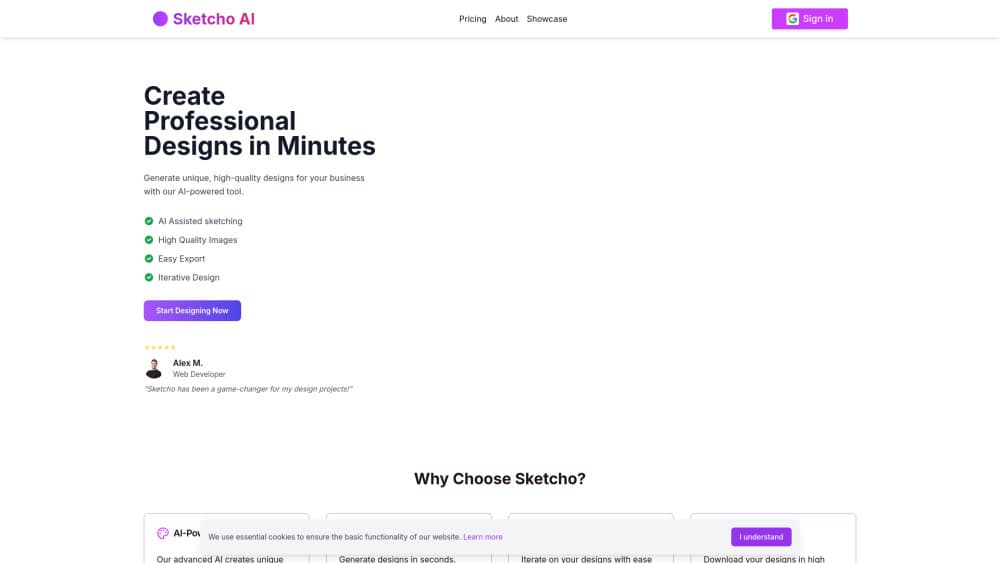
Sketcho is a browser-based design tool that reads two inputs: a rough sketch you draw on its canvas and a text prompt describing style, color, and mood. It blends both and returns finished images in seconds, which you can refine and regenerate until the result matches what you had in mind.
The pitch is aimed at people who have an idea but not the drafting skill to execute it, such as business owners making a logo, web developers mocking up a layout, or 3D artists blocking out concept art. A quick outline is enough, so the sketch does not need to look polished.
A few limits are worth knowing before you pay. The official sketcho.io domain currently does not resolve to a working product site, so the tool cannot be reached through its original home at the time of writing. There is no free plan, and the output quality depends on how clearly you write the prompt.
Getting Started
- Open Sketcho in a browser and pick the subscription you need, since there is no free tier.
- Draw an outline of your idea on the canvas, or start from a blank sheet and add shape blocks.
- Add a text prompt that names the style, colors, and details you want.
- Generate the design and review the variations the tool returns.
- Edit the sketch or prompt in the linked editor, then regenerate until the output is right, and download the result.
Product Information
A quick look at Sketcho's pricing, supported platforms, and performance.
Best for
The users, tasks, and scenarios where this tool fits best.
Users
- Small business owners
- Web and UI designers
- 3D and game artists
Tasks
- Generating logo ideas
- Building marketing visuals
- Exploring styles
Scenarios
- Early project research
- A pitch or mood board
- Pre-production for a model or scene
Key features
Sketch to image generation
You draw an outline and describe what it should become. Sketcho works as a sketch to image generator, reading both and producing finished images, so the shape you control by hand and the style you control by prompt meet in one result. That mix is the main difference from text-only generators, where you describe everything and shape nothing.
Text prompt control
The prompt sets style, color, and specific details while the sketch sets structure. Changing a few words in the prompt reruns the same drawing in a new direction, which makes wording the main lever you tune. Clear prompts lead to usable images, and vague ones do not.
Built on Stable Diffusion
Sketcho runs on Stable Diffusion, the open image model behind the generation. In practice, that shapes the kind of detail and finish you can expect, and it ties the tool's output quality to the model's known strengths and limits.
Excalidraw editor integration
For edits, Sketcho connects to the Excalidraw editor. You adjust the sketch and the prompt there, then regenerate, so refinement happens without starting over. This matters most when a result is close but not finished.
Fast iteration
Generation returns variations in seconds rather than minutes. The speed keeps the loop short, so you can try several prompt wordings or sketch tweaks in one sitting instead of waiting on each pass.
High-resolution export
Finished designs download at high resolution for print and screen use, covering material such as posters, web assets, and marketing graphics. There is no separate upscaling step before you export.
Pros and cons
Pros
- Two controls in one tool: the sketch sets structure and the prompt sets style, so you steer the result on both fronts.
- Fast turnaround: designs come back in seconds, which keeps the refine-and-regenerate loop practical.
- Low drawing bar: a rough outline is enough, so drafting skill is not the gate.
- Editor built in: Excalidraw handles edits, so you tweak and rerun in the same flow.
- Print-ready output: high-resolution downloads suit both screen and print without extra work.
Cons
- No free plan: you pay before you can try the tool, so there is no way to test it first.
- Site unreachable: the sketcho.io domain currently does not serve a working product page, which blocks new sign-ups.
- Prompt-dependent: a vague prompt produces a weak image, and results vary between runs.
- Browser only: there is no mobile app or offline mode.
- Thin public detail: file formats, commercial-use rights, and cancellation terms are not spelled out in available sources.
Frequently asked questions
Sketcho generates designs from a sketch and a text prompt. You draw a rough shape, describe the style you want, and the tool returns finished images you can use for logos, illustrations, marketing visuals, or concept art.
Related content
Explore related tools, skills, and articles for Sketcho.
Sketcho Alternatives

Google EmbeddingGemma 2
Google DeepMind · Writing · Image · CodingGoogle EmbeddingGemma 2 is a 740M-parameter open model that turns text, code, images, audio, and video frames into vectors in one 768-dimension space, running on phones and laptops.

Tractionwave
TractionWave · Image · MarketingTractionWave is an AI attention heatmap tool for static ads. Upload a PNG or JPG and it returns predicted attention, ranked hotspots, and fixes before you spend budget.

Imejis.io
Imejis.io · Image · MarketingImejis.io is an AI design studio for agents and marketing teams. Describe an image in plain words, and it writes the copy, builds the layout, reflows it to every size, then exports a finished file.