

SkillForge
SkillForge · Productivity · Leaning
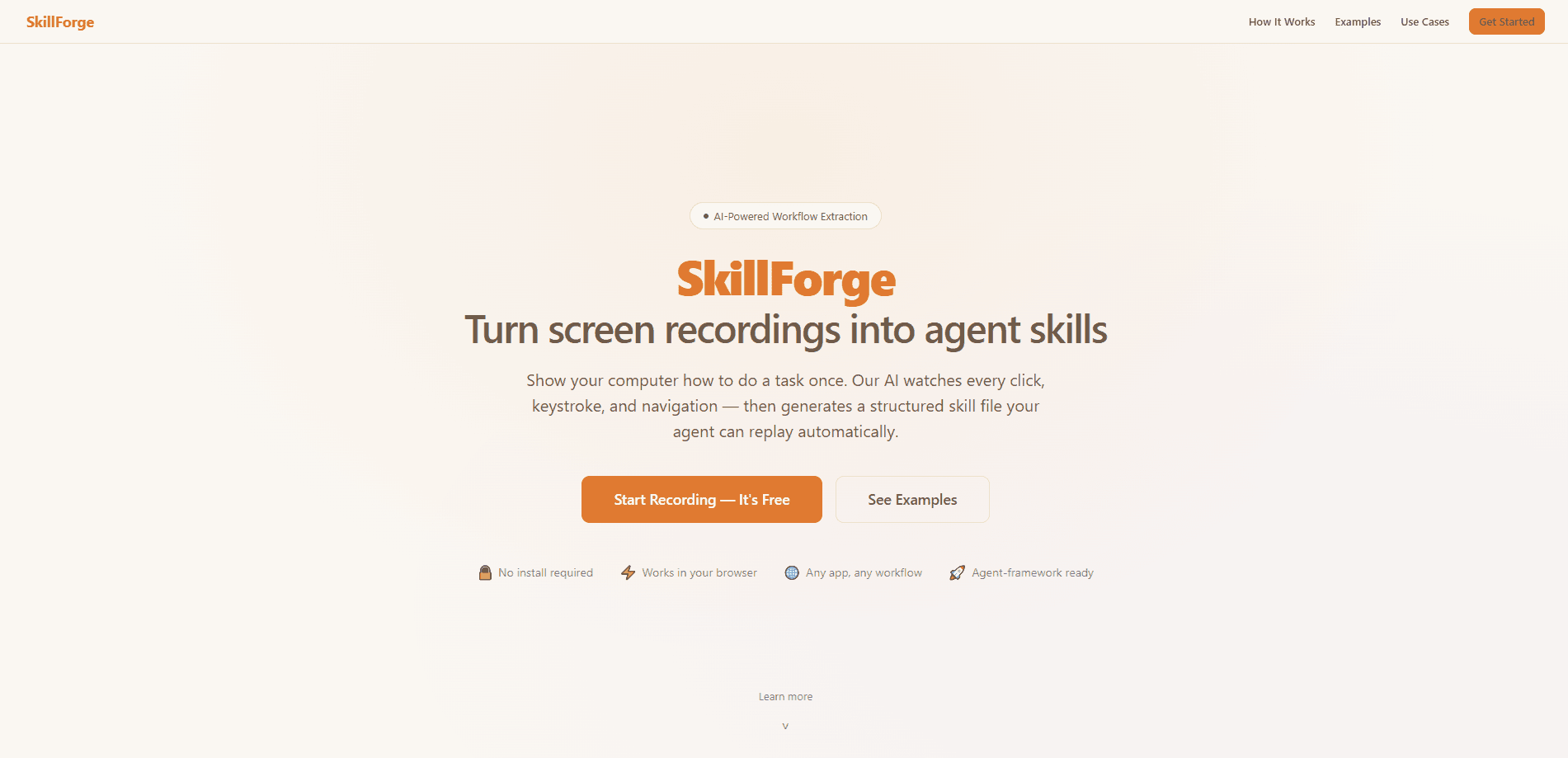
SkillForge is a browser-based AI workflow automation tool that turns the tasks you repeat by hand into reusable skills for your AI assistant. You record yourself doing a job once, and its AI watches every frame to pull out each click, keystroke, and page change. The result is a portable SKILL.md file you can drop into Claude Code, GPT, Gemini, or any agent framework that reads agent skills. No coding. No scripts. No setup beyond a browser.
About SkillForge
What Is SkillForge
SkillForge sits between the work you do every day and the AI assistant you already use. Most agent skills have to be written by hand, which means you either learn how skill files work or you pay someone who does. SkillForge flips that around. It watches you work and writes the skill for you.
The idea is simple. Anything you do on a screen more than twice is a candidate, whether that's filling a support ticket, pulling crypto prices into a note, or copying numbers from one spreadsheet into another. You hit record, do the task the way you normally would, and the tool extracts a clean, ordered workflow from the footage that your agent can then run again on its own. It really is that direct.
The catch is simple. It lives in your browser and works by watching your screen. That suits web-based and on-screen workflows. It can't reach anything happening behind a login it can't see, or inside a native desktop app with no browser window. If your task is mostly clicking around websites and web apps, that's the sweet spot.
Getting Started
- Open skillforge.expert in your browser and start a new recording session.
- Hit record, then perform your task normally: click, type, and switch between apps the way you'd do it by hand.
- Stop the recording and let the AI extract the actions into a step-by-step workflow.
- Review the generated steps, edit descriptions, reorder actions, or trim the video until the workflow matches how you actually work.
- Export the result as a SKILL.md file and load it into your AI agent framework.
Product Information
A quick look at SkillForge's pricing, supported platforms, and performance.
Best for
The users, tasks, and scenarios where this tool fits best.
Users
- Ops and support teams who repeat the same ticket, follow-up, or reporting steps every day
- QA testers running the same click paths over and over
- Data-entry and reporting staff moving numbers between browser tabs
- Freelancers juggling the same admin chores across clients
Tasks
- Filling out recurring forms, such as support tickets or CRM entries
- Pulling live figures from a website into a note or report
- Copying structured data between two web tools
- Capturing a known workflow before someone leaves the team
Scenarios
- Onboarding a new hire who has to learn a fiddly multi-step web process
- Turning a one-off research routine into something you run weekly
- Standardizing how a small team does the same task
- Saving a hard-won click sequence before you forget it
Key features
Screen Recording to Skill Extraction
The core loop is record, extract, export. You perform the task while SkillForge captures your screen. Its AI then reads the footage to identify each action: the buttons you pressed, the fields you typed into, and the pages you moved through. So what do you get back? Not a video to scrub through later. A structured list of steps. That distinction matters. A step list is something an agent can actually execute, while a video is something only you can.
Portable SKILL.md Output
Everything SkillForge produces is a SKILL.md file, the plain-text format that Claude Code, GPT, Gemini, and other agent frameworks already read. Think of it as a SKILL.md generator wrapped around a recorder. That means record and replay tasks across any assistant, with no lock-in. Record once, and the same file works wherever your agent runs. Switch tools and your skills come with you.
Review and Edit Step
The AI extraction is a starting point, not the final word. SkillForge shows you a clean, numbered workflow you can change before you ship it. Edit the descriptions so they say what the step is really for, reorder actions when the AI reads the sequence wrong, or trim the source video. There's also an AI-assisted rework option for when a whole section needs restructuring. This edit pass is where a rough extraction becomes a skill you'd trust to run alone.
Works With Any Agent Framework
SkillForge doesn't ask you to change how your assistant works. The exported file plugs into the agent setup you already have, whether that's Claude Code, a GPT-based agent, Gemini, or another framework that supports skills. You keep your existing workflow and just add the automation on top.
Browser-Native, No Install
There's nothing to install and no command line to open. SkillForge runs in your browser. That keeps the barrier low for people who want no-code task automation and don't write code. The trade-off is reach: it works by watching what's on screen and in the browser, so it handles web-based workflows well and can't see into parts of your machine that stay off the page.
Built-In Workflow Templates and Examples
The tool ships with worked examples so you can see what a finished skill looks like before you make your own. On the site you'll find a support-ticket skill, a spreadsheet entry skill, and a multi-tab research skill. Each one shows the recorded actions and the extracted steps side by side. For a first-time user, that's the fastest way to understand what "good" looks like.
Pros and cons
Pros
- Removes the hardest part of using AI agent skills: writing the skill file yourself.
- Output is a portable SKILL.md that works across Claude Code, GPT, Gemini, and similar frameworks.
- Browser-based with no install, so non-technical teams can use it without setup.
- The review-and-edit step lets you fix AI mistakes before anything runs unattended.
- Clear worked examples make the first skill quick to build.
Cons
- It's limited to on-screen, browser-based work, so backend jobs and native desktop apps are out of reach.
- Recorded steps can break when a target site changes its layout, meaning skills need occasional maintenance.
- Data-entry tasks still pass through your screen, so sensitive workflows need a closer look before you automate them.
- Pricing details aren't fully published on the site, so you may need to check current plans directly.
Frequently asked questions
It records you doing a repetitive task on screen, uses AI to extract the individual steps, and exports them as a portable SKILL.md file that an AI agent can replay. You do the job once; the agent does it after that.
Related content
Explore related tools, skills, and articles for SkillForge.
SkillForge Alternatives

Base Code
Base44 (Wix) · Coding · ProductivityBase Code is a shared cloud development environment from Base44. Teammates describe changes to an existing GitHub codebase in chat, preview them live and send them back as pull requests.

Knocket
Knocket (Tencent RTC team) · Productivity · Business · ChatbotKnocket is a free live chat and contact page tool that lets visitors message you from your website, app, or a shareable link, with every reply handled from Telegram or one inbox.

FloorGen
Vinit Kumar (FloorGen) · Productivity · China AIFloorGen is a browser-based floor plan maker that turns a sentence or a sketch into an editable 2D plan and a 3D walkthrough. Export to PDF, DXF or video, and draw without an account.