

Skippr AI
Skippr AI · Productivity · Chatbot
Skippr AI is a real-time multimodal agent platform that can see a screen, talk with a user, and operate software on its own. Teams use it to run live product demos, walk new users through onboarding, deliver training, and handle support, either by embedding it in an app with little code or by sharing a meeting link. It targets product, growth, and support teams that want a helper that acts inside real software instead of just answering questions in a chat box.
About Skippr AI
What Is Skippr AI
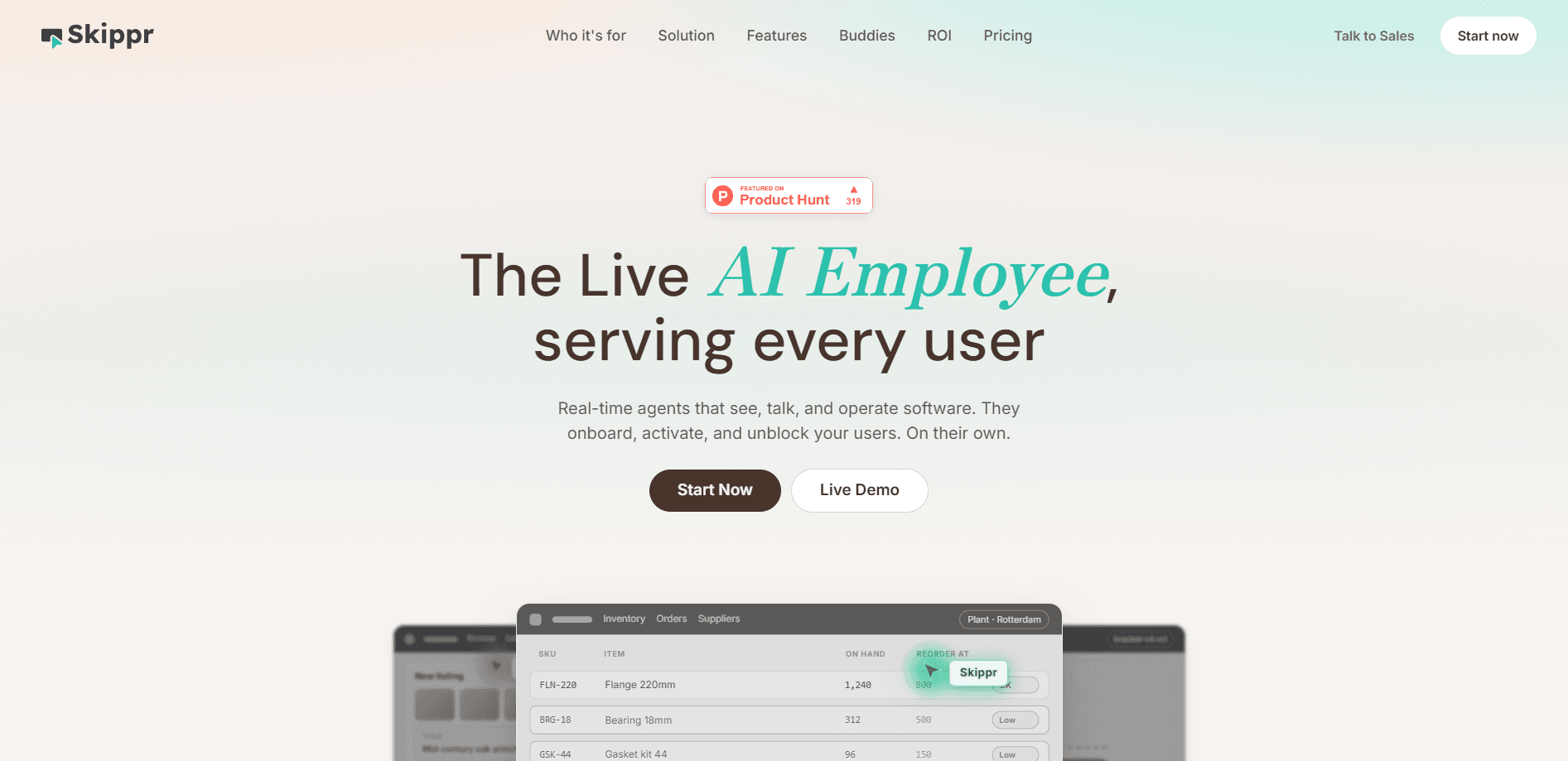
Skippr AI is a live AI employee rather than a chatbot widget. The company positions it around three jobs: onboarding, support, and sales, and it appears on a screen as a present, talking agent that can click, type, and move around the same interface your users see.
The pitch is narrow on purpose. Most AI assistants wait for a typed question. Skippr watches the session, listens to voice, and takes action, so a demo can keep moving even when the presenter gets busy or a user stalls. That combination of vision, voice, and computer control is what people usually mean by a real-time AI agent.
There are limits worth knowing up front. It runs inside a live software environment, so anything it operates has to be a screen it can actually access, and you need a stable connection for the real-time parts to hold up. If your product lives only behind a desktop install or a locked-down network, setup gets harder.
Getting Started
- Book a demo or sign up through the Skippr AI website to get an account.
- Describe the workflow you want covered, such as a product tour, a first-run onboarding path, or a support script.
- Choose how the agent shows up: embedded in your app with a small code integration, or reached through a meeting link.
- Point the agent at the screens and tools it should operate, and set what it can say or click.
- Run it live on a real session and review the transcript to tighten the flow.
Product Information
A quick look at Skippr AI's pricing, supported platforms, and performance.
Best for
The users, tasks, and scenarios where this tool fits best.
Users
- Product teams running demos
- Customer support leads
- Enablement and training staff
Tasks
- Live product demos
- First-run onboarding
- In-app support
Scenarios
- A SaaS trial where new signups drop off during setup, so an embedded agent walks them through the first steps
- A sales call where a rep needs the product to react to a buyer's question mid-demo
- A support queue where the same three requests come in daily and each one needs a screen action, not just an explanation
Key features
Real-Time Vision, Voice, and Control
Skippr AI watches the screen, listens to speech, and operates the interface in one loop. That means it can react to what a user is doing rather than waiting for a typed prompt. For a demo or a support call, the difference shows up fast: the agent keeps the session moving when the conversation gets messy.
Two Ways to Deploy
You can embed the agent inside your own product with a light code integration, or share a meeting link and run it outside your app. Think of it as an embedded AI assistant: the embedded path suits onboarding and in-app help, where the user should stay in your interface. The meeting link suits demos and training, where you want to spin up a session without a release.
Live Demo Automation
For sales and product teams, the agent can run a walkthrough of your software on its own. It presents, navigates, and answers along the way. If a prospect asks to see a specific screen, the flow adjusts instead of freezing, which is the part most recorded demos can't do.
Onboarding and Training Sessions
New users often need a guide that shows where to click, not another help doc. Skippr can lead a first-run session and repeat it for a group in training. Because it operates the real product, the instructions match the current build instead of a screenshot from last year.
In-App Support That Takes Action
A support bot usually stops at an answer. This one can carry the answer out, like toggling a setting or opening the right menu. That shortens the gap between "here's what to do" and "it's done," which is where a lot of support tickets actually come from.
Little-Code Embedding
The embedded option is built to add with minimal code, according to the company. Teams that don't want a full rebuild can drop the agent into an existing flow. The trade-off is that anything it operates still has to be reachable in that environment.
Pros and cons
Pros
- Combines seeing, talking, and doing, so it can act inside software instead of only chatting
- Two deployment paths, embedded or via meeting link, cover both product and sales use
- Fits live demos and onboarding, where a session can't just stop and wait for a human
- Aimed at teams, which suits enablement and support work that repeats every week
Cons
- Pricing isn't published, so you have to talk to sales before you know the cost
- Real-time voice and screen control need a solid connection and an accessible interface, so closed or desktop-only software is harder to cover
- No free plan is listed, which makes it tough to test quietly before committing
- Details on API access and data handling aren't public, so security reviews may take longer
Frequently asked questions
Is it a chatbot or something bigger? Neither, in the usual sense. It's used for live product demos, user onboarding, training, and support. The agent sees the screen, talks with a user, and operates the software, so it can run a walkthrough or resolve a question directly in the app.
Related content
Explore related tools, skills, and articles for Skippr AI.
Skippr AI Alternatives

Base Code
Base44 (Wix) · Coding · ProductivityBase Code is a shared cloud development environment from Base44. Teammates describe changes to an existing GitHub codebase in chat, preview them live and send them back as pull requests.

Knocket
Knocket (Tencent RTC team) · Productivity · Business · ChatbotKnocket is a free live chat and contact page tool that lets visitors message you from your website, app, or a shareable link, with every reply handled from Telegram or one inbox.

FloorGen
Vinit Kumar (FloorGen) · Productivity · China AIFloorGen is a browser-based floor plan maker that turns a sentence or a sketch into an editable 2D plan and a 3D walkthrough. Export to PDF, DXF or video, and draw without an account.