

Slidebean Founder Platform
Slidebean Incorporated · Productivity
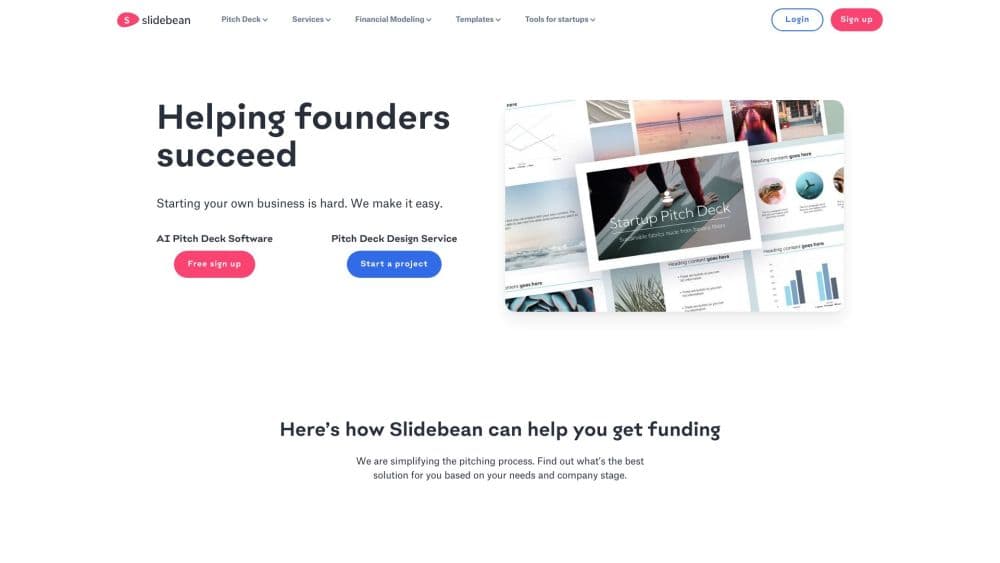
Slidebean is an AI pitch deck software and fundraising platform for startup founders. It pairs a slide builder and investor tracking with financial modeling tools and an optional design service team.
About Slidebean Founder Platform
What Is Slidebean
Slidebean is a pitch deck and fundraising platform built for startup founders who need to present to investors. It works as a single fundraising tool for the whole round. It started in 2013 as a presentation builder that handled the visual design for you, and it has grown into a wider set of tools around the fundraising process: an AI deck creator, investor research and tracking, financial modeling templates, and a paid agency service for founders who want the work done with them.
The core problem it solves is simple. Most founders can explain their business, but they are not designers or financial analysts, and a weak deck or a broken model costs them meetings. Slidebean takes over layout and formatting on the software side, and a team of analysts, designers, and storytellers handles full-service work on the agency side.
The main limit is that it is a specialized tool, not a general presentation app for every slide you will ever make. It also does not import existing PowerPoint or Google Slides files, so you build or rebuild inside its own editor. On the agency side, custom projects are priced per project rather than by subscription, which puts them out of reach for some pre-seed teams.
Getting Started
- Sign up for the free plan with an email or Google account. No credit card is needed.
- Pick a route: start a deck from a template, generate one with the AI builder from your company website or a short prompt, or contact the agency for a done-with-you project.
- Add your content and let automated design handle layout, spacing, and imagery as you type.
- Share the deck through a link and watch view and time-per-slide analytics from the dashboard.
- Move to a paid plan when you need branding controls, sharing, exports, or investor tracking.
Product Information
A quick look at Slidebean Founder Platform's pricing, supported platforms, and performance.
Best for
The users, tasks, and scenarios where this tool fits best.
Users
- First-time founders
- Repeat fundraisers raising a second or third round
- Founders who want expert help, not just software
Tasks
- Drafting an investor pitch deck
- Tracking how investors engage
- Building a startup financial model
- Researching investors
Scenarios
- Preparing for a seed or Series A raise on a tight timeline
- A founder with no design background who needs to look polished
- A small team splitting fundraising work
Key features
AI Pitch Deck Builder
The AI builder creates a first draft of your deck using your company website or a short description. It assembles structure and slide content so you start from something real instead of a blank canvas, then edit any slide to fit your story. The feature is still labeled Beta, so expect to review and rewrite parts of the output.
Automated Design
You add the words and Slidebean arranges the layout, spacing, fonts, and imagery for you. Every change keeps the deck visually consistent, which means non-designers get a presentable result without learning a design tool.
Pitch Deck Templates
A library of more than 100 startup deck templates covers common formats and stages. Templates give you a proven slide order to work from, and you can swap layouts as your content develops rather than rebuilding from scratch.
Investor Tracking and Analytics
Shared link analytics show who opened your deck, when, and how long they spent on each slide. Founders use this to spot which investors are actually engaged before following up, instead of guessing from silence.
Investor Finder and CRM
The Investor Finder points you to investor profiles that fit your business, and the built-in CRM keeps your list, notes, and outreach in one place. It turns scattered research and email threads into a single pipeline you can work through.
Financial Modeling Tools
Templates and a forecast tool help you build a startup financial model that covers revenue projections, runway, and funding needs. A cap table template rounds out the fundraising numbers, so the money side lives next to the deck.
Full-Service Deck and Fundraising Support
Beyond the software, Slidebean runs an agency team of analysts, designers, and storytellers who build or redesign decks and models with you. The Accelerate plan adds monthly calls with the team, and standalone projects are quoted per project.
Pros and cons
Pros
- Combines deck building, investor tracking, and financial modeling in one place, so founders do not juggle several tools for a single raise.
- Automated design keeps slides clean without any design skills, which matters most for founders with no visual background.
- A genuinely usable free plan with no credit card and no time limit lets you test the core builder before paying.
- Investor engagement analytics give concrete signals about who opened the deck and where they lingered.
- The agency option means you can delegate the deck and model to specialists instead of doing everything yourself.
Cons
- It does not import PowerPoint or Google Slides files, so an existing deck has to be rebuilt inside Slidebean.
- The AI builder is still in Beta, so its output usually needs rewriting before it is investor-ready.
- Full agency work is priced per project and can run into the thousands, which is steep for pre-seed founders on a tight budget.
- The most useful tracking and branding features sit behind paid plans, so the free tier is limited to basic creation.
Frequently asked questions
Yes. You can sign up without a credit card and use basic features with no time limit, including creating presentations from scratch or from selected templates. Premium features like brand customization, sharing, and downloads require a paid plan.
Related content
Explore related tools, skills, and articles for Slidebean Founder Platform.
Slidebean Founder Platform Alternatives

Base Code
Base44 (Wix) · Coding · ProductivityBase Code is a shared cloud development environment from Base44. Teammates describe changes to an existing GitHub codebase in chat, preview them live and send them back as pull requests.

Knocket
Knocket (Tencent RTC team) · Productivity · Business · ChatbotKnocket is a free live chat and contact page tool that lets visitors message you from your website, app, or a shareable link, with every reply handled from Telegram or one inbox.

FloorGen
Vinit Kumar (FloorGen) · Productivity · China AIFloorGen is a browser-based floor plan maker that turns a sentence or a sketch into an editable 2D plan and a 3D walkthrough. Export to PDF, DXF or video, and draw without an account.