

SlideNotes
SlideNotes · Productivity
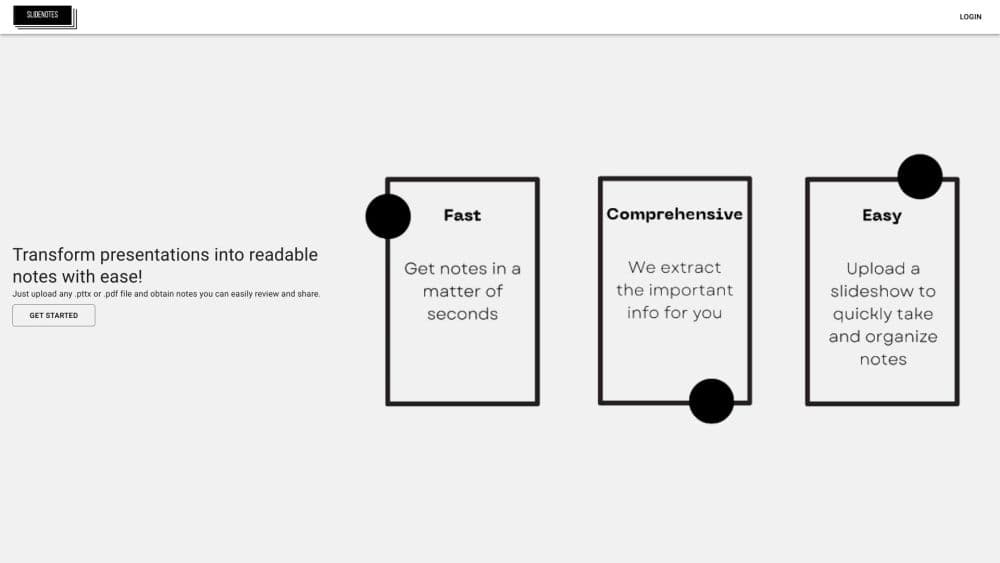
SlideNotes turns PowerPoint and PDF presentations into readable bulleted notes. It pulls out the key phrases from each slide, then lets you review, download, and share the results.
About SlideNotes
What Is SlideNotes
SlideNotes is a web app that reads a presentation and rewrites it as notes. You upload a .pptx or .pdf file, the tool scans the slides for the phrases that carry the argument, and you get a page of bulleted text covering the same ground. The point isn't a summary you skim once. It's AI note taking you can keep, search, and hand to someone else.
The tool fits the gap between having the slides and having studied them. Lecture decks, training packs, and client briefings usually arrive as visual material, and rewriting them by hand takes an hour you don't have before an exam or a meeting. SlideNotes does that pass for you, then leaves the editing to you.
Two limits matter. Output quality tracks the source file, so a deck built from photos with little text gives the converter very little to work with. And the free plan caps you at three uploads per month, which is enough to test the idea but not enough for a heavy semester. For anyone who needs notes from slides on a regular basis, a paid plan is the practical version.
Getting Started
- Open slidenotes.dev and sign up with your phone number. The site sends a one time code by text, so there's no password to remember.
- Click New Note and upload a .pptx or .pdf file from your device.
- Wait while the presentation to notes converter reads the slides. A typical deck comes back in under a minute.
- Open the finished note, edit any line that lost meaning, then save it to My Notes.
- Use Download or Share when you need a copy for a study group, a teammate, or your own archive.
Product Information
A quick look at SlideNotes's pricing, supported platforms, and performance.
Best for
The users, tasks, and scenarios where this tool fits best.
Users
- Students
- Trainers and HR teams
- Meeting attendees
Tasks
- Converting a PPTX to notes
- Turning a PDF to notes
- Sharing a study set
Scenarios
- The night before an exam
- Handing off a project brief
- Building a personal archive
Key features
Slide and PDF Upload
The upload box takes .pptx and .pdf files, which covers PowerPoint, exported Keynote, and Google Slides saved as either format. There's no desktop app to install and nothing to configure. Drop the file in, and the note appears in your library when processing finishes.
Key Phrase Extraction
Rather than summarizing the deck into a paragraph, SlideNotes identifies the keywords and phrases on each slide and builds bulleted notes around them. That structure keeps the original order of ideas, so you can follow the argument the way the presenter built it instead of a reshuffled abstract. It's a study notes generator in the literal sense: material shaped for review, not a teaser.
Notes Library
Every file you convert lands in My Notes, listed by name and upload date. Old conversions stay there, so a note from last month is one click away. You can open, download, or delete each entry, which makes the library usable as a running record of what you've covered.
Sharing and Downloading
Each note has Share and Download buttons. Sharing sends a link that opens in a browser, so the recipient doesn't need an account or a copy of the original file. Download gives you a local copy for printing or for pasting into your own document. For study groups, this is the part that saves the most time.
Higher Quality Notes on Premium
The paid tier unlocks longer files, unlimited uploads, and better note quality. That last one is the real difference on dense material. Free conversions on a 40 slide deck tend to compress hard, while premium output keeps more of the supporting detail. If your slides are text heavy, the upgrade pays for itself in editing time.
Shared Team Repository
The Enterprise plan adds a shared note repository across a team. Notes from one person's upload become available to everyone, which suits training departments and consultancies that run the same decks repeatedly. Pricing is quoted on request.
Pros and cons
Pros
- Fast turnaround on text heavy decks, usually well under a minute for a normal presentation.
- Notes keep the slide order, so review follows the same path as the original talk.
- Phone number login removes password resets, which matters if you only open the tool once a week.
- Sharing is a link, not a file attachment, so recipients can read notes on any device.
Cons
- Free plan allows three uploads per month, so anyone converting regularly hits the cap within a week.
- Decks built mostly from images, charts, or scanned pages produce thin notes because there's little text to extract.
- No API and no export to formats like Word or Anki, which means notes stay inside SlideNotes or as a shared page.
Frequently asked questions
It converts a presentation or PDF into written notes. You upload a .pptx or .pdf file, and the tool returns a bulleted document built from the key phrases on each slide.
Related content
Explore related tools, skills, and articles for SlideNotes.
SlideNotes Alternatives

Base Code
Base44 (Wix) · Coding · ProductivityBase Code is a shared cloud development environment from Base44. Teammates describe changes to an existing GitHub codebase in chat, preview them live and send them back as pull requests.

Knocket
Knocket (Tencent RTC team) · Productivity · Business · ChatbotKnocket is a free live chat and contact page tool that lets visitors message you from your website, app, or a shareable link, with every reply handled from Telegram or one inbox.

FloorGen
Vinit Kumar (FloorGen) · Productivity · China AIFloorGen is a browser-based floor plan maker that turns a sentence or a sketch into an editable 2D plan and a 3D walkthrough. Export to PDF, DXF or video, and draw without an account.