

Slides.bot
Slides.bot · Productivity
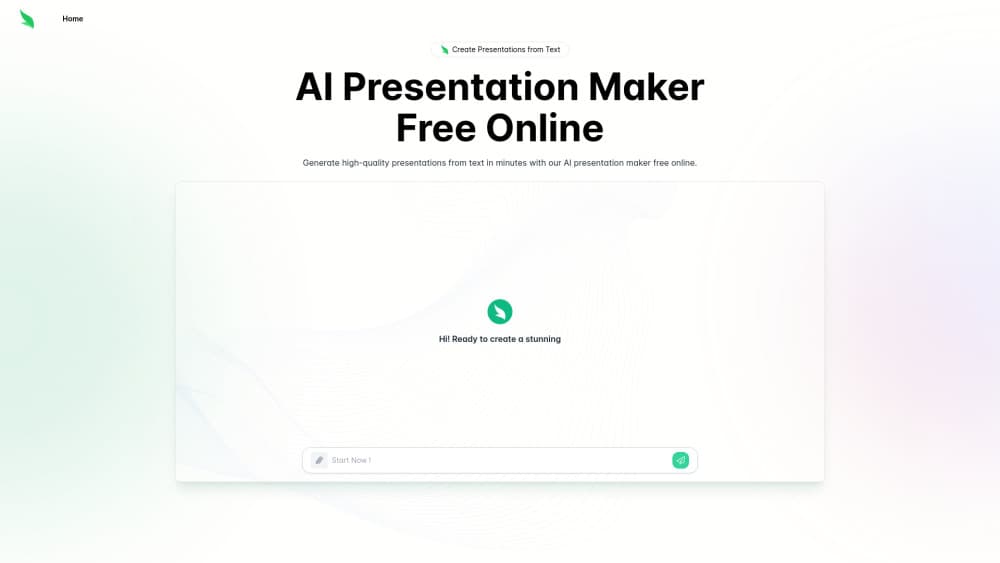
Slides.bot is a free online AI presentation maker that turns a text prompt or an uploaded document into editable slides in minutes, with design templates and multi-language output.
About Slides.bot
What Is Slides.bot
Slides.bot is a browser-based AI presentation maker built for people who need a deck finished today and don't want to start from a blank canvas. You type a topic or drop in a file, and it returns a structured slide sequence with titles, body text, and a visual theme applied.
The product sits in the same category as other AI PPT generators, but it leans on the input side. Most of the work happens before generation: the clearer your prompt or source document, the closer the first draft lands to something you can present. Vague one-line prompts produce generic slides, which is the same failure mode you get from every tool in this space.
The main limitation is control. Slides.bot gives you templates and editing tools, but it's not a full design suite. Anyone who needs pixel-level layout work, custom master slides, or brand-locked components will still finish the job in PowerPoint, Google Slides, or Keynote.
Getting Started
- Open slides.bot in a browser and create a free account with an email address.
- Enter your topic, outline, or full text in the prompt box, or upload up to five source files (images, PDF, Word, Excel, TXT, CSV, 10MB each).
- Pick a design style, then review the generated outline and slides.
- Edit text, swap images, and adjust layout, then download the deck in your preferred format.
Product Information
A quick look at Slides.bot's pricing, supported platforms, and performance.
Best for
The users, tasks, and scenarios where this tool fits best.
Users
- Students
- Startup founders and small teams
- Teachers and trainers
Tasks
- Converting a report or PDF into a slide summary
- Drafting a pitch or proposal deck
- Turning meeting notes into a recap presentation
- Building a first draft you finish by hand
Scenarios
- A deck is due tomorrow morning and the content exists only in a document, so speed matters more than custom design.
- A trainer needs the same material in two languages for different audiences and can't rebuild the layout twice.
- A small team without a designer needs something presentable for a client call this week.
Key features
Text to Presentation in One Prompt
The core function works as a presentation maker from text: it takes a topic or a block of text and returns a full slide sequence with a title slide, section dividers, content pages, and a closing page. You can steer the result by writing a longer prompt with an audience, a page count, and the points you want covered. Short prompts still work, but you get a generic deck that reads like a template, so the extra two minutes of prompt writing pay off.
Document and File Upload
Instead of typing everything, you can upload source material and let the tool extract the structure. The upload panel accepts images, PDF, Word, Excel, TXT, and CSV files, up to five files at 10MB each. That covers the common case of a report, a spreadsheet of figures, and a few reference images arriving in one folder. Files that are mostly scanned images give weaker results, since there's little text to work with.
Template and Design Controls
Every deck starts from a design style, and you can change it after generation without rebuilding the content. Templates cover the usual range from formal business to brighter creative layouts, and the editing panel exposes text, images, and placement. It's enough for a clean internal deck. It isn't a substitute for a design system, and heavily branded templates usually need to be rebuilt elsewhere.
Fast Draft Generation
Generation finishes in minutes rather than hours, which is the entire reason to use an AI PPT generator. The practical gain isn't a finished deck, it's skipping the blank-page stage and the first round of layout decisions. Teams that present weekly report the biggest time saving on recurring decks where the structure barely changes from month to month.
Multi-Language Output
Slides.bot runs in more than a dozen interface languages, including Spanish, Portuguese, French, German, Japanese, Korean, Russian, Arabic, Hindi, and both Chinese variants. You can generate the slide text in a language other than English, which matters for classrooms, local client work, and internal training in multilingual companies. Check the output with a native speaker before presenting it externally.
Free Tier With a Message Cap
New accounts generate presentations at no cost. The free allocation is counted in messages, and once it runs out the tool tells you when the limit resets. That model suits occasional users who need a deck every few weeks. Anyone generating decks daily will hit the cap quickly and should look at the paid option.
Pros and cons
Pros
- No cost to start: a free account generates complete decks, so you can judge output quality before paying anything.
- Input flexibility: prompts, documents, spreadsheets, and images all work as a starting point, which cuts the copy-paste step.
- Structure first: the generated outline is editable before you commit to design, so fixing the flow is cheap.
- Multi-language support in the interface and in the generated text, useful for non-English presentations.
- Fast enough for same-day deadlines, which is the case most people actually search for.
Cons
- The free message cap runs out fast with daily use, and the reset window isn't something you control.
- Design control stops short of a real deck editor, so brand-heavy decks need a second pass in PowerPoint or Google Slides.
- Output quality tracks your input, and thin prompts return filler text that takes as long to fix as writing from scratch.
- No published pricing page and no documented API, which makes it hard to plan costs or automate around it.
Frequently asked questions
It reads your prompt or uploaded file, pulls out a heading structure, and maps that structure onto a slide template. Each section becomes one or more pages with a title, supporting text, and an image slot. You then edit the result in the browser.
Related content
Explore related tools, skills, and articles for Slides.bot.
Slides.bot Alternatives

Base Code
Base44 (Wix) · Coding · ProductivityBase Code is a shared cloud development environment from Base44. Teammates describe changes to an existing GitHub codebase in chat, preview them live and send them back as pull requests.

Knocket
Knocket (Tencent RTC team) · Productivity · Business · ChatbotKnocket is a free live chat and contact page tool that lets visitors message you from your website, app, or a shareable link, with every reply handled from Telegram or one inbox.

FloorGen
Vinit Kumar (FloorGen) · Productivity · China AIFloorGen is a browser-based floor plan maker that turns a sentence or a sketch into an editable 2D plan and a 3D walkthrough. Export to PDF, DXF or video, and draw without an account.