
SlidesAI
Zesterv LLC · Productivity
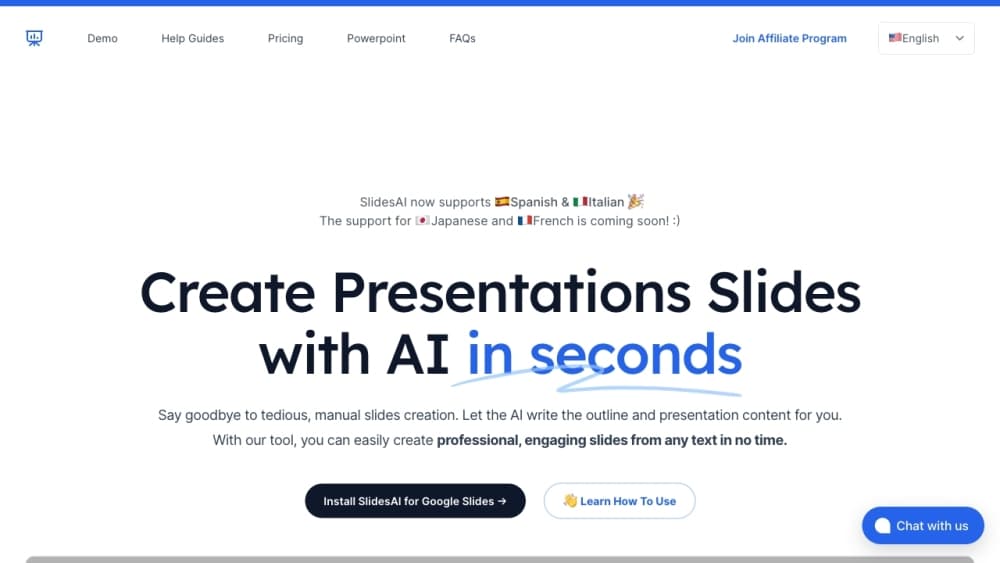
SlidesAI is an AI presentation maker that turns prompts, notes, and documents into editable slide decks inside Google Slides, PowerPoint, ChatGPT, or the browser. It doubles as an AI slide generator and a presentation generator you can run without leaving the editor you already use.
About SlidesAI
What Is SlidesAI
SlidesAI is a presentation tool built by Zesterv LLC for people who already have the content but dread the formatting. You paste a topic, a script, meeting notes, or upload a Word file and PDF, and it builds a structured deck with sections, bullet points, and visuals. As an AI PowerPoint generator and an AI Google Slides generator, it meets you in whichever app you already open. Founded in January 2023 by Anurag Bhagsain, the product started as a Google Slides add-on and now also runs as a PowerPoint add-in, a ChatGPT app, and a standalone web app.
The idea behind it is simple. Most presentation work isn't the thinking, it's the layout. SlidesAI handles the layout so you can spend your time on what the slides actually say. Decks stay editable after export, which matters if you need to tweak a number before a meeting.
Its limits are worth knowing up front. Output quality tracks the quality of your input, so a vague prompt gives a thin deck you'll have to fix by hand. The free tier caps you at 12 presentations a year, so anyone using it weekly will hit a paid plan fast.
Getting Started
- Open SlidesAI in Google Slides, PowerPoint, ChatGPT, or the web app and sign in with your email or Google account.
- Paste a topic, notes, or a script, or upload a document, then pick the audience, tone, length, and language.
- Review the outline the tool proposes and generate the slides.
- Edit the deck in place, then export as PowerPoint, Google Slides, or PDF.
Product Information
A quick look at SlidesAI's pricing, supported platforms, and performance.
Best for
The users, tasks, and scenarios where this tool fits best.
Users
- Students
- Educators
- Professionals
- Sales teams
Tasks
- Turning an existing document into slides
- Writing in one language and presenting in another
- Matched-brand decks
Scenarios
- A last-minute client pitch where you have the notes but not the deck.
- A recurring weekly report that needs a consistent look each time.
- A classroom lesson that has to be rebuilt several times a term.
Key features
Text-to-Slides Generation
Give SlidesAI a topic, a script, or a chunk of notes and it returns a full deck with a title slide, sections, and bullet points in seconds. The whole point of a text to slides workflow is that you stop copying and pasting, and this one pulls the key ideas out of what you already wrote rather than inventing filler. The result reads like a cleaned-up version of your own thinking.
Document and URL Upload
You can drop in a PDF, DOCX, TXT, or Google Doc, or paste a link, and the tool extracts the important parts and organizes them into sections. This is the feature most people reach for when they already have a written report and just need it in slide form.
Runs Inside Your Existing Tools
SlidesAI works as a Google Slides add-on, a PowerPoint add-in, a ChatGPT app, and a web app. You don't have to learn a new editor or export a file and re-import it. Decks stay in the native format, so you keep editing where you already work.
Brand Kit and Custom Templates
Teams can upload their own PowerPoint template, and every generated deck comes out in the company's colors, fonts, and logo. For organizations that enforce a visual identity, this removes the usual restyling pass before a deck goes out.
Multilingual Output
Presentations can be generated across dozens of supported languages, and the tool translates decks for different regions and classrooms. Writing in one language and presenting in another works without a separate translation step.
Editable Visuals and AI Images
The editor lets you generate images with AI or pick stock photos, then add icons and charts to a slide. Visuals are meant to be swapped and resized, not locked to a fixed theme.
Outline Review Before Generation
SlidesAI shows a proposed outline you can reorder and edit before it builds the full deck. Checking the structure first saves you from regenerating everything when a section lands in the wrong order.
Pros and cons
Pros
- Works inside Google Slides, PowerPoint, ChatGPT, and the browser, so there's no file juggling.
- Exports editable native files instead of locked images, so you can keep refining after export.
- The free Basic plan lets you test the full flow before paying.
- Brand Kit keeps company decks on-style without a manual restyling pass.
- Outline review catches structural problems before you commit to a full generation.
Cons
- The free plan allows only 12 presentations a year and 120 AI credits, so regular users outgrow it quickly.
- Output depends heavily on input, and a vague prompt produces a deck you'll have to rewrite.
- There's no documented public API, so building custom automations or integrations isn't an option right now.
Frequently asked questions
SlidesAI turns text, notes, prompts, and documents into editable slide presentations. It runs inside Google Slides, PowerPoint, ChatGPT, and a web app, and it handles the layout and structure so you can focus on content.
Related content
Explore related tools, skills, and articles for SlidesAI.
SlidesAI Alternatives

Base Code
Base44 (Wix) · Coding · ProductivityBase Code is a shared cloud development environment from Base44. Teammates describe changes to an existing GitHub codebase in chat, preview them live and send them back as pull requests.

Knocket
Knocket (Tencent RTC team) · Productivity · Business · ChatbotKnocket is a free live chat and contact page tool that lets visitors message you from your website, app, or a shareable link, with every reply handled from Telegram or one inbox.

FloorGen
Vinit Kumar (FloorGen) · Productivity · China AIFloorGen is a browser-based floor plan maker that turns a sentence or a sketch into an editable 2D plan and a 3D walkthrough. Export to PDF, DXF or video, and draw without an account.