

SLIDESGO
Magnific · Productivity · Leaning
Slidesgo is a presentation template library with 30,000+ editable themes for Google Slides and PowerPoint, plus AI slide generation for students and teams.
About SLIDESGO
What Is SLIDESGO
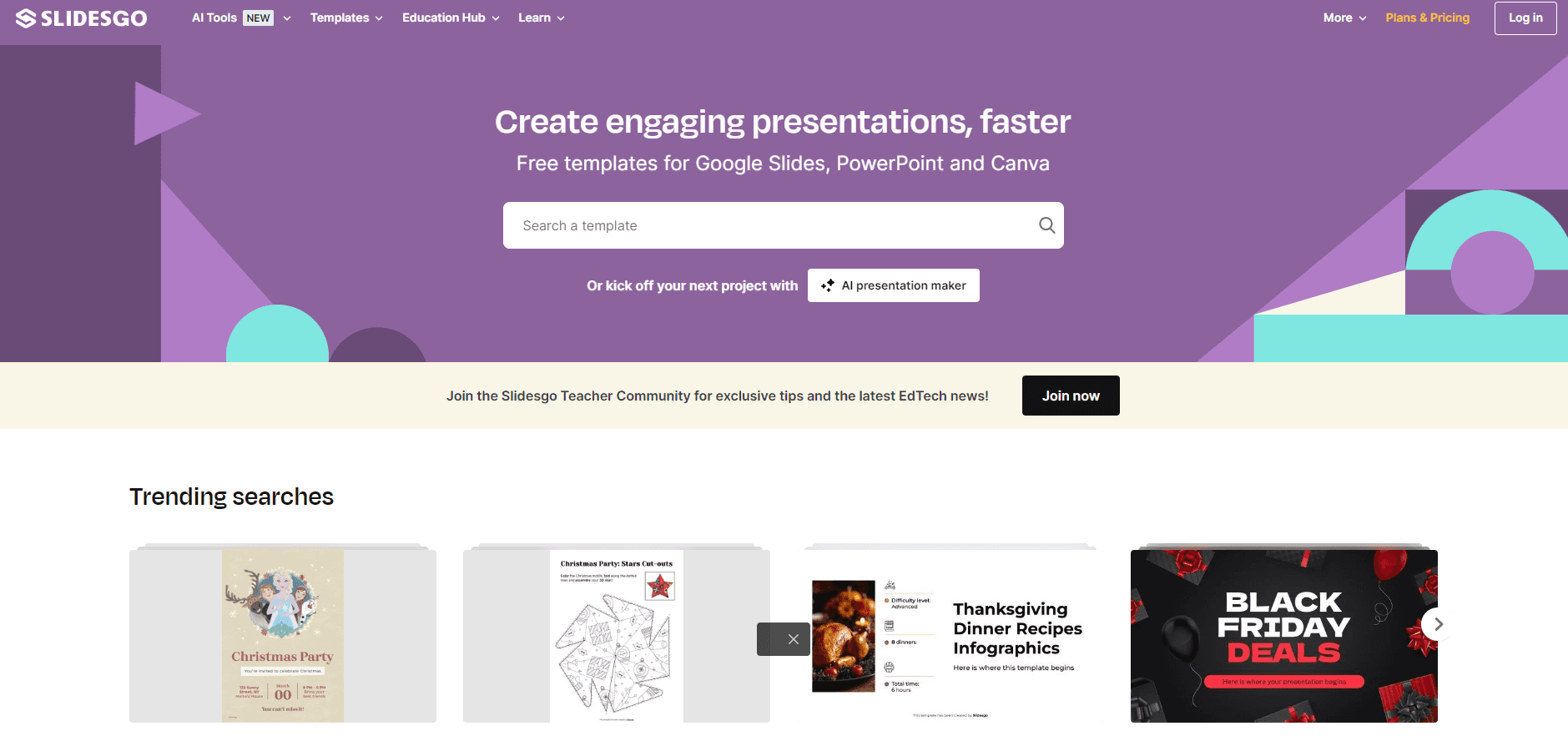
Slidesgo is a web platform that hands you a finished-looking deck before you've touched a single slide. It ships tens of thousands of designer-made free slide templates, and every one opens straight in Google Slides or PowerPoint with fonts, layouts and colors already locked in. You pick a design that fits your topic, swap in your own words, and present. No design software. No plugins.
It leans heavily on education. Teachers, students and trainers make up much of the audience, which explains the ready-to-teach lessons, classroom activities and kid-friendly visual sets you won't find on general template sites. Business users get decks for pitches, reports and team updates. So who is it not for? Anyone who needs deep graphic design control. Solo users who just want one clean presentation are welcome too.
The catch is the free tier. You get 3 downloads and 3 AI generations per month, and free decks keep Slidesgo's credit slide. Premium removes that slide and most limits. Heres the honest limit: if you present weekly, that monthly cap is gone in a single afternoon. As of the time of writing, Slidesgo is owned by Magnific, a company based in Spain.
Getting Started
- Create a free account at slidesgo.com, since unregistered visitors can't download anything.
- Browse templates by category or type a topic into the AI generator and pick a theme from the suggestions.
- Open the preview to review the slides, then download for Google Slides (copies to your Drive) or PowerPoint (saves to your device).
- Edit the master slides or individual layouts to swap text, colors and images.
- Present directly from Google Slides, or export a PDF or PPTX when you need to share it.
Product Information
A quick look at SLIDESGO's pricing, supported platforms, and performance.
Best for
The users, tasks, and scenarios where this tool fits best.
Users
- Students
- Teachers and trainers
- Small teams and startups
Tasks
- Building a pitch deck fast
- Making study material
- Preparing a report or business update
Scenarios
- Last-minute classroom prep
- Conference talks and workshops
- Team onboarding and internal reviews
Key features
Ready-to-edit templates for Google Slides and PowerPoint
Every template opens as a real, editable file, not a screenshot. Downloads land in your Google Drive or your computer, and layouts, fonts and color palettes come pre-set. If you use PowerPoint, you may need to install the fonts used by the theme, but Google Slides pulls them automatically from Google Fonts.
AI presentation generator
Describe your topic, pick a theme, and Slidesgo builds a draft deck for you. It's the fastest route from a blank page to something presentable, and it's aimed squarely at people who don't want to learn slide design. The free plan caps this at 3 AI-generated presentations a month, so heavy users hit the ceiling quickly.
A 30,000+ template library with 15,000+ Premium designs
The free collection is large, but the strongest and newest designs sit behind Premium. That library spans education, business, health, marketing and creative themes, which means most topics have a matching deck, from a chemistry lesson to a quarterly sales review. Premium also unlocks Slidesclass, teacher-verified lessons ready to teach as-is.
Editable infographics and graphic resources
Templates bundle icons, maps, timelines and charts you can pull out and reuse elsewhere. There's a dedicated infographics section with calendars, org charts and mind maps, all editable across Google Slides, PowerPoint and Keynote. This is handy when you need a diagram fast and don't want to draw it. Drag it in. Done.
Team plans and education discounts
Premium supports multiple seats under one account, with an admin who adds users and manages access. Pricing drops as you add people, and schools, districts and universities can request custom education rates. For a department or a whole faculty that shares slide standards, buying one block of seats usually works out cheaper than paying individually, especially once the per-seat discount kicks in past three users. That adds up.
Pros and cons
Pros
- Genuinely free entry point: 3 downloads a month plus a large free template selection.
- Deep education focus with teacher-verified lessons and classroom-ready activities.
- AI generator turns a topic into a usable draft deck without design skills.
- Team management and per-seat discounts make it practical for schools and small businesses.
Cons
- Free downloads carry a Slidesgo credit slide that you can't remove without Premium.
- The 3-download and 3-AI-generation monthly caps on the free plan run out fast for regular users.
- Best-looking and newest templates are Premium-only, so free browsing feels narrower than the headline 30,000+ suggests.
Frequently asked questions
Yes, there's a free plan, but it's limited. Registered free users get 3 template downloads and 3 AI-generated presentations per month, and free decks keep a credit slide.
Related content
Explore related tools, skills, and articles for SLIDESGO.
SLIDESGO Alternatives

Udon
Udon · Coding · ProductivityUdon turns an Apple Silicon Mac into a home server you run from a browser, with container controls, file shares, and an optional AI sysadmin.

offstage
offstage cloud · Coding · Productivityoffstage gives AI coding agents and CI jobs a real Mac: a fresh macOS account on Apple silicon, driven over an API and billed by the second.

BotBus
Chengdu Tuyang Tusen Technology Co., Ltd. · Coding · ProductivityBotBus lets you control AI coding agents from your phone and watch: approve commands, start tasks and read results while the code stays on your desktop.