

SlideSpeak
SlideSpeak · Productivity
SlideSpeak is an AI presentation generator that turns PDFs, Word files, Excel sheets, and notes into editable PowerPoint decks. It suits anyone who needs a presentable deck fast without a design app.
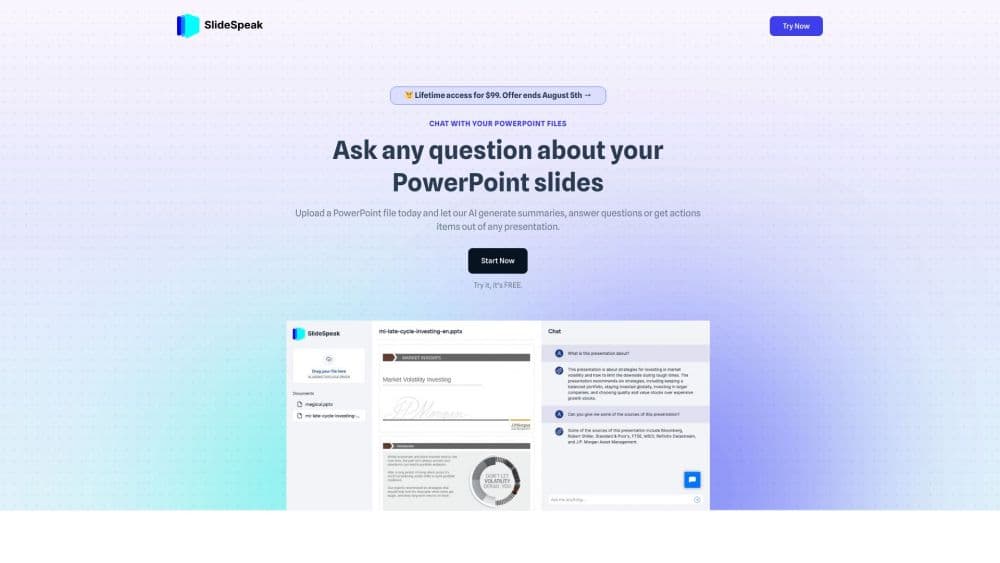
About SlideSpeak
What Is SlideSpeak
SlideSpeak is a web-based AI presentation platform that acts as a PowerPoint maker and a summarizer in one. You upload a document or type a topic, and the tool builds a structured deck for you. It also works in reverse, summarizing long PDFs, Word files, and existing decks into shorter, skimmable versions.
The core appeal is speed and format control. The output is a real .pptx file with fonts and layouts kept intact, so it opens cleanly in Microsoft PowerPoint or Google Slides. You are not locked into a browser canvas if you want to edit later.
The biggest limitation is that everything runs on a credit system. Each deck or AI video consumes credits from your monthly allowance, and heavy users will need top-ups. There is also a file size cap on the free tier, so genuinely huge documents need a paid plan.
Getting Started
- Go to the SlideSpeak site and create a free account to claim the sign-up credits.
- Pick a starting point: type a topic, paste text to convert to PowerPoint, or upload a PDF, Word, or Excel file.
- Review the generated outline and let the AI assistant Charles adjust wording, tone, or structure.
- Choose a template or apply your own branded one if your plan supports it.
- Export the finished deck as a .pptx, PDF, or short AI video with voiceover.
Product Information
A quick look at SlideSpeak's pricing, supported platforms, and performance.
Best for
The users, tasks, and scenarios where this tool fits best.
Users
- Students
- Consultants and freelancers
- Sales and marketing teams
- Educators
Tasks
- Converting a PDF report into slides
- Summarizing an existing PowerPoint
- Making a video version of a deck
- Drafting a first outline
Scenarios
- Last-minute meeting prep
- Repetitive weekly reporting
- Onboarding non-designers
- Handling mixed source material
Key features
Generate Presentations from Word, PDF, and Excel
SlideSpeak takes the documents you already have and turns them into structured slides. Upload a PDF, Word file, Excel sheet, or plain text, and it builds the outline and page flow for you. This removes the manual step of copying content block by block into a template.
AI Presentation Assistant Charles
Charles is the in-app assistant that edits content while you work inside a deck. You can ask it to generate new content, tighten wording, summarize a section, or shift the tone, and it also produces AI images and infographics to fill visual gaps. The practical benefit is staying inside one tool instead of bouncing between a chat window and your slides.
Native PowerPoint Export
The export produces genuine .pptx files with fonts and layouts preserved, so the deck opens correctly in PowerPoint or Google Slides. Editable files matter when a colleague needs to tweak a slide later, which is where fixed-image exports fall short.
AI Video Presentations
SlideSpeak turns a deck into a video with an AI voiceover in a few clicks. That output fits social posts, training modules, and explainer content, and it gives teams a second format from work they already did.
Custom Branded Templates
On paid plans you can import your own template so every generated deck matches your brand. This keeps colors, fonts, and layout consistent across a team, and multiple custom templates are available on the higher tier for teams that manage several brands.
AI Document Summaries
Beyond building decks, SlideSpeak summarizes Word, PDF, and PowerPoint files on demand. Point it at a long report and it returns the key points, which is useful for prepping a meeting when you only have a few minutes to review.
Pros and cons
Pros
- Accepts PDF, Word, Excel, and text as input, so it fits how documents actually arrive on a project
- Exports real .pptx files with fonts and layouts intact, keeping decks editable after generation
- Free tier is genuinely usable, with 150+ languages and 100 sign-up credits covering a few presentations
- Named AI assistant handles content edits, image generation, and tone changes inside the editor
- API and integrations with tools like Zapier and Make.com support automated workflows
Cons
- Runs on credits, so heavy users hit the monthly cap and need one-time top-ups that expire after 12 months
- Free tier caps file uploads at 50 MB, which blocks very large documents unless you upgrade
- Custom branding and branded image libraries sit behind the paid tiers, so free users cannot enforce a house style
- Branded templates cost $129 each as an add-on, an extra expense on top of the subscription
Frequently asked questions
The free plan includes 100 credits at sign-up, roughly three presentations. Premium adds 1,000 credits a month, around 27 presentations or 13 AI videos, and Premium Plus raises that to 2,500 credits. Enterprise plans use a custom credit volume.
Related content
Explore related tools, skills, and articles for SlideSpeak.
SlideSpeak Alternatives

Base Code
Base44 (Wix) · Coding · ProductivityBase Code is a shared cloud development environment from Base44. Teammates describe changes to an existing GitHub codebase in chat, preview them live and send them back as pull requests.

Knocket
Knocket (Tencent RTC team) · Productivity · Business · ChatbotKnocket is a free live chat and contact page tool that lets visitors message you from your website, app, or a shareable link, with every reply handled from Telegram or one inbox.

FloorGen
Vinit Kumar (FloorGen) · Productivity · China AIFloorGen is a browser-based floor plan maker that turns a sentence or a sketch into an editable 2D plan and a 3D walkthrough. Export to PDF, DXF or video, and draw without an account.