

Slides Wizard
Unknown · Productivity
Slides Wizard is an AI PowerPoint generator that turns a topic or your own outline into a finished slide deck with matching images and speaker notes, ready to export to PowerPoint or Google Slides.
About Slides Wizard
What Is Slides Wizard
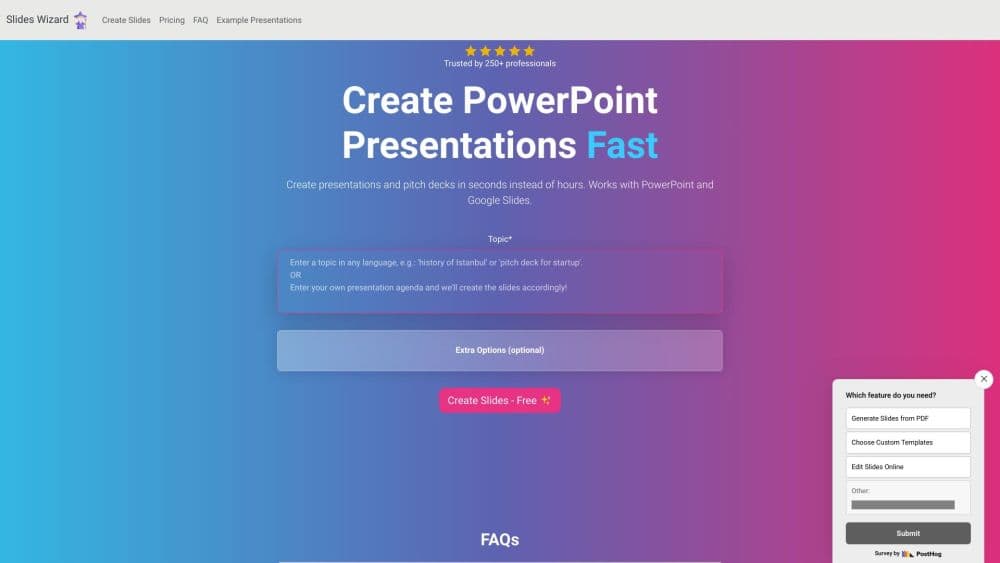
Slides Wizard (slideswizard.io) is a presentation maker that works in the browser and writes slides with AI. Type a topic, or paste the outline you already wrote, and the service returns a complete deck: a structured outline, body text for every slide, an image that fits the content and a set of speaker notes. There's no canvas to design and no template to pick. You review the output, download it, and fix what the model got wrong.
The workflow fills a real gap. Building a deck from scratch usually means two separate jobs, writing the story and then laying it out. Slides Wizard does both in one pass, which matters when a talk is due tomorrow and the content is still a topic.
Three constraints matter before you rely on it. Accounts can't be created right now, since the sign-up page states that registration is closed; the product asks users to sign in before saving a deck, so your work lives in an account rather than in a local file. Payments run through Stripe at $2.50 per presentation, and free users keep a watermark on their slides until they pay. Everything you get is AI text, so facts, numbers and charts need checking before anyone sees them. The site also points out that its terms license the slides for personal or educational use.
One detail that catches people out: the exported file is a presentation, not a brand kit. Colors, fonts and the master slide follow the tool's own design, and the layout choice sits with the AI. If your company has a slide template, expect to move content into it afterwards.
Getting Started
- Open slideswizard.io and type the topic you want slides about. You don't need to sign in to see how it works, but saving and sharing a deck does need an account.
- Paste an outline if you have one. Slides Wizard follows your order and fills in the text under each heading instead of inventing a new structure.
- Generate the deck, then read it top to bottom. Every slide gets an image and speaker notes, and the notes are often where the useful detail hides.
- View it online or send the shared link to someone for a quick sanity check before the meeting.
- Export to PowerPoint or Google Slides, or download a PDF. Pay the $2.50 only when you want to export, and the watermark comes off at that point.
Product Information
A quick look at Slides Wizard's pricing, supported platforms, and performance.
Best for
The users, tasks, and scenarios where this tool fits best.
Users
- Students with a presentation due tomorrow
- Teachers who reuse the same lesson
- Startup founders drafting a pitch
- People who dread the blank slide
Tasks
- Turning a written outline into slides
- Making a weekly report deck
- Producing a first draft for a group
- Adding visuals to a text heavy deck
Scenarios
- A one hour window before a client call
- Running a workshop where nobody brought slides
- Testing whether an idea deserves a full deck
Key features
Topic to Full Deck
The core loop takes a topic and returns a complete presentation in one pass. Slides Wizard writes the outline, fills each slide with body text, attaches an image and writes speaker notes, so you never open a blank file. The output is meant to be edited rather than presented as-is, and that's the honest way to use it. Treat the first draft as a scaffold with content in place.
Outline Upload
If you already know the shape of your talk, paste the outline in and the tool follows it. This is the feature that separates Slides Wizard from a text generator: your structure survives, and the AI only fills in the words under each heading. Writers who plan on paper keep their plan, which is a small thing that saves a lot of argument with the model.
Smart Slide Layouts
Slides Wizard picks a layout per slide based on what the slide needs to say. The current set covers bullet points, text with an image, timelines, Venn diagrams, pie charts and quote slides. A history topic tends to get a timeline, while a comparison gets a diagram. You don't choose the layout yourself, so expect to override some of them after export.
Content Aware Image Search
Each slide comes with a photo matched to its text, pulled from a stock photo search engine rather than a generic image model. That keeps images looking like real photographs instead of AI art, which matters for business decks. The cost is that you can't describe the picture you want, so a specific brand shot or product photo needs replacing in PowerPoint.
AI Speaker Notes
Every slide carries notes you can read from while presenting. The notes expand on the bullet points rather than repeating them, which makes them useful for a first rehearsal. They rarely survive contact with a real audience, but rewriting notes is faster than writing them from nothing.
PowerPoint, Google Slides and PDF Export
Finished decks export to PowerPoint (.pptx), Google Slides and PDF. The paid $2.50 covers all three formats and removes the watermark, so there's no reason to pay twice for the same presentation. PowerPoint and Google Slides both open the file as editable slides, and that's where real design work happens.
Shareable Online Links
Any deck can be viewed in the browser and shared with a link, which works for a quick review with a colleague. The public presentations page also lists decks other users chose to publish, which is a decent way to see the quality bar before spending money.
Pros and cons
Pros
- A full deck from a single topic, including text, images and speaker notes.
- Pay per presentation instead of a subscription, so light users don't carry a monthly fee.
- Outline upload keeps your own structure rather than imposing the model's.
- Google Slides export as well as PowerPoint, which few low cost tools offer.
- Images come from a stock photo search, so they look like real photography.
Cons
- Sign up is closed at the time of writing, which limits new accounts to whatever the platform allows.
- The $2.50 charge lands at export, so the free tier is really a preview with a watermark.
- No business plan, team seats or brand template support, which rules it out for marketing teams with a style guide.
- Layout choice is automatic, so you'll rebuild some slides by hand after export.
Frequently asked questions
Slides Wizard uses ChatGPT to write the content and a photo search engine to find images. You give it a topic or paste your outline, it structures the presentation, adds an image and speaker notes to every slide, and you export the result.
Related content
Explore related tools, skills, and articles for Slides Wizard.
Slides Wizard Alternatives

Base Code
Base44 (Wix) · Coding · ProductivityBase Code is a shared cloud development environment from Base44. Teammates describe changes to an existing GitHub codebase in chat, preview them live and send them back as pull requests.

Knocket
Knocket (Tencent RTC team) · Productivity · Business · ChatbotKnocket is a free live chat and contact page tool that lets visitors message you from your website, app, or a shareable link, with every reply handled from Telegram or one inbox.

FloorGen
Vinit Kumar (FloorGen) · Productivity · China AIFloorGen is a browser-based floor plan maker that turns a sentence or a sketch into an editable 2D plan and a 3D walkthrough. Export to PDF, DXF or video, and draw without an account.