

Smallppt
Smallppt · Productivity
Smallppt is an AI PowerPoint generator that turns a topic, document, URL, or audio clip into a finished slide deck. It also bundles writing, summarizing, and mind map tools for school and work.
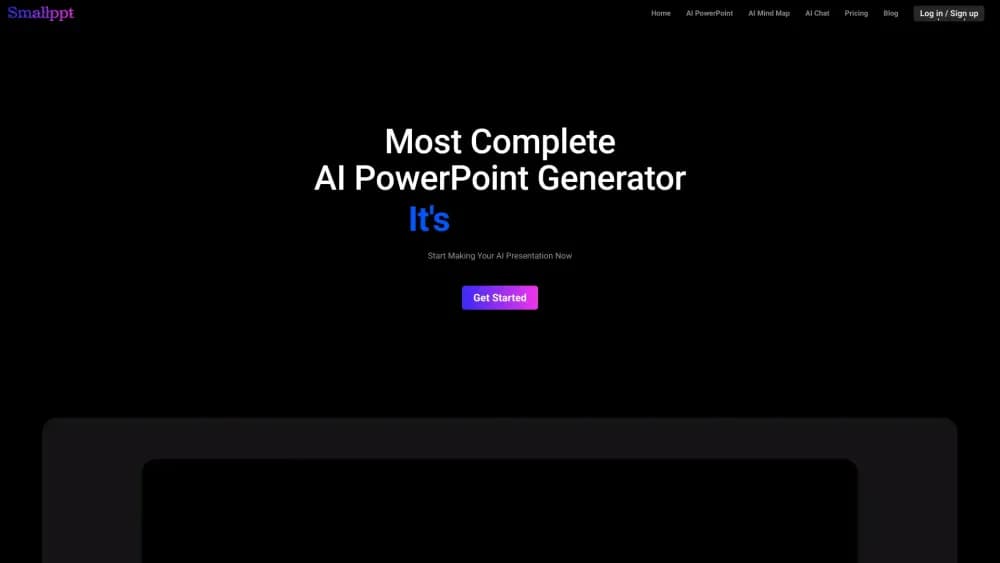
About Smallppt
What Is Smallppt
Smallppt is an AI presentation maker that builds slide decks from a prompt or an uploaded file. You give it a topic, a document, a web link, or an audio recording, and the tool produces a structured set of slides with layouts and a design already applied. The company says it has passed 10 million registered users and generated more than 120 million slides.
The problem it targets is the slow part of making a deck. Most people can write the words, but turning them into clean, consistent slides eats hours. Smallppt handles structure and visual design on its own, so a report, a lesson, or a pitch can go from raw notes to something presentable in minutes.
The limits are worth knowing before you subscribe. The free tier is generous for trying the tool, but it caps or blocks the features people actually need, so real use pushes you toward a paid plan. The output is a starting point rather than a finished product, and most decks still need a round of edits to fit a specific audience. Smallppt is also a web app first, with desktop and mobile companions rather than a deep offline editor.
Getting Started
- Open smallppt.com and sign in. You can start on the free tier without paying up front.
- Pick your input. Type a topic, paste text, upload a reference document, drop in a URL, or feed it an audio file.
- Let the AI generate the slides, then step through the result and check the structure, wording, and layout on each slide.
- Swap templates or adjust individual slides until the deck matches your audience and brand.
- Export to PDF, PPT, or image, or download the outline, and share the file through your usual tools.
Product Information
A quick look at Smallppt's pricing, supported platforms, and performance.
Best for
The users, tasks, and scenarios where this tool fits best.
Users
- Students turning research into a class presentation
- Teachers building lesson slides
- Office workers who present regularly
Tasks
- Turning a report into slides
- Building a lesson or training deck
- Summarizing dense material
- Converting a URL into a deck
Scenarios
- A deadline presentation the night before
- Preparing several decks a week from the same source material
- A team collaborating on a shared deck
Key features
One-Click AI Slide Generator
Give Smallppt a topic and it writes the outline, structures the slides, and applies a design in a single pass. You skip the blank-page problem and start from a full draft, then edit what does not fit. It is the core of the product and the reason people reach for it over a manual editor.
File and URL Import
The tool accepts documents, URLs, and audio as input and extracts the key content on its own. That means a PDF, a web page, or a recording can become a deck without retyping, which is where most of the time saving actually comes from.
Template Library and One-Click Replacement
A large library of presentation templates spans business, education, and other fields. You can swap the entire design in one click and keep your content, so a deck can be restyled for a different audience without rebuilding the slides.
AI Summarizer and Writer
Beyond slides, Smallppt packs a summarizer that condenses long text and a writer that drafts and rewrites articles. Both feed the presentation flow, since you can turn a summary or a draft directly into slides.
AI PDF, Chat, and Mind Map Tools
The platform rounds out its toolbox with an AI PDF reader, a chat assistant, and a mind map builder. The mind map helps you plan a presentation's structure before the slides exist, and the PDF tool pulls content out of long documents.
Team Collaboration
Slides support real-time editing, sharing, and comments, with access controls so a team can work on one deck together. It fits a shared workflow where several people contribute and review before a deadline.
Pros and cons
Pros
- Generates a full draft deck from a topic, file, URL, or audio clip, which removes the slowest part of building a presentation.
- Bundles a summarizer, writer, chat, PDF reader, and mind map tool, so the surrounding work lives in one place instead of several subscriptions.
- Templates cover business and education with one-click design replacement, letting you restyle a deck without rebuilding content.
- Team collaboration with real-time editing and comments suits group decks rather than forcing one person to own the file.
- A free tier lets you test the generator and the extra tools before committing to a plan.
Cons
- The free plan caps or blocks slide generation and the AI tools, so anything past light use requires a paid subscription.
- Generated slides are a first draft, and most decks need edits to fit a specific audience or brand voice.
- There is no public API, so teams that want to automate slide creation from their own systems cannot build on it.
- It is strongest as a web app, and the desktop and mobile companions are lighter than a full offline editor.
Frequently asked questions
Smallppt is used to create presentations with AI. You give it a topic, a document, a URL, or an audio file, and it generates structured slides with a design. It also includes summarizer, writer, chat, PDF, and mind map tools for related tasks.
Related content
Explore related tools, skills, and articles for Smallppt.
Smallppt Alternatives

Base Code
Base44 (Wix) · Coding · ProductivityBase Code is a shared cloud development environment from Base44. Teammates describe changes to an existing GitHub codebase in chat, preview them live and send them back as pull requests.

Knocket
Knocket (Tencent RTC team) · Productivity · Business · ChatbotKnocket is a free live chat and contact page tool that lets visitors message you from your website, app, or a shareable link, with every reply handled from Telegram or one inbox.

FloorGen
Vinit Kumar (FloorGen) · Productivity · China AIFloorGen is a browser-based floor plan maker that turns a sentence or a sketch into an editable 2D plan and a 3D walkthrough. Export to PDF, DXF or video, and draw without an account.