

Smart Profit: Invoices & Bills
REACTIVE APPS CORP. · Productivity · Business
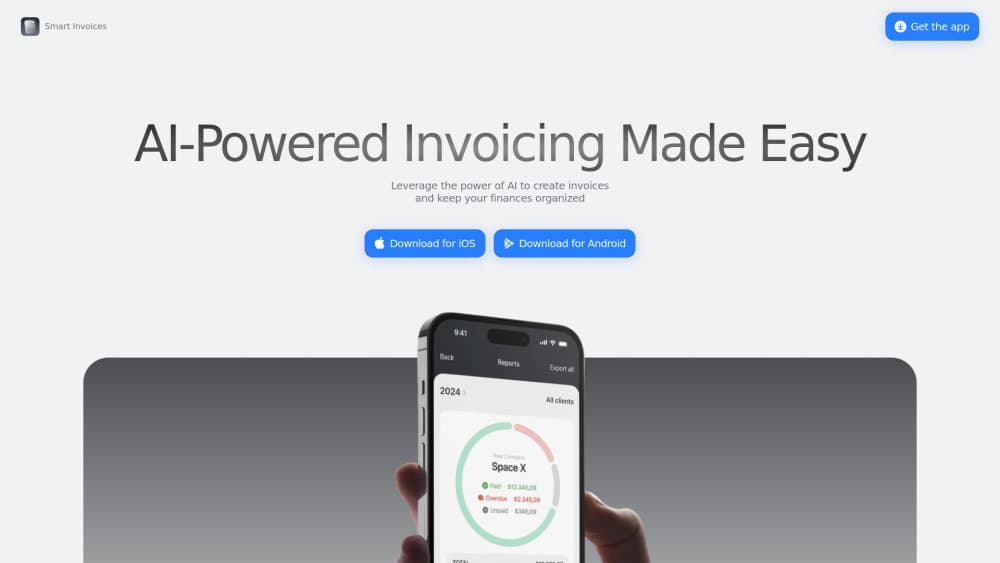
Smart Profit: Invoices & Bills is an invoicing app for freelancers and small businesses on iPhone and iPad. It builds invoices and estimates, takes card and Apple Pay, and tracks client balances.
About Smart Profit: Invoices & Bills
What Is Smart Profit: Invoices & Bills
Smart Profit: Invoices & Bills is an invoicing app that runs on iPhone and iPad, built by REACTIVE APPS CORP. for freelancers, contractors, and small business owners. You create an invoice or an estimate, send it, and let clients pay by card through Stripe or by Apple Pay. The point is to close the gap between finishing a job and getting the money, which is where a lot of solo work stalls.
The app leans on templates and saved data to cut typing. Your business details, logo, clients, and line items are stored once and reused, so a repeat invoice takes taps rather than forms. An AI-assist feature fills in details and flags mistakes as you go. For someone who bills the same handful of clients every month, that turns a chore into a two-minute task.
It is worth knowing where the edges are. The store listing has very few ratings, so the 3.4 average comes from a handful of people and says little. AI features are described in broad terms with no published detail on how they work. And the pitch around accepting payments assumes you want to collect online, which needs a Stripe account set up before the first card payment lands.
Getting Started
- Download Smart Profit: Invoices & Bills free from the App Store on iPhone or iPad.
- Add your business name, logo, currency, and tax rate once in the business profile.
- Save your clients and the items or services you bill for, with prices, so you can reuse them.
- Create an invoice or an estimate, add line items, and send it by email or share it as a PDF.
- Connect Stripe or Apple Pay if you want card payments, then track each invoice until it is marked paid.
Product Information
A quick look at Smart Profit: Invoices & Bills's pricing, supported platforms, and performance.
Best for
The users, tasks, and scenarios where this tool fits best.
Users
- Freelancers
- Contractors and tradespeople
- Small business owners
- Consultants and agencies
Tasks
- Writing an invoice from a finished job
- Sending an estimate before work starts
- Collecting a card payment
- Chasing an unpaid bill
- Tracking what you are owed
Scenarios
- Billing on the job
- A monthly retainer run
- Year-end handoff to an accountant
- Working across currencies
- Following up without friction
Key features
Invoice and estimate creation
You build an invoice or an estimate from saved clients and line items, so the form is mostly pre-filled. Templates apply your logo, colors, and business details to every document, and tax is calculated for you. The estimate-to-invoice path means a quote you send can turn into the bill after the client says yes.
Online payments with Stripe and Apple Pay
The app connects to Stripe so clients can pay an invoice by credit card, and Apple Pay works as a quick option on supported devices. That is the difference between a bill that sits unpaid and one that clears the same day. It does assume you and your client are both set up for online payment, which is not everyone's setup.
Automated payment reminders
Reminders go out on invoices that pass their due date, so the follow-up does not depend on you remembering to send it. For freelancers who hate chasing, this is the feature that keeps small balances from ageing out. You still decide the terms, since the reminders fire against the due date you set.
Invoice tracking and reports
Each invoice carries its status, due date, and payment history in one view, so you can see who owes what without opening a spreadsheet. Reports cover payment timelines and cash flow, which is enough to answer "how much is out there" at a glance. This is the tracking side of billing rather than the accounting side.
Client and item management
Clients and the products or services you bill for are saved once and reused across documents, and they sync across your devices. For anyone invoicing the same customers month after month, the saved library removes most of the repetitive entry. It also keeps the details consistent, so a client's address does not drift between invoices.
AI-assisted invoicing
The listing advertises AI features that speed up invoice creation and fill in details automatically. On paper that means less manual entry and fewer typos on a bill that goes to a client. The catch is that the description stays general, so it is hard to judge how much the AI actually does until you use it.
Pros and cons
Pros
- The app covers the full billing loop in one place, from creating an invoice to collecting payment to tracking what is owed.
- Stripe and Apple Pay support means clients can pay by card straight from the invoice instead of arranging a transfer.
- Saved clients and line items cut repetitive entry, which matters when you send the same invoice every month.
- Automated reminders go out on overdue bills, so you do not have to chase each one by hand.
- It is free to download, so you can build and send invoices before deciding whether to pay for premium.
Cons
- The App Store listing has very few ratings, so the average score carries little weight for judging the app.
- The AI features are described in broad terms with no published detail, so their real value is hard to assess before you try them.
- Card payments depend on a Stripe account and both sides being set up for online payment, which does not suit every client.
- Premium features sit behind a subscription, so the free version's limits are what you get for the download.
Frequently asked questions
It is an invoicing app for iPhone and iPad that creates invoices and estimates, sends them to clients, and tracks payment status. It also connects to Stripe and Apple Pay so clients can pay by card directly from the invoice.
Related content
Explore related tools, skills, and articles for Smart Profit: Invoices & Bills.
Smart Profit: Invoices & Bills Alternatives

Base Code
Base44 (Wix) · Coding · ProductivityBase Code is a shared cloud development environment from Base44. Teammates describe changes to an existing GitHub codebase in chat, preview them live and send them back as pull requests.

Knocket
Knocket (Tencent RTC team) · Productivity · Business · ChatbotKnocket is a free live chat and contact page tool that lets visitors message you from your website, app, or a shareable link, with every reply handled from Telegram or one inbox.

FloorGen
Vinit Kumar (FloorGen) · Productivity · China AIFloorGen is a browser-based floor plan maker that turns a sentence or a sketch into an editable 2D plan and a 3D walkthrough. Export to PDF, DXF or video, and draw without an account.