
snapfiddle AI Image Editor
snapfiddle · Image
snapfiddle is a browser based AI image editor that removes objects, cuts out backgrounds, replaces regions by description and upscales photos, all on one canvas.
About snapfiddle AI Image Editor
What Is snapfiddle
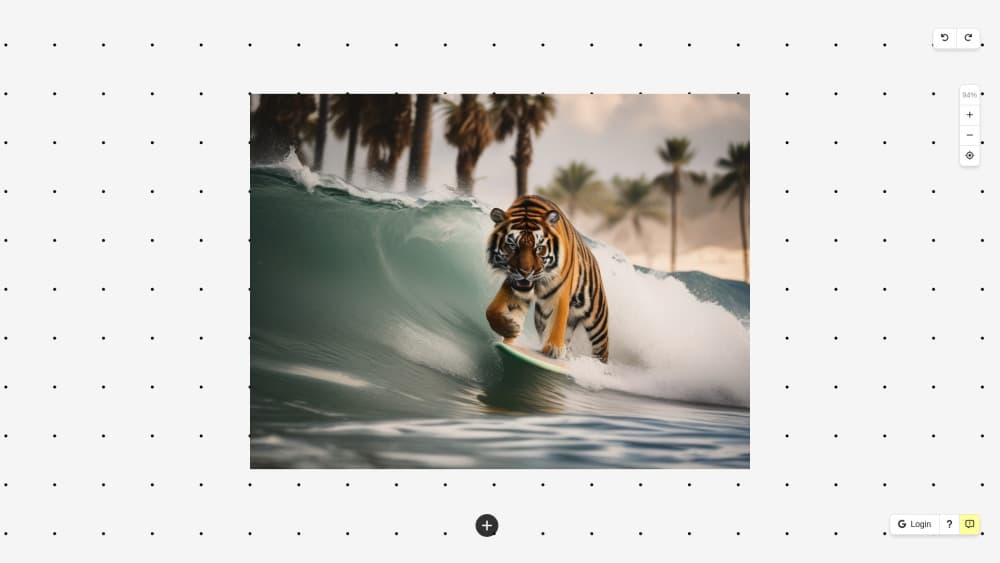
snapfiddle is an AI photo editor that runs in a web browser and organizes work on an infinite canvas instead of a layer stack. You drag an image in, select it, and a small toolbar appears with the tools that apply to it. There's nothing to install, and the site recommends a desktop browser because mobile support is limited.
The product solves a workflow problem more than a quality problem. Most photo edits need several passes: generate a background, cut a subject out, combine the two, then fix the seam. An editor built on layers makes you export and re-upload between each step. Here the six tools share the same canvas, so a composite stays editable from start to finish.
The limits are worth knowing before you start. Server side tools spend credits, hair and glass are hard for the background remover, and text inside generated images comes out garbled. Mobile browsers can open the editor, but some features won't behave correctly on a phone.
Getting Started
- Open snapfiddle.ai in a desktop browser. No install or plugin is required.
- Drag a photo onto the canvas, paste one from your clipboard, or use the generate option to create an image from text.
- Select the image so its toolbar appears, then pick a tool such as object removal, background remover, replace, repair or upscale.
- Mark the area you want to change. A rough brush stroke works better than a careful outline because the fill needs surrounding context.
- Type a description if you're replacing a region, then repair any leftover seams and download the finished image.
Product Information
A quick look at snapfiddle AI Image Editor's pricing, supported platforms, and performance.
Best for
The users, tasks, and scenarios where this tool fits best.
Users
- Casual photo fixers
- Online sellers and product photographers
- Social media creators
- People who bounce off layer based editors
Tasks
- Removing a stranger from a holiday photo
- Swapping a dull sky
- Cutting a subject out for a composite
- Preparing a small image for print
Scenarios
- A quick cleanup before posting
- Real estate and interior listings
- Building a scene from scratch
Key features
Object removal with a rough brush
Brush over the person, cable or price tag you want gone and the marked area fills with content that matches its surroundings. You don't trace the outline. Covering a little extra usually beats a tight selection because the fill has more context to work from. Undo and re-mark if the first result misses.
Background removal that stays in your browser
The background model loads into the browser and processes the image on your own machine. Two things follow: the photo never leaves your computer, and the action costs no credits. You get a subject on a transparent canvas, ready to drop over another image.
Replace a region by describing it
This is inpainting with a plain language prompt. Mark a region, type what belongs there, and only that region is regenerated. The rest of the photo keeps its light and framing, which is the whole point. "Red leather armchair" works better than a paragraph about the room.
Repair for seams and artifacts
Repair fills a small marked area with surrounding content. It handles the leftovers from object removal and the visible seam where two photos meet on the canvas. Small marks work better than one large one, since the fill reads the pixels around your selection.
An AI image generator inside the editor
Describe an image and it appears on the canvas as an ordinary image. Every other tool then applies to it, so you can erase part of it, replace a region or merge it with a photo. No export, no second tab. Lettering and small faces are where it fails.
Image upscaling that rebuilds detail
The image upscaler enlarges a small or soft file and reconstructs detail as it grows, rather than spreading existing pixels over a larger area. Old exports, screenshots and compressed downloads come out sharper. It invents plausible detail, so a badly blurred photo gets crisper without becoming more accurate.
Pros and cons
Pros
- Six tools share one canvas, so you can generate, cut out, composite and repair without exporting between steps.
- Background removal runs locally in the browser, which keeps the photo private and costs no credits.
- The rough brush removes the slowest part of object removal, which is precise selection.
- Nothing to install, and the interface stays small because each tool lives in the image toolbar.
Cons
- Desktop browsers are the intended environment. Mobile support is limited, and some features won't work correctly on a phone.
- Server side tools burn credits, sales are final, and the terms state no refunds.
- Hair, fur, glass and motion blur defeat the background remover, and text inside generated images is unusable.
- There's no layer stack, so precise multi element compositing has fewer controls than a desktop editor offers.
Frequently asked questions
snapfiddle is a web based AI image editor with six tools on one canvas: object removal, background removal, region replacement, repair, image generation and upscaling. It runs in a browser and needs no installation.
Related content
Explore related tools, skills, and articles for snapfiddle AI Image Editor.
snapfiddle AI Image Editor Alternatives

Google EmbeddingGemma 2
Google DeepMind · Writing · Image · CodingGoogle EmbeddingGemma 2 is a 740M-parameter open model that turns text, code, images, audio, and video frames into vectors in one 768-dimension space, running on phones and laptops.

Tractionwave
TractionWave · Image · MarketingTractionWave is an AI attention heatmap tool for static ads. Upload a PNG or JPG and it returns predicted attention, ranked hotspots, and fixes before you spend budget.

Imejis.io
Imejis.io · Image · MarketingImejis.io is an AI design studio for agents and marketing teams. Describe an image in plain words, and it writes the copy, builds the layout, reflows it to every size, then exports a finished file.