
Solvely - Take a Picture Math Solver Online
Solvely AI · Leaning
Solvely is an AI math solver and study app that reads a photo of a problem and explains each step. It also turns your notes into flashcards, quizzes, and practice exams.
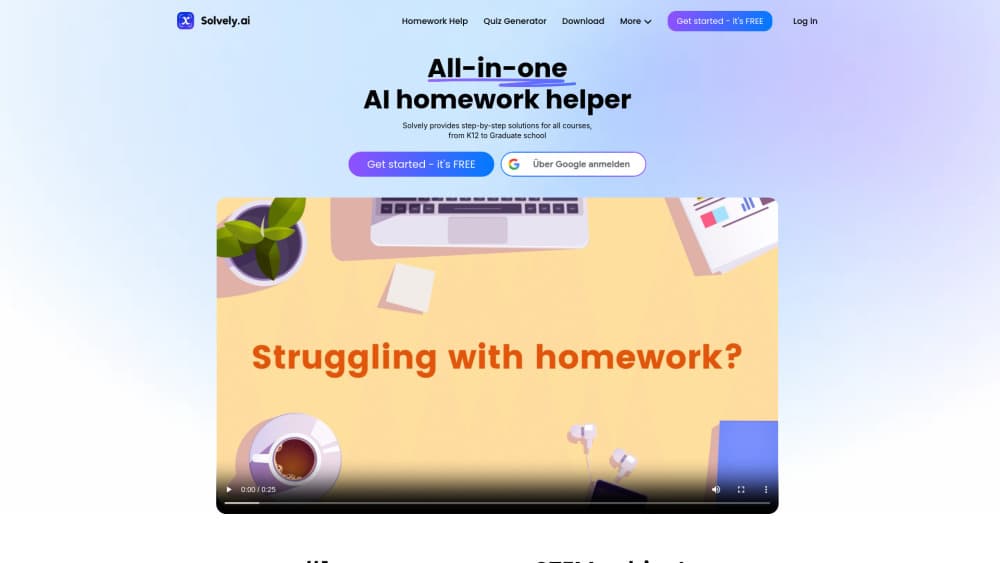
About Solvely - Take a Picture Math Solver Online
What Is Solvely
Solvely is a study app built around a camera. You point your phone at a problem, or drop in a PDF, and the app returns step by step solutions instead of a bare answer. That single move covers most of what students actually get stuck on: a page of homework at 11pm, a worksheet with no visible starting point, a calculus step that skips the part you needed.
The tool has grown past math. Solvely now markets itself as a set of AI study tools, with exam prediction, flashcard generation, and lecture recording sitting alongside the solver. The company says more than 10 million students from 5,000 universities use it, and that the app has handled over 200 million problems. Those numbers come from Solvely itself, so treat them as marketing rather than audit results.
Limits matter here. The free tier is small, and heavy use runs into a subscription. Answers can be wrong on messy handwriting or unusual notation, which is why the app cross-checks several models before showing a result. On any graded assignment, the explanation is the useful part, not the final line.
Getting Started
- Create a free account on the web at solvely.ai, or install the iOS or Android app. A Chrome extension is also available for problems inside a browser.
- Upload your problem as a photo, a PDF, or typed text. Crop tight so the equation fills the frame.
- Read the step-by-step solution, then open the explanation view if you want a graph, a diagram, or a short walkthrough of the tricky step.
- For exam work, upload lecture slides or past papers and let the app build a study guide, a mock exam, or a review plan.
- Save results to your history so you can come back to a problem before a test.
Product Information
A quick look at Solvely - Take a Picture Math Solver Online's pricing, supported platforms, and performance.
Best for
The users, tasks, and scenarios where this tool fits best.
Users
- High school and college students in algebra, geometry, calculus, and statistics
- Students facing a written final
- Anyone drowning in lecture slides
Tasks
- Checking homework before you hand it in
- Building a flashcard deck from a slide deck
- Practicing under time pressure
- Cleaning up lecture notes
Scenarios
- The night before a midterm
- A fast lecture you could not follow
- A problem set in a subject you have not touched in years
Key features
Photo, PDF, and Typed Input
The core entry point is a camera. Snap a printed or handwritten problem and Solvely converts it to text, then solves it. You can also drop a PDF or type an equation, which helps for multi-part questions spread across a page. In practice the crop matters: a clean, tight photo of one equation reads far better than a wide shot of a whole worksheet.
Multi-Model Cross-Check
Solvely runs a problem through several AI models and compares their answers before showing you one. The pitch is accuracy, and the approach does reduce the odds of a confidently wrong result on standard problems. It does not turn the app into a calculator. Word problems with ambiguous wording still need your judgment about what is being asked.
Step-by-Step and Visual Explanations
Every solution comes with the working, not just the answer. Harder topics get more than text: 3D geometry, calculus graphs, and physics force diagrams show up as visuals. This is the part that separates an AI homework helper from an answer key, and it is the feature most worth paying for if you actually want to understand the material.
Exam Predictor and Mock Exams
Upload notes and past papers for exam prep, and Solvely predicts the topics most likely to appear, then builds mock exams around them. A readiness score tracks how much of the syllabus you have covered. The 96 percent prediction accuracy figure on the site is the company's own claim, and it will vary by course. Treat the mock exams as rehearsal, not prophecy.
Study Guides, Flashcards, and Adaptive Quizzes
Course files become a topic breakdown, a study guide, a flashcard set, and quizzes that adjust to your weak spots. Cards keep diagrams from the original slides, which makes them more useful than generic definitions. The catch is volume: a 60-page reading produces a lot of cards, and you will want to delete half of them.
Lecture Recording and AI Notes
Hit record in class and Solvely transcribes the lecture with timestamps, writes structured notes, and can turn the result into flashcards, quizzes, or audio. It is the feature that fits the messiest part of student life, the lecture that moves faster than your pen. Recording rules vary by school, so check before you use it in a room.
Pros and cons
Pros
- The photo solver covers math, physics, chemistry, and biology, so one app handles most of a science schedule.
- Step explanations arrive with the answer, which makes the tool useful for learning rather than copying.
- The study side is genuinely connected: the same upload feeds guides, cards, quizzes, and mock exams.
- A Chrome extension means you can solve a problem without leaving a browser tab.
- Free access exists, so you can test accuracy on your own textbook before paying.
Cons
- The free plan is tight, and unlimited use requires the Solvely Unlimited subscription at around $12.99 a month.
- Handwriting and unusual notation still trip the scanner, and you will retake some photos.
- Auto-generated flashcards and quizzes need editing, and a long reading can bury you in low-value cards.
- There is no documented public API, so you cannot wire Solvely into your own study workflow or app.
Frequently asked questions
It solves problems from a photo, PDF, or typed text and shows the steps. The same account also builds study guides, flashcards, quizzes, and mock exams from your course materials.
Related content
Explore related tools, skills, and articles for Solvely - Take a Picture Math Solver Online.
Solvely - Take a Picture Math Solver Online Alternatives

HireKey
HireKey · Voice & Language · Productivity · LeaningHireKey is an AI job search copilot built by a former tech recruiter. It checks role fit, tailors resumes, runs interview practice and tracks every application.

Lune
Retrograde Labs · Productivity · LeaningLune is a research search engine for scientific AI agents. It runs as an MCP server that lets Claude, ChatGPT and Cursor search peer-reviewed computer science papers and cite them.
Coddy
Coddy · Coding · LeaningCoddy is a gamified platform to learn to code through short interactive lessons in 20+ languages, with a browser editor, an AI tutor and free certificates.