

Sonnet AI
Sonnet AI, Inc. · Productivity
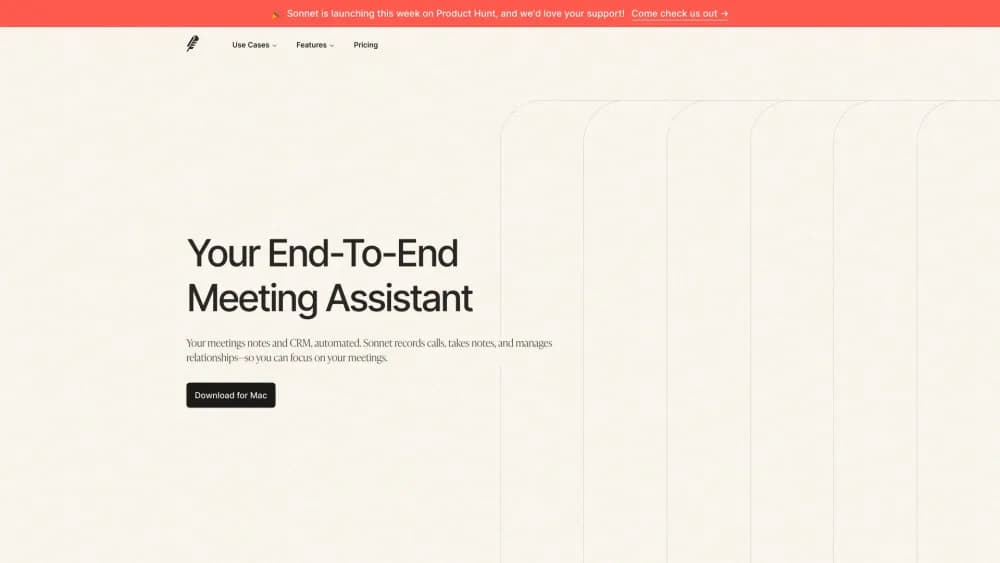
Sonnet AI is a meeting notetaker for Mac and Windows. It records calls from your own device, writes notes, pulls out action items, and keeps a profile of everyone you talk to.
About Sonnet AI
What Is Sonnet AI
Sonnet AI is a desktop AI meeting assistant that sits next to the tools you already meet in. As a meeting note taker it also handles the writing, since the app produces AI meeting notes, transcripts, and tasks. It listens to your device audio, takes down what was said, and produces notes you can read in minutes instead of replaying an hour of video.
The pitch is that you stop taking notes during calls. You show up, the app records, and afterwards you get a transcript, a summary written from a template you pick, and a list of tasks with names and due dates attached. It also builds a page for each person you meet, so before the next call you can see what you discussed last time.
The catch is platform. The Mac build is the stable one and runs on macOS Ventura or newer, with separate downloads for Apple Silicon and Intel machines. Windows users get a public beta, so expect warnings during install and features that may lag the Mac version. The companion mobile app is listed as coming soon.
Getting Started
- Go to the Sonnet website and download the build for your machine, Mac or the Windows beta.
- Install the app and sign in with a Google or Outlook account.
- Connect your calendar, then grant microphone and system audio permissions when the app asks. Recording without those permissions is the most common stumbling block.
- Start a recording from a calendar event or an impromptu session, then talk.
- Pick a template and generate notes, action items, and a participant profile.
Product Information
A quick look at Sonnet AI's pricing, supported platforms, and performance.
Best for
The users, tasks, and scenarios where this tool fits best.
Users
- Sales reps and founders
- Recruiters
- Consultants and freelancers
- Students and researchers
Tasks
- Writing call notes
- Pulling out follow-up work
- Prepping for a second call
- Searching old conversations
Scenarios
- A back to back meeting day
- Client onboarding
- Job interviews
- Networking events
Key features
Meeting Transcription Without a Bot
Sonnet handles meeting transcription by grabbing audio straight from your device, so no meeting bot joins the call and no one has to see a stranger in the participant list. That makes it usable on platforms that block bots, and on calls where a recruiter or a client would notice one. The same approach means it works with Zoom, Meet, Teams, Discord, Slack, and anything else that plays sound.
Template Gallery for Notes
Dozens of templates cover sales, legal, medical, recruiting, and investor conversations. You pick the one that matches the call, and the notes come back structured around it rather than as a generic summary. This is the main reason notes read like they were written by someone who understood the meeting.
Action Items With Owners
Every recording produces a list of tasks, each with a person and a deadline pulled from the conversation. You spend less time re-listening to work out who agreed to do what. The output also links back to auto-updated CRM entries, which matters for teams that lose deals because a follow-up slipped.
Relationship Tracking
The app keeps a profile for each person you talk to, filled in from public information and from your past calls. Before you join, you can see their role, their company, and the topics from the last conversation. Over time this turns into a searchable record of your network that you didn't have to maintain by hand.
Calendar and Reminders
Connecting a Google or Outlook calendar pulls in your events, and multiple calendars are supported so events from secondary accounts show up too. Reminders fire before a meeting starts, which gives you a few minutes to read the participant profile.
Search Across Everything
One search box covers transcripts and notes, across every recording. When a colleague asks what you promised a client in March, you find the line instead of watching an old video. Recordings can also be shared with a link or exported as CSV for relationships and MP4 for the audio, with downloads limited to paid plans.
Pros and cons
Pros
- No bot joins the call, so there's nothing to explain to clients and no platform that refuses to let it in.
- Templates do most of the structuring work, and the notes are specific enough to send without a rewrite.
- Action items land with names and dates attached, which is the part most notetakers get vague.
- Google and Outlook calendars both connect, including secondary calendars, so meetings show up without manual entry.
Cons
- Windows support is still a public beta, so install warnings and rough edges are expected.
- The free plan allows five recordings a month with a 30 minute cap and two months of storage, which is thin for daily use.
- There's no documented public API for meeting notes, so teams that want to push transcripts into their own stack have no official path.
- Setup needs microphone and system audio permissions, and mistakes there show up as silent recordings rather than a clean error.
Frequently asked questions
It records meetings on your computer, transcribes them, and turns each conversation into notes, action items, and a profile of the people involved. It's built for people who meet often and need to remember what was said.
Related content
Explore related tools, skills, and articles for Sonnet AI.
Sonnet AI Alternatives

Udon
Udon · Coding · ProductivityUdon turns an Apple Silicon Mac into a home server you run from a browser, with container controls, file shares, and an optional AI sysadmin.

offstage
offstage cloud · Coding · Productivityoffstage gives AI coding agents and CI jobs a real Mac: a fresh macOS account on Apple silicon, driven over an API and billed by the second.

BotBus
Chengdu Tuyang Tusen Technology Co., Ltd. · Coding · ProductivityBotBus lets you control AI coding agents from your phone and watch: approve commands, start tasks and read results while the code stays on your desktop.