
Sparky
LaterWorks Studio · Productivity
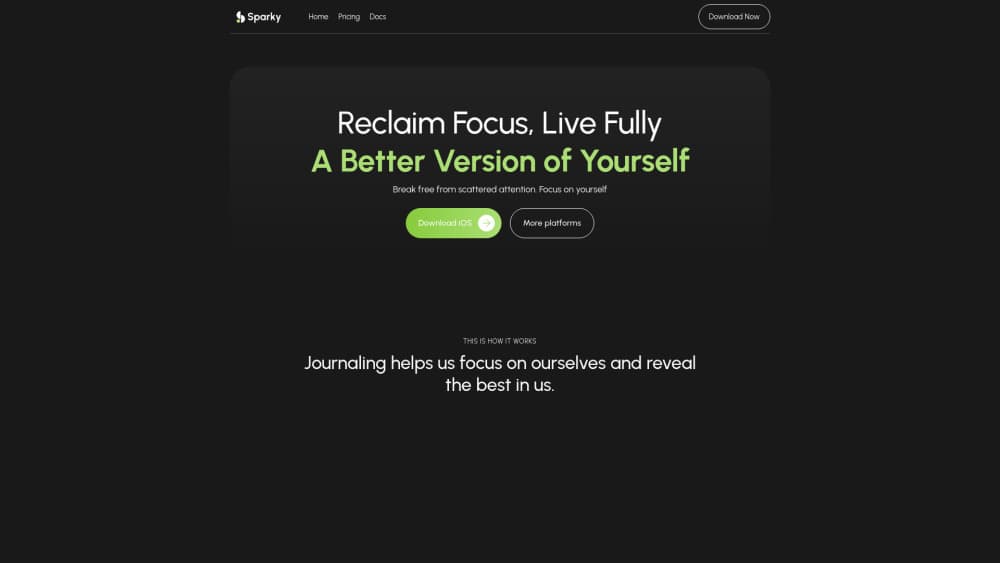
Sparky is an AI journaling and note-taking app for iPhone and iPad that turns your voice notes, tasks, and daily logs into organized records and reflections.
About Sparky
What Is Sparky
Sparky is a daily journal and life recorder built around one idea: capture things the moment they happen and let AI sort them out later. Ideas, reminders, meals, moods, budgets, and journal entries all land in the same timeline instead of scattering across five different apps. You jot, speak, snap, or save a link. Sparky tags and files the entry on its own. No forms. No setup.
The people behind it are LaterWorks Studio, and the product lives on the Apple App Store for iPhone and iPad. There's no Android build right now, so if you're on a Pixel or a Galaxy phone, this one isn't for you yet. That's the whole platform story.
The biggest limitation is exactly where it shines: Sparky leans hard on voice input and AI processing, which means polished voice transcription and AI replies depend on a steady connection and your comfort with cloud processing. If you'd rather keep a paper journal that never touches a server, this is the wrong tool. For a personal growth app, the tradeoff is real: convenience up, privacy down.
Getting Started
- Download Sparky from the App Store and open it on your iPhone or iPad.
- Allow microphone and notification access so voice notes and reminders work properly.
- Tap the input box and start talking, typing, or snapping a photo. No template or setup needed.
- Let Sparky transcribe, tag, and file the entry, then open AI Reply if you want a summary or a to-do list pulled from it.
- Set up a habit or connect your Calendar and Reminders to sync tasks, then check the Stats tab to watch your streaks build.
Product Information
A quick look at Sparky's pricing, supported platforms, and performance.
Best for
The users, tasks, and scenarios where this tool fits best.
Users
- Journalers who hate typing
- Busy students and freelancers
- People tracking habits and moods
Tasks
- Capturing fleeting ideas
- Turning rambling thoughts into a to-do list
- Reviewing your week
Scenarios
- Winding down at night
- Logging meals, moods, and spending on the move
- Morning planning
Key features
Voice, Text, Photo, and Link Capture
You can record a voice note, save a link, snap a photo, or type a line of text, and Sparky accepts all four without making you pick a format first. That matters because most journaling apps force you into a typing screen, which is exactly where good intentions die. Sparky transcribes and cleans up voice notes so a two-minute ramble turns into readable text you can actually search. Talk, and it's done.
AI Reply and Auto-Tagging
Every entry gets tagged automatically, so your meals, moods, and ideas sort themselves into a timeline you can filter later. AI Reply goes a step further: ask it for a summary of your week, a to-do list, or a fresh take on your own notes, and it generates the content from what you've already written. It reads your notes back to you. That's rare.
Smart Events Logging
Instead of a blank page, Sparky treats anything as a loggable event. Vent about a rough morning and it becomes a mood record. Mention lunch and it becomes a meal entry. The system pulls structured records out of casual speech, which means you get trackable data without filling out a form.
Daily Planner and Calendar Sync
The planner covers to-dos and scheduling, and it syncs with your Calendar and Reminders so tasks don't live in two places. You get a single view of what's coming up and what you've committed to, without manually copying dates across apps. Small thing. Big time saver if you already live in Apple's default apps.
Habit Tracking and Rich Stats
You build your own habits, set reminders, and watch streaks grow, with daily, weekly, monthly, and yearly completion rates shown as charts. As a personal habit tracker, it leans on one simple trick: the visual pull of a streak keeps most people honest. Miss a day, and the graph shows it.
Custom Views and Boards
Sparky lets you rearrange views and boards so the app reflects how you actually think, not how the developer assumed you would. You can keep a minimal capture screen for daily use and a denser board for review sessions. Plenty of note apps lock you into one layout. This one doesn't.
Pros and cons
Pros
- Voice-first capture with auto-transcription removes the friction that makes most journaling apps get abandoned.
- AI Reply turns your own notes into summaries and to-do lists, so one entry does double duty.
- Calendar and Reminders sync keeps tasks inside Apple's own apps instead of siloing them.
- Habit streaks and stats give visible progress, which is a real motivator for daily use.
- Custom views and boards let you shape the app around your workflow.
Cons
- iPhone and iPad only, so Android users are locked out entirely.
- Reliance on AI and cloud processing means your most personal entries are handled off-device, which won't suit privacy-first journalers.
- Apple Watch and browser extension capture are still "coming soon," so hands-free logging away from your phone isn't there yet.
- Habit and mood insights are only as useful as your consistency, which is a hard ask on busy weeks.
Frequently asked questions
Sparky is a one-stop recorder for daily life. It combines voice notes, a journal, to-do lists, habit tracking, and AI reflections, so you capture ideas, meals, moods, and tasks in one place and let the app organize them.
Related content
Explore related tools, skills, and articles for Sparky.
Sparky Alternatives

Base Code
Base44 (Wix) · Coding · ProductivityBase Code is a shared cloud development environment from Base44. Teammates describe changes to an existing GitHub codebase in chat, preview them live and send them back as pull requests.

Knocket
Knocket (Tencent RTC team) · Productivity · Business · ChatbotKnocket is a free live chat and contact page tool that lets visitors message you from your website, app, or a shareable link, with every reply handled from Telegram or one inbox.

FloorGen
Vinit Kumar (FloorGen) · Productivity · China AIFloorGen is a browser-based floor plan maker that turns a sentence or a sketch into an editable 2D plan and a 3D walkthrough. Export to PDF, DXF or video, and draw without an account.