

Sparrow
Sparrow · Coding
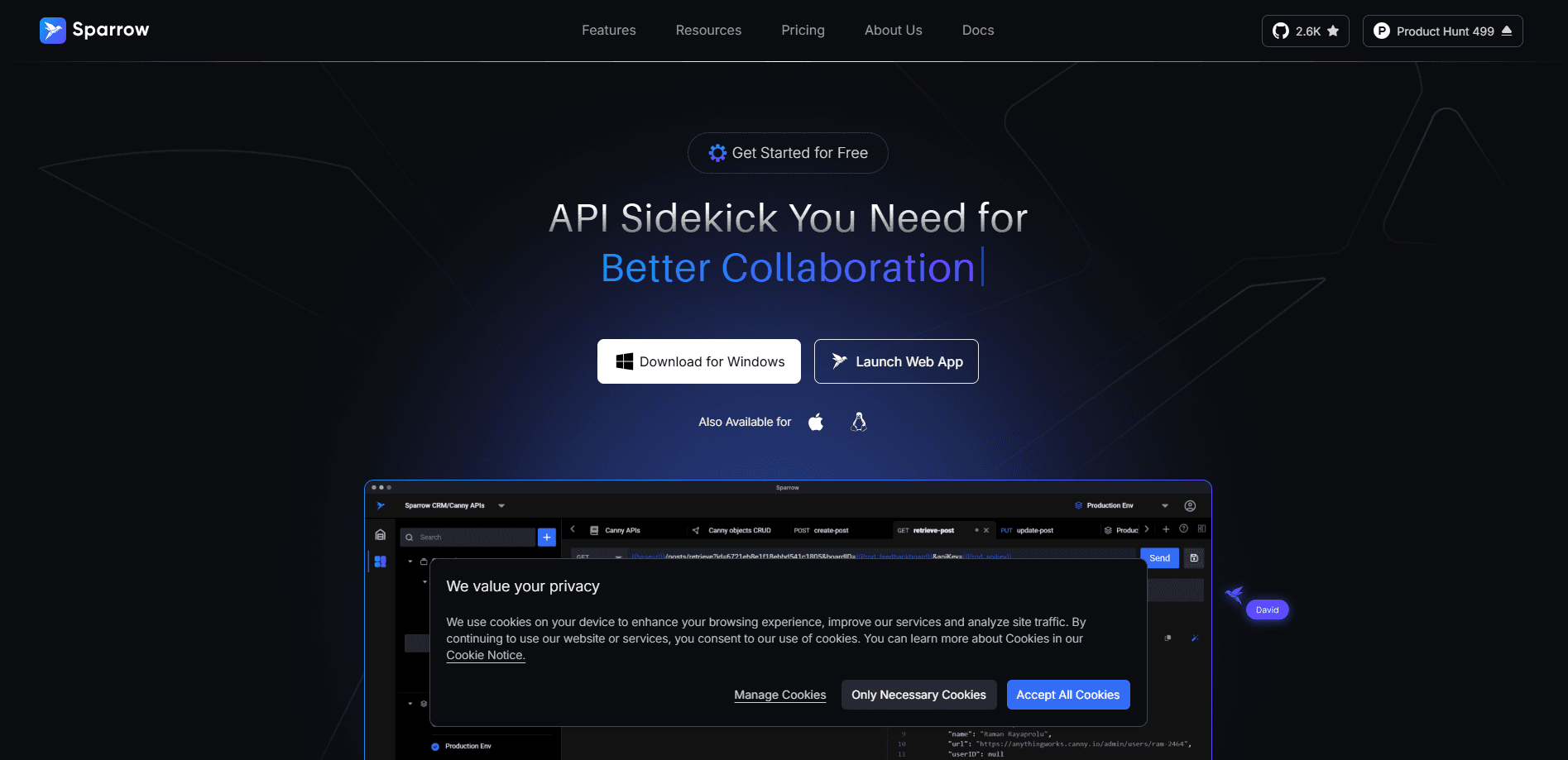
Sparrow is a free, open source API testing app and Postman alternative. It helps developers send requests, automate tests, and collaborate on HTTP, GraphQL, WebSocket, and Socket.IO APIs.
About Sparrow
What Is Sparrow
Sparrow is an API client for building, testing, and automating HTTP and other API protocols. It runs as a desktop app on Windows, Mac, and Linux, and as a web app you can open in a browser. The team behind it positions it as a lightweight, open source API client and a Postman alternative.
The tool targets developers and teams who want to test APIs without paying for an enterprise plan or handing data to a third party. Because Sparrow offers a self-hosted option, companies that handle sensitive systems can run it inside their own infrastructure and keep data private. The company says it doesn't share data with third parties on that deployment path.
The biggest limitation is scope. Sparrow competes on API testing, collaboration, and automation, not on the huge plugin marketplace and integrations that a mature tool like Postman has built over years. Teams that depend on specific third party plugins will need to check whether Sparrow covers their case before switching.
Getting Started
- Download the desktop app for Windows, Mac, or Linux, or open the web app in a browser. A free Community account needs no payment details.
- Create a workspace and a collection, then add your first request by entering a URL and method.
- Switch between environments to point the same request at a local, staging, or production host.
- Group requests into a test flow, run them in sequence, and review the results in the run history.
- Invite collaborators to a shared hub, or self-host the server if your team needs tighter control over data.
Product Information
A quick look at Sparrow's pricing, supported platforms, and performance.
Best for
The users, tasks, and scenarios where this tool fits best.
Users
- Solo developers
- Small teams
- Enterprises with sensitive data
- Developers leaving Postman
Tasks
- Sending and debugging HTTP, GraphQL, WebSocket, and Socket.IO requests
- Automating regression checks
- Generating mock responses
- Managing environment variables
Scenarios
- Onboarding a new API before documentation exists
- Splitting front end and backend work
- Running a security review
- Coordinating across a larger org
Key features
Multi-Protocol API Client
Sparrow sends requests over HTTP, GraphQL, WebSocket, and Socket.IO from a single interface. That matters if your stack mixes REST endpoints with real-time channels, since you avoid juggling two separate tools. Each request type gets the same environment and variable support, so you can reuse setup across protocols.
Sparrow AI Assistant
The built-in AI layer adds a chat agent, an error assistant, an AI request generator, and AI documentation. It reads a failed response and suggests a fix, or turns a plain description into a working request. The free Community plan caps this at 50 requests a month, and paid tiers raise the limit and add models like GPT-4o.
Test Flows and Run History
Test flows chain several API calls in sequence so you can check a whole workflow, not just one endpoint. You pick how many APIs sit in each flow, run them selectively when debugging, and review past runs. Higher tiers keep a longer history, from 7 days on Standard up to 30 days on Enterprise.
Collaboration With Private Hubs
Workspaces and collections organize work, and private hubs give each team a shared, isolated space. Active Sync keeps changes aligned across collaborators. The free plan allows up to 5 people and 3 workspaces, so it suits small groups but not a whole department.
Environment and Secrets Management
Environments let you swap hosts and variables without editing every request. Sparrow Env Vault stores environment variables and secrets apart from the collection, and an Enterprise option lets you plug in your own vault for compliance.
Mock Server and AI Mocking
The mock server returns sample responses so front end teams can build against an API that isn't live yet. Professional and higher tiers add an AI-powered mock server that generates more realistic payloads, and Standard adds mock data generation.
Self-Hosted Deployment
Companies can deploy Sparrow inside their own infrastructure instead of using the hosted service. The company states that this path avoids sharing data with third parties, which matters for teams in regulated industries. Self-hosted pricing is separate and quoted through sales.
Security and Access Controls
Paid tiers add SSO, SAML authentication, hub level access management, and SCIM for automated user provisioning. These features let an IT team tie API access to existing identity systems rather than managing accounts by hand.
Pros and cons
Pros
- The Community plan is free and open source, with unlimited collections and no credit card needed to start.
- One client covers HTTP, GraphQL, WebSocket, and Socket.IO, cutting down on tool switching.
- A self-hosted option lets teams keep API traffic and credentials inside their own infrastructure.
- Built-in AI helpers, including request generation and an error assistant, speed up early API work.
- Pricing scales by feature tier, from a free plan up to a $49.99 Enterprise seat.
Cons
- The free plan limits AI to 50 requests a month and caps collaborators at 5, so heavier users hit paid tiers quickly.
- Advanced features like SAML, SCIM, and unlimited hubs sit in the Professional and Enterprise plans, raising the per seat cost.
- It lacks the large third party plugin library a long established client like Postman offers, so some integrations need a workaround.
- API availability is not documented, so teams hoping to drive Sparrow from scripts or CI pipelines can't confirm an official API.
Frequently asked questions
Sparrow is an API client for building, testing, and automating APIs. Developers use it to send HTTP, GraphQL, WebSocket, and Socket.IO requests, chain them into test flows, generate mock responses, and collaborate on shared collections.
Related content
Explore related tools, skills, and articles for Sparrow.
Sparrow Alternatives

Fuse AI
Fuse AI · Coding · Marketing · BusinessFuse AI is an agentic sales platform for B2B teams. It combines 850M+ contacts, buying signals, and multi-channel outreach, and connects to AI assistants through an MCP server.

OpenBot
Nightly Labs · Coding · Productivity · ChatbotOpenBot is a free, open source desktop workspace that runs Codex, Claude, Gemini and Grok as persistent AI teammates on your own computer, using the AI plans you already pay for.

Rill Browser
Manifold AI Inc. · Coding · ProductivityRill Browser is a free Mac browser that runs Claude Code or Codex beside your tabs, so any page, selection, or task can go to your own coding agent without switching apps.