

Spiky
Spiky.ai · Productivity
Spiky is an AI conversation intelligence platform that records sales calls and meetings, extracts buying signals, and coaches sales reps in real time.
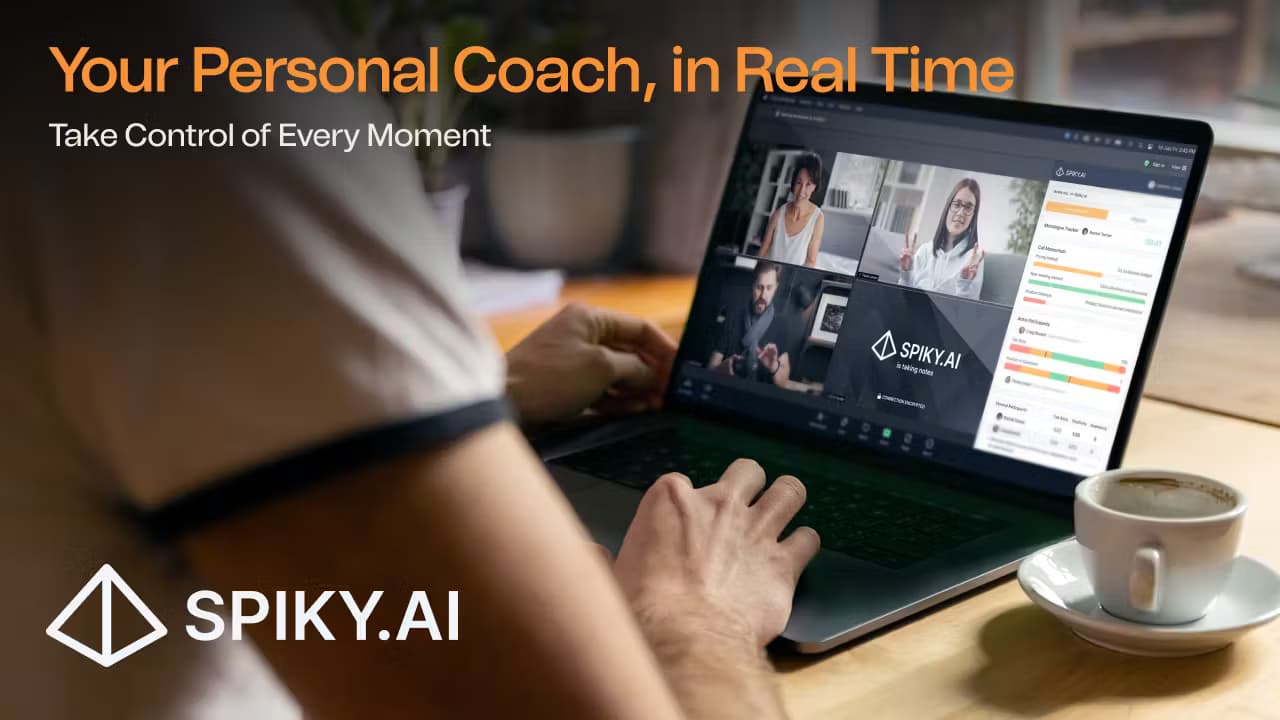
About Spiky
What Is Spiky
Spiky is a conversation intelligence platform built for sales and revenue teams. It listens to every call, video meeting, and email thread, then turns what it hears into structured data your team can act on. The company splits the work into three parts: capturing conversations, extracting signals, and coaching reps while a deal is still live.
The problem it targets is the gap between what happens on a call and what a sales manager ever learns about it. Most teams rely on notes, memory, or a rep's own summary, so coaching arrives days later, if at all. Spiky records and transcribes everything, scores each interaction against a playbook, and pushes guidance to the rep during the meeting through a product called Whisper.
The limits matter as much as the features. Real-time coaching works on video platforms and dialers that record each session separately, so it isn't universal across every calling tool. Advanced features sit behind the higher tiers, and the strongest language coverage (Spiky claims around 95% accuracy for Turkish, based on its own tests) points to a product with a regional edge rather than uniform quality everywhere.
Getting Started
- Create a workspace at spiky.ai and connect a calendar (Google Calendar or Outlook) so Spiky knows which meetings to join.
- Link the tools you already run on, such as Zoom, Microsoft Teams, or Google Meet, plus a CRM like Salesforce, HubSpot, or Pipedrive.
- Set terms to track, upload or build a playbook, and define the thresholds that trigger alerts.
- Let Spiky record and transcribe your next call, then review the summary, topics, and detected signals in the dashboard.
- Turn on Whisper and real-time features on the paid tiers to coach reps during live conversations.
Product Information
A quick look at Spiky's pricing, supported platforms, and performance.
Best for
The users, tasks, and scenarios where this tool fits best.
Users
- Sales reps at small and mid-sized teams
- Sales managers and enablement leads
- Revenue operations teams
- Teams selling in Turkish
Tasks
- Recording and summarizing calls
- Coaching reps in real time
- Tracking keywords and objections
- Updating the CRM automatically
Scenarios
- A rep who keeps losing deals at the pricing stage
- A manager onboarding new hires
- A team scaling a playbook across regions
- A revenue team that wants AI to read its conversations
Key features
Conversation Capture Across Every Channel
Spiky records calls, video meetings, and email threads, not just one type of interaction. It runs in the background during Zoom, Microsoft Teams, Google Meet, and Webex sessions, and captures phone calls from dialers that record each session. The company says more than 20 AI models handle capture and structuring, so a rep doesn't stop to take notes.
Real-Time Coaching With Whisper
Whisper is the live layer. It listens as a call unfolds and pushes short prompts to the rep, covering playbook steps, battlecards, and next-best actions. On higher tiers, advanced participant insights and coaching appear during the meeting rather than in a report the next day. It's the part that separates Spiky from tools that only summarize after the fact.
Revenue Signals and Reporting
Signals digests call and phone recordings into revenue signals, so patterns across a team become visible. Reports can run daily, weekly, or monthly, and a workflow can fire a notification when a call score drops below a threshold. It also ingests data from tools like Gong, Chorus, and Fireflies alongside your own recordings.
Playbooks, Scorecards, and Keyword Tracking
Teams define the behaviors they want and Spiky scores each call against them. Keyword tracking flags pricing objections, competitor names, and buying intent. Scorecards can be generated automatically after each meeting once the Spiky Agent feature is turned on, which gives managers a consistent yardstick instead of a subjective read.
Wide Integration Set
Spiky connects to calendars (Outlook, Google Calendar), video platforms (Teams, Google Meet, Webex, Zoom), and CRMs (Salesforce, Pipedrive, HubSpot, Zoho). Automation runs through Zapier and n8n, and the Spiky Platform API and MCP server let developers push recordings in and pull analysis and signals out. Dialer support covers Dialpad, RingCentral, Aircall, Orum, Nooks, JustCall, 3CX, and Five9.
Security and Compliance
Spiky holds SOC 2 Type II certification, states GDPR and KVKK compliance, and runs on ISO 27001 infrastructure. That mix is aimed at European and Turkish buyers, where data-handling rules are often the deciding factor for a tool that records customer conversations. Bulk battlecard uploads and Azure SSO are available for larger accounts.
Pros and cons
Pros
- Real-time coaching during live calls sets it apart from tools that only produce post-meeting summaries.
- Five tiers from a free plan up to Premium give small teams a low-cost entry and room to grow.
- Wide integration coverage spans calendars, video platforms, CRMs, dialers, and automation tools.
- Strong Turkish transcription accuracy, per the company's testing, fits teams other tools serve poorly.
Cons
- Real-time coaching depends on recordings being split per session, so some dialers and phone setups won't work with Whisper.
- A single license can't be shared across a team, so every user needs their own seat, which raises cost as headcount grows.
- Advanced features like custom battlecards, executive dashboards, and API access sit on the top tiers, so the entry price undersells the full bill.
Frequently asked questions
Spiky records sales calls, meetings, and emails, transcribes them, and turns them into summaries, scores, and signals. Sales teams use it to coach reps and to see which conversations lead to closed deals.
Related content
Explore related tools, skills, and articles for Spiky.
Spiky Alternatives

Udon
Udon · Coding · ProductivityUdon turns an Apple Silicon Mac into a home server you run from a browser, with container controls, file shares, and an optional AI sysadmin.

offstage
offstage cloud · Coding · Productivityoffstage gives AI coding agents and CI jobs a real Mac: a fresh macOS account on Apple silicon, driven over an API and billed by the second.

BotBus
Chengdu Tuyang Tusen Technology Co., Ltd. · Coding · ProductivityBotBus lets you control AI coding agents from your phone and watch: approve commands, start tasks and read results while the code stays on your desktop.