

Spline
Spline · Image
Spline is a browser-based 3D design tool for building interactive scenes and shipping them to the web, iOS, and Android. An AI agent sits inside the editor and works alongside you.
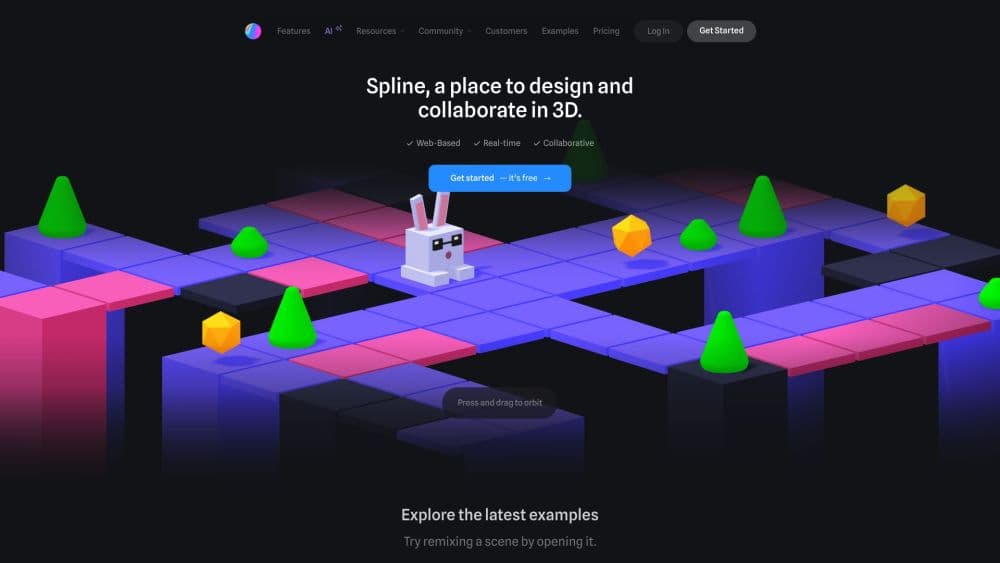
About Spline
What Is Spline
Spline is a web-based design platform for making interactive 2D and 3D experiences and publishing them across platforms. It runs in the browser, so there's nothing to install before you start modeling. You build a scene with primitives, materials, lighting, and animation, add interactivity through events, then export it as an embed, a public URL, or native code for iOS and Android.
What separates it from a traditional modeling suite is the shipping step. Spline treats a design as something you publish, not just render. A scene can carry physics, scroll behavior, and click responses, and it lands on a website or app without a separate conversion pipeline. The company rebuilt the editor as Spline V2 in August 2026, adding an AI agent, a WebGPU renderer, and an MCP server that lets external agents drive the editor.
The trade-off is depth. This is a designer's tool for interactive scenes, not a full character or film modeling package. If you need high-polygon sculpting or a heavy simulation rig, you'll still reach for something else.
Getting Started
- Sign up at spline.design with an email or a Google account. The free plan starts you off immediately with limited personal files and unlimited viewers.
- Create a scene in the 3D editor and drop in primitives, or import an existing OBJ, FBX, or GLB model. Set up a material from the library or build a layered one.
- Add movement and interactivity with states, events, and actions, so the scene responds to clicks, scroll, keys, or collisions.
- Publish the scene as a public URL or embed it with a code snippet, or export native code for the web, iOS, and Android.
- Preview everything in Play Mode before you ship, then upgrade to a paid plan when you need unlimited files, no watermark, or mobile exports.
Product Information
A quick look at Spline's pricing, supported platforms, and performance.
Best for
The users, tasks, and scenarios where this tool fits best.
Users
- Product designers
- Marketing and brand teams
- Web developers
- Beginners curious about 3D
Tasks
- Embedding a 3D object on a landing page
- Animating a product for a marketing clip
- Prototyping an interactive interface
- Generating a 3D model from text or an image
Scenarios
- Building a hero section for a product launch
- Testing an idea before a full build
- Adding a 3D preview to an app
Key features
AI Agent and AI 3D Generation
Spline V2 puts an AI agent inside the editor. You describe what you want, and it builds or edits the scene, with results you can still adjust by hand. A separate generation path turns a text prompt or a reference image into a textured 3D model, with four style options to choose from. The agent works in both the 3D editor and the 2D Hana canvas, so one habit covers both.
Real-Time Rendering and WebGPU
The editor renders as you work, so material and lighting changes show up immediately instead of after a wait. Spline V2 moved to a WebGPU renderer, which brings features like screen-space reflections and higher-fidelity materials. That matters when you're dialing in how a surface catches light, since you can judge it live rather than guessing.
Interactivity with States and Events
Scenes respond to input through states, events, and actions. A click, a scroll, a key press, or a collision can trigger a change, so your design behaves like an interface rather than a clip. This is the core of what Spline is for: making a 3D object react on a live page, not just look good in a still.
Cross-Platform Export
You can publish a scene as a public URL, embed it with the Spline Viewer snippet, or export code for web projects. Paid plans add native embeds for iOS and Android, plus USDZ for iOS AR and STL for 3D printing. The same scene reaches a website, an app, and an AR preview without being rebuilt for each one.
Code API and Runtime
The @splinetool/runtime library loads an exported scene and lets your own code control its objects and events. React and Next.js wrappers build on the same runtime, so a developer can add click handlers or animate an object from outside the editor. This is the bridge between a designer's file and a working product.
Hana: a 2D Canvas
Hana is a second editor for interfaces and animated graphics, built on the same interactivity model as the 3D side. It offers frames, a pen tool, vector networks, booleans, and effects like shadows, blurs, and glass. The AI agent works here too, so you can generate UI frames and interactions the same way you generate a 3D object.
MCP Access for External Agents
The desktop app bundles an MCP server, which lets tools like Claude Code, Cursor, or VS Code drive the editor directly. A connected agent can create and modify objects, materials, lights, cameras, and events. It's a desktop-only feature, so browser users get the built-in agent but not the external connection.
Pros and cons
Pros
- Runs in the browser with no install, so you can start modeling on almost any machine.
- Publishing is built in, letting a design reach a website, an app, and AR from the same file.
- The AI agent and 3D generation speed up early work and stay editable by hand.
- The runtime and code export give developers a real integration path, not just an embed.
- Real-time rendering makes material and lighting decisions fast to judge.
Cons
- The free plan is limited to a small number of personal files and puts a watermark on web exports, so testing at scale needs a paid plan.
- It's aimed at interactive scenes and interfaces, so it won't replace a full modeling or animation suite for character or film work.
- MCP connections for external agents only work in the desktop app, which leaves browser users out.
- AI generation runs on monthly credits that don't roll over, so heavy use can push you past your allowance.
Frequently asked questions
Spline is a browser-based 3D design tool for making interactive 3D and 2D experiences and shipping them to the web, iOS, and Android. People use it for website embeds, product animations, interactive interfaces, and app previews.
Related content
Explore related tools, skills, and articles for Spline.
Spline Alternatives

Google EmbeddingGemma 2
Google DeepMind · Writing · Image · CodingGoogle EmbeddingGemma 2 is a 740M-parameter open model that turns text, code, images, audio, and video frames into vectors in one 768-dimension space, running on phones and laptops.

Tractionwave
TractionWave · Image · MarketingTractionWave is an AI attention heatmap tool for static ads. Upload a PNG or JPG and it returns predicted attention, ranked hotspots, and fixes before you spend budget.

Imejis.io
Imejis.io · Image · MarketingImejis.io is an AI design studio for agents and marketing teams. Describe an image in plain words, and it writes the copy, builds the layout, reflows it to every size, then exports a finished file.