

Stable Diffusion 3 Free Online
Stability AI · Image
Stable Diffusion 3 free online lets you turn text prompts into images through a browser, with no GPU and no install. You can try SD3 on Stability AI's trial and third-party sites.
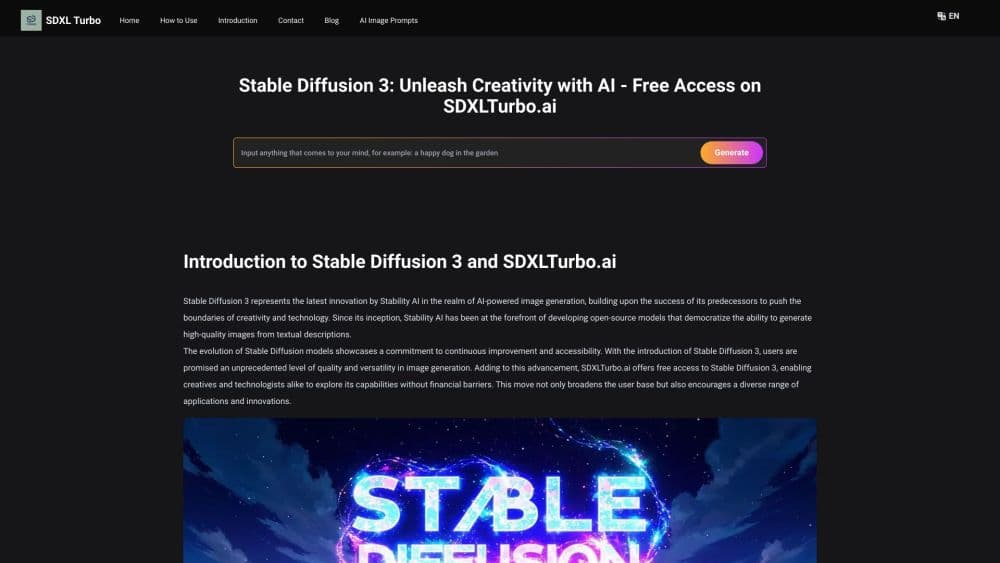
About Stable Diffusion 3 Free Online
What Is Stable Diffusion 3
Stable Diffusion 3 is an AI image generator built by Stability AI that turns written prompts into pictures. It comes from the same line of open image models as earlier Stable Diffusion releases, but it swaps the old architecture for a diffusion transformer that reads prompts more closely. The Medium version, with 2 billion parameters, is the one you can run or try for free.
Running the model yourself usually means a strong GPU and a fair amount of setup. Free online access skips all of that. You type a prompt into a web page, the service runs SD3 on its own hardware, and you get the image back in your browser. That route works on a laptop, a tablet, or anything else with an internet connection. You do trade control and volume for that convenience.
The catch is on the free side. Free plans cap how many images you can make and rarely expose the full model settings, like custom LoRAs or advanced samplers. If you need unlimited output or deep control, you either pay for an API key or self-host the open weights.
Getting Started
- Pick a site that hosts SD3 online, such as the Stability AI platform trial or a third-party playground.
- Create a free account and sign in, since most free tiers tie generation limits to your login.
- Type a prompt, then add a few style words like photo, 3D, or line art to steer the look.
- Set an aspect ratio and click generate, then wait a few seconds for the image.
- Download the result, then tweak the prompt or seed and run it again if you want variations.
Product Information
A quick look at Stable Diffusion 3 Free Online's pricing, supported platforms, and performance.
Best for
The users, tasks, and scenarios where this tool fits best.
Users
- Beginners who want to try AI images
- Students and hobbyists on a budget
- Designers testing an idea before committing
Tasks
- Creating concept art and mood boards
- Making images with short text inside
- Generating quick social or blog visuals
- Sampling the model before self-hosting
Scenarios
- A writer who needs a cover image fast
- A small team weighing the API
- A creator on a low-end laptop
Key features
Browser Access With No Install
You reach Stable Diffusion 3 through a web page instead of a local install. Sign in, type a prompt, and generate, all without downloading weights or configuring drivers. This route opens the model to anyone whose machine cannot run it locally.
Free Tiers to Start
Several hosts let you run SD3 at no cost, often with a daily or monthly image cap. Stability AI's own platform hands new users a small credit balance, and third-party playgrounds offer free browser runs with their own limits. You can test the output before spending anything.
Strong Prompt Adherence
SD3 reads long, layered prompts more closely than earlier versions, according to Stability AI. When you name a subject, a style, and a layout in one sentence, it drops fewer of those details. That cuts the number of retries you need to get the picture you pictured.
Text Rendering Inside Images
Short words and phrases inside a generated image come out readable. This fixes a long-standing weak spot where signs and labels turned into gibberish. It matters for posters, mockups, and any image that carries a caption.
Multiple Hosts and Models
The same model sits behind Stability AI's platform, Replicate, Fireworks AI, and other hosts, and several expose the larger SD3 variants too. You can move between them as your needs change, and the paid path adds the full API for custom setups.
Open Weights for Deeper Control
The Medium model ships as open weights under the Stability Community License. Once you download them, you can fine-tune on your own data, train a LoRA, or wire the model into ComfyUI. Free online use is the on-ramp; the open weights are where full control lives.
Pros and cons
Pros
- No GPU or install needed, so you can generate from any browser.
- Free tiers let you test SD3 before paying for anything.
- Strong prompt adherence keeps detailed briefs on track.
- Readable text inside images saves touch-up work.
- Open weights mean the free online route is not your only path.
Cons
- Free plans cap how many images you can make per day or month.
- Settings are limited online, with little access to LoRAs or samplers.
- Output still varies between seeds, so runs can feel uneven.
- Unmetered output and full control require a paid API key or self-hosting.
Frequently asked questions
It is a way to run the Stable Diffusion 3 image model through a web browser at no cost. Instead of installing the model, you type a prompt on a host's site and it generates the image on its own servers.
Related content
Explore related tools, skills, and articles for Stable Diffusion 3 Free Online.
Stable Diffusion 3 Free Online Alternatives

Google EmbeddingGemma 2
Google DeepMind · Writing · Image · CodingGoogle EmbeddingGemma 2 is a 740M-parameter open model that turns text, code, images, audio, and video frames into vectors in one 768-dimension space, running on phones and laptops.

Tractionwave
TractionWave · Image · MarketingTractionWave is an AI attention heatmap tool for static ads. Upload a PNG or JPG and it returns predicted attention, ranked hotspots, and fixes before you spend budget.

Imejis.io
Imejis.io · Image · MarketingImejis.io is an AI design studio for agents and marketing teams. Describe an image in plain words, and it writes the copy, builds the layout, reflows it to every size, then exports a finished file.