

StampJam
StampJam · Productivity
StampJam is an online digital stamp maker for building custom stamps and applying them to PDFs, contracts, and invoices. It runs in the browser, needs no ink, and offers hundreds of templates.
About StampJam
What Is StampJam
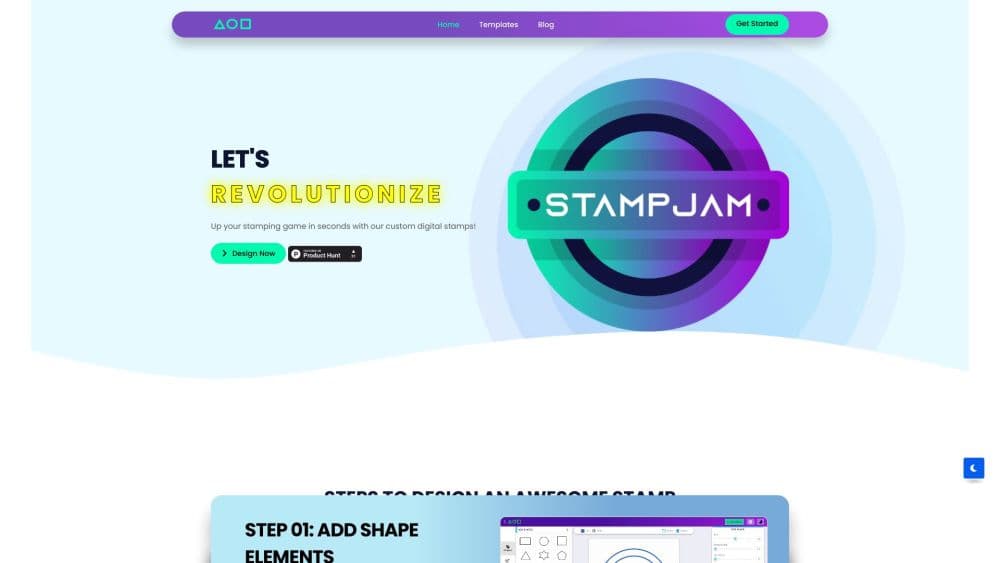
StampJam is a browser tool for building digital stamps. Working as an e-stamp generator, you pick round, oval, or rectangular shapes, then add text, logos, signatures, dates, or borders until the design matches your business. Nothing installs on your machine, and nothing ships in a box.
The product targets paperwork that needs a mark of approval: signed contracts, invoices, certifications, engineer drawings, and clinic records. A stamp you design once can be dropped onto a PDF, reused on later documents, and edited whenever the details change. That reuse is the main draw against a physical rubber stamp, which locks you into one fixed design.
The catch is scope. StampJam works as a digital stamp maker and rubber stamp maker for online files, so anyone who needs an ink impression on paper still has to order a physical stamp elsewhere. The design tool is also tied to a purchased plan: the cheapest tier gives you a finished file but no way to edit it later.
Getting Started
- Open the StampJam editor in your browser and choose a stamp shape, or start from one of the ready-made templates.
- Add your text, logo, or signature, then adjust fonts, colors, and borders.
- Pay for a plan and download the stamp in PNG, PDF, SVG, EPS, or JPG.
- Upload the file to the Stamp your PDF tool to stamp and sign as many pages as you need.
StampJam reports a 5/5 rating from 242 customers. Reviewed features and pricing come straight from the official site.
Product Information
A quick look at StampJam's pricing, supported platforms, and performance.
Best for
The users, tasks, and scenarios where this tool fits best.
Users
- Small business owners
- Engineers and architects
- Medical and clinic staff
- Freelancers and consultants
Tasks
- Stamping a PDF
- Building a logo stamp
- Creating a signature stamp
- Making a date stamp
Scenarios
- Legal and notary work
- Running an office on digital documents
- Batch-processing paperwork at month end
Key features
Shape and Template Library
StampJam covers round, oval, and rectangular stamps, plus industry templates for medical, banking, and notary work. You start from a finished layout instead of a blank canvas, and edit toward your own version.
Logo and Signature Integration
You can merge a company logo or a handwritten signature into the stamp so a single image carries both identity and approval. This suits people who sign off on contracts, reports, or client documents.
Multi-Language Text Support
The editor handles stamps in Arabic, Hindi, English, and other languages, which matters if your documents or audience sit outside a single language market.
PDF Stamp and Sign Tool
The Stamp your PDF tool applies a stamp and signature to a whole document in one click. Teams that process hundred-page files save the manual step of marking each page.
High-Resolution Export Formats
Finished stamps download as PNG, PDF, SVG, EPS, or JPG with a transparent background, so a single design drops into documents, packaging, and print work without extra cleanup.
Saved Designs and Library
The 30-day and 365-day plans store every design in a personal library, so you can copy, edit, or delete a stamp months later instead of rebuilding it from scratch.
Pros and cons
Pros
- Designs stay editable on the unlimited plans, so changing a name or date does not mean buying a new stamp.
- Digital stamps need no ink, no shipping, and no storage, which cuts the recurring cost of physical stamps.
- The Stamp your PDF tool signs multiple pages at once, saving time on long documents.
- Plans are one-time payments rather than subscriptions, so there is no auto-renewal to track.
Cons
- The cheapest Starter plan locks the design after purchase, so you cannot fix errors or update details later.
- There is no free tier, so you pay before downloading even a single stamp.
- StampJam only makes digital stamps, which is a problem if you need a physical ink impression on paper.
- Multi-language support depends on the fonts the editor carries, so some scripts may not render as expected.
Frequently asked questions
Yes. StampJam stamps work on PDFs, Word documents, and other electronic files, and the built-in Stamp your PDF tool applies a stamp and signature to a document in one click.
Related content
Explore related tools, skills, and articles for StampJam.
StampJam Alternatives

Base Code
Base44 (Wix) · Coding · ProductivityBase Code is a shared cloud development environment from Base44. Teammates describe changes to an existing GitHub codebase in chat, preview them live and send them back as pull requests.

Knocket
Knocket (Tencent RTC team) · Productivity · Business · ChatbotKnocket is a free live chat and contact page tool that lets visitors message you from your website, app, or a shareable link, with every reply handled from Telegram or one inbox.

FloorGen
Vinit Kumar (FloorGen) · Productivity · China AIFloorGen is a browser-based floor plan maker that turns a sentence or a sketch into an editable 2D plan and a 3D walkthrough. Export to PDF, DXF or video, and draw without an account.