

StatementSheet
FLUXATH · Productivity
StatementSheet is a browser-based bank statement converter that turns PDF statements into Excel or CSV, checks every row against the running balance, and keeps text-based files off any server.
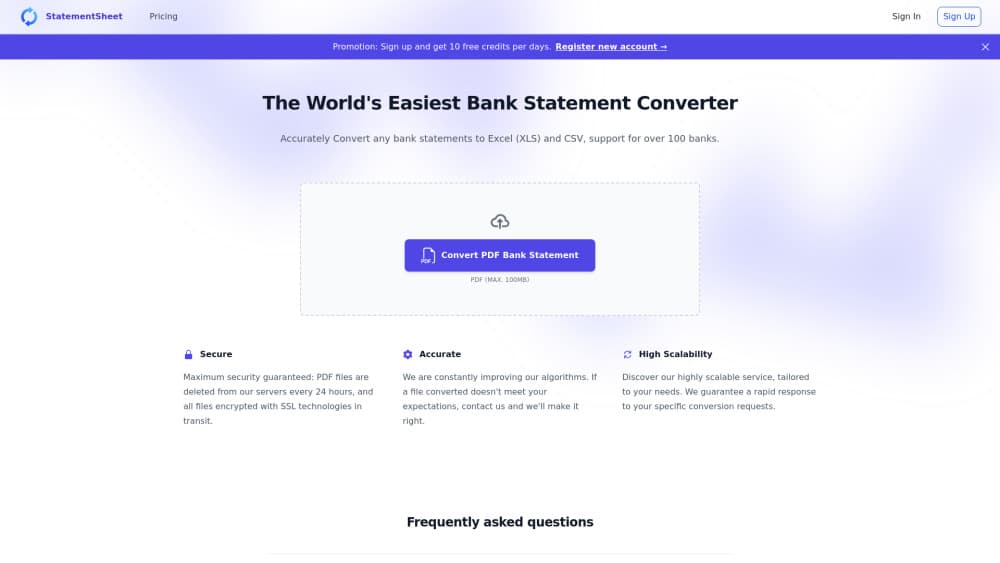
About StatementSheet
What Is StatementSheet
StatementSheet does one job: getting transactions out of a PDF bank statement and into a spreadsheet you can work with. You drop in a file from Chase, HSBC, Revolut or a smaller bank, and it rebuilds the table with dates, descriptions, debits, credits and the running balance intact.
The basic PDF bank statement to Excel job takes seconds. The part that separates it from a generic PDF to spreadsheet tool is what happens after parsing. StatementSheet re-adds each row against the balance printed on the statement. When the arithmetic breaks, that row gets flagged and you fix it before you export anything. A green badge means everything the parser could check tied out.
It's built for people who have to trust the numbers: bookkeepers closing a month, freelancers handing records to an accountant, anyone assembling paperwork for a loan. The tool doesn't connect to your bank or ask for online banking credentials, so nothing gets pulled behind your back.
The limits are worth knowing up front. Nothing gets installed, and there's no template to build before you convert bank statement to Excel, which is most of why the first run is short. Accuracy depends on the PDF itself, and a badly scanned page can still come out shaky even with OCR. There's no API, no team workspace and no scheduled import, so it suits one-off and small-batch work rather than a firm running thousands of pages a week.
Getting Started
- Open statementsheet.app in a modern browser and drop your PDF onto the converter. No account is needed for the free daily allowance.
- Let the parser rebuild the table. Text-based PDFs are read locally in the tab, so the file never travels to a server.
- Review the preview grid and correct any cell that came out wrong. Every edit carries into your download.
- Export an .xlsx workbook, a plain CSV, or the QuickBooks-ready CSV, then import it into your bookkeeping software.
Product Information
A quick look at StatementSheet's pricing, supported platforms, and performance.
Best for
The users, tasks, and scenarios where this tool fits best.
Users
- Bookkeepers
- Freelancers and solo business owners
- Accountants and tax preparers
Tasks
- Turning a monthly PDF statement into a ledger row by row
- Converting a credit card statement to Excel when the client only sent a PDF
- Preparing a QuickBooks import
- Spotting a discrepancy before a mortgage or loan review
Scenarios
- Tax season, when a client sends six months of statements in one email
- Onboarding a new client and rebuilding last year's books
- One oversized statement in the middle of a small job
Key features
In-Browser PDF Parsing
Digital statements are parsed inside the browser tab, so the PDF itself never reaches StatementSheet's servers. That matters if your client contract forbids uploading financial records to a third party. Only the parsed rows you can see get sent once to generate the export file, then discarded.
Balance Reconciliation
This is the feature that changes how much you trust the output. StatementSheet re-adds each transaction against the running balance it read from the statement, and ties the total to the closing balance. Any row that breaks the math is flagged in the grid. Most converters just hand you rows and hope.
Excel and CSV Export with a QuickBooks Path
You get a formatted .xlsx workbook, a plain bank statement to CSV file, or a QuickBooks-ready CSV. The last one saves the column mapping step that eats time on every import. Files open cleanly in Excel, Google Sheets and Xero.
On-Device OCR for Scanned Pages
Scanned statements get OCR on your own machine first. If a page is too poor to read, StatementSheet asks before sending it to cloud OCR, and it won't send anything on its own. You can also type the missing rows into the grid by hand.
Editable Preview Grid
Every parsed row shows up in a grid you can edit before export. A misread amount or a description split across two lines takes a click to fix. Edits flow into the download, so there's no second cleaning pass in Excel.
Pay-As-You-Go Credits
There's no subscription tier and no card on file by default. Credits run $9 for 150 pages or $29 for 600 pages, never expire, and carry a 14-day refund on unused ones. The free plan gives 10 pages a day without an account, or 30 pages a month once you register.
Pros and cons
Pros
- The balance reconciliation makes silent arithmetic errors visible, which is the failure mode that actually wrecks a bookkeeping job.
- Text-based PDFs never leave your browser, a real advantage for client confidentiality clauses.
- No subscription: a $9 pack covers 150 pages and the credits don't expire.
- Balance reconciliation, on-device OCR and the QuickBooks export all sit in the free tier.
- The editable grid catches the small parse errors that would otherwise cost an hour in Excel.
Cons
- There's no API, so nobody can wire the converter into their own intake pipeline.
- Handling is one file at a time, which gets slow for an accountant processing 50 statements in a sitting.
- Cloud OCR is never automatic. A stack of poor scans needs a manual approval per page, which adds clicks on older documents.
- Reconciliation only works where the parser can read a balance column, so a statement without one falls back to plain row extraction with no safety check.
Frequently asked questions
It converts a PDF bank statement into Excel, CSV or a QuickBooks-ready CSV. It reads the transactions, rebuilds the table, and checks the running balance before you download.
Related content
Explore related tools, skills, and articles for StatementSheet.
StatementSheet Alternatives

Base Code
Base44 (Wix) · Coding · ProductivityBase Code is a shared cloud development environment from Base44. Teammates describe changes to an existing GitHub codebase in chat, preview them live and send them back as pull requests.

Knocket
Knocket (Tencent RTC team) · Productivity · Business · ChatbotKnocket is a free live chat and contact page tool that lets visitors message you from your website, app, or a shareable link, with every reply handled from Telegram or one inbox.

FloorGen
Vinit Kumar (FloorGen) · Productivity · China AIFloorGen is a browser-based floor plan maker that turns a sentence or a sketch into an editable 2D plan and a 3D walkthrough. Export to PDF, DXF or video, and draw without an account.