

Stormi AI - Free AI Art generator
NCU Technologies · Image
Stormi AI is a free AI art generator from NCU Technologies that turns text prompts into images. It had a 100-image monthly free plan, but the site is now offline.
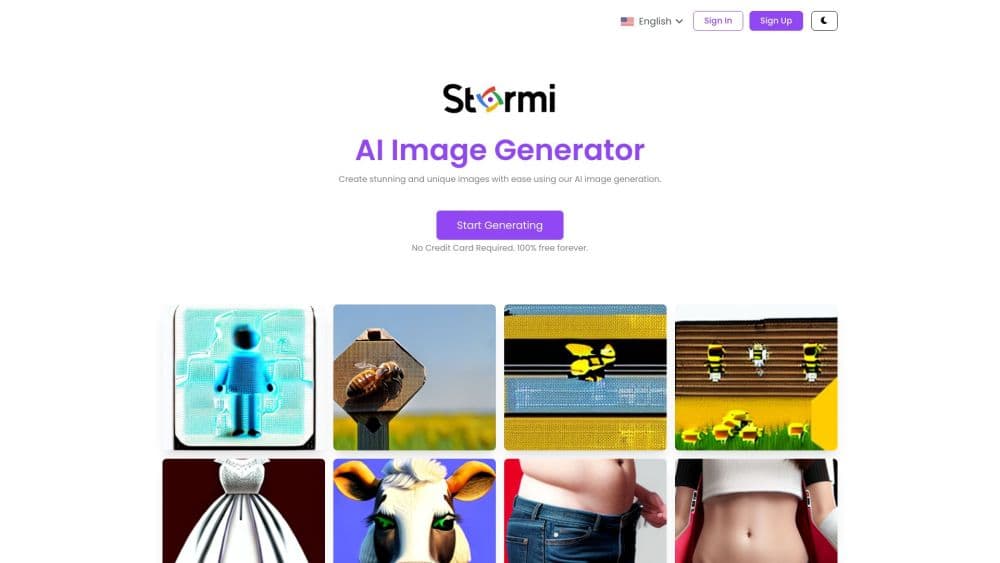
About Stormi AI - Free AI Art generator
What Is Stormi AI
Stormi AI is a browser-based AI image generator built by NCU Technologies. You type a description, pick a style and a few output settings, and the service sends back finished AI artwork you can download. No tablet, no design suite, no drawing skill.
It was sold as a free AI art generator with a capped free plan, roughly 100 images a month, and paid upgrades that raised the ceiling rather than unlocking hidden features. That combination made it an easy first stop for people curious about text to image tools.
The limits were built in. There was no layer editor, no inpainting, and no way to adjust one detail without running the whole prompt again. Output tracked the quality of your wording, so a vague request came back as a generic picture. Those constraints matter little for mood boards and a lot for client work with a fixed brief.
Availability is the bigger problem. As of October 2026, stormi.ai no longer loads a working app. The domain sends visitors to a parked landing page, and traffic trackers listed under 200 visits a month before it went dark. Read the pricing and feature details here as a record of how the tool worked, not as a live offer.
Getting Started
- Open stormi.ai in a desktop or mobile browser and create an account with an email address. There was no desktop app and no guest mode.
- Write a prompt in the generator box. Subject, lighting, and art style words gave better results than one-word requests.
- Choose a style preset and an output ratio. Presets covered surreal, sci-fi, and cartoon looks, so you could skip art direction vocabulary.
- Run the generation and wait in the queue. Each job returned a small set of variants, and you kept the one that worked.
- Download the file. Every generation counted against the monthly quota, including the variants you discarded.
Product Information
A quick look at Stormi AI - Free AI Art generator's pricing, supported platforms, and performance.
Best for
The users, tasks, and scenarios where this tool fits best.
Users
- Hobbyists with no design training
- Social media managers on a tight budget
- Students and teachers building slide visuals
- Indie writers and game designers
Tasks
- Drafting concept art
- Making post images
- Testing prompt ideas
- Creating avatars and profile art
Scenarios
- Early project mood boards
- Low-stakes content fill
Key features
Text to Image Generation
You describe a scene in plain language and the model renders it. The prompt box accepted detailed attributes such as subject, setting, lighting, and mood, and that was where most of the control lived. Concrete prompts beat short ones by a wide margin.
Style Presets
Preset looks handled art direction for people who don't know the vocabulary. Listings for the tool mention surreal, sci-fi, and cartoon styles along with themed space scenes, so a user could land on a coherent aesthetic without writing style keywords. The tradeoff was sameness, since popular presets showed up in a lot of similar images.
Monthly Free Quota
New accounts could generate around 100 images a month at no cost. That covered casual use and prompt testing, and it let people judge the output before paying. Heavy users hit the cap fast, because each variation counted toward the total.
Paid Plans for Volume
Upgrades raised the monthly image count instead of unlocking features. The entry plan sat at $2.99 a month, a Pro plan at $9.99 covered about 1,000 images, and a business plan at $24.99 covered around 3,000. Pricing scaled with output, not with model access.
Royalty-Free Downloads
The service described generated images as royalty-free for personal and commercial projects. That claim made it usable for client work and monetized content. The terms lived on a site that no longer resolves, which leaves anyone depending on them without a document to point to.
Browser-Only Workflow
Everything ran in the browser, with no install and no GPU requirement. A phone worked as well as a laptop for prompting and downloading, which suited people who generate on the go. The catch was total dependence on the servers: when the site went down, the workflow went with it.
Pros and cons
Pros
- Free plan with about 100 images a month, enough to judge the tool before paying.
- Entry price of $2.99 a month undercuts most AI image subscriptions.
- Style presets shorten the prompt learning curve for beginners.
- No install, no GPU, and nothing to configure beyond a description.
- Royalty-free terms covered commercial use, which simplified client projects.
Cons
- The site is offline as of October 2026, so new signups and existing workflows both hit a dead end.
- Output quality swings with prompt wording, and hands, lettering, and fine detail often needed retries.
- No editing tools after generation. Fixing one element meant rerunning the entire prompt.
- Every variant counted against the quota, so the free plan ran out faster than the headline number suggests.
Frequently asked questions
No. As of October 2026, the stormi.ai domain redirects to a parked landing page instead of the generator. Anyone who needs a working AI art generator has to look at tools that are actively maintained.
Related content
Explore related tools, skills, and articles for Stormi AI - Free AI Art generator.
Stormi AI - Free AI Art generator Alternatives

Google EmbeddingGemma 2
Google DeepMind · Writing · Image · CodingGoogle EmbeddingGemma 2 is a 740M-parameter open model that turns text, code, images, audio, and video frames into vectors in one 768-dimension space, running on phones and laptops.

Tractionwave
TractionWave · Image · MarketingTractionWave is an AI attention heatmap tool for static ads. Upload a PNG or JPG and it returns predicted attention, ranked hotspots, and fixes before you spend budget.

Imejis.io
Imejis.io · Image · MarketingImejis.io is an AI design studio for agents and marketing teams. Describe an image in plain words, and it writes the copy, builds the layout, reflows it to every size, then exports a finished file.