

Structa
Structa · Coding
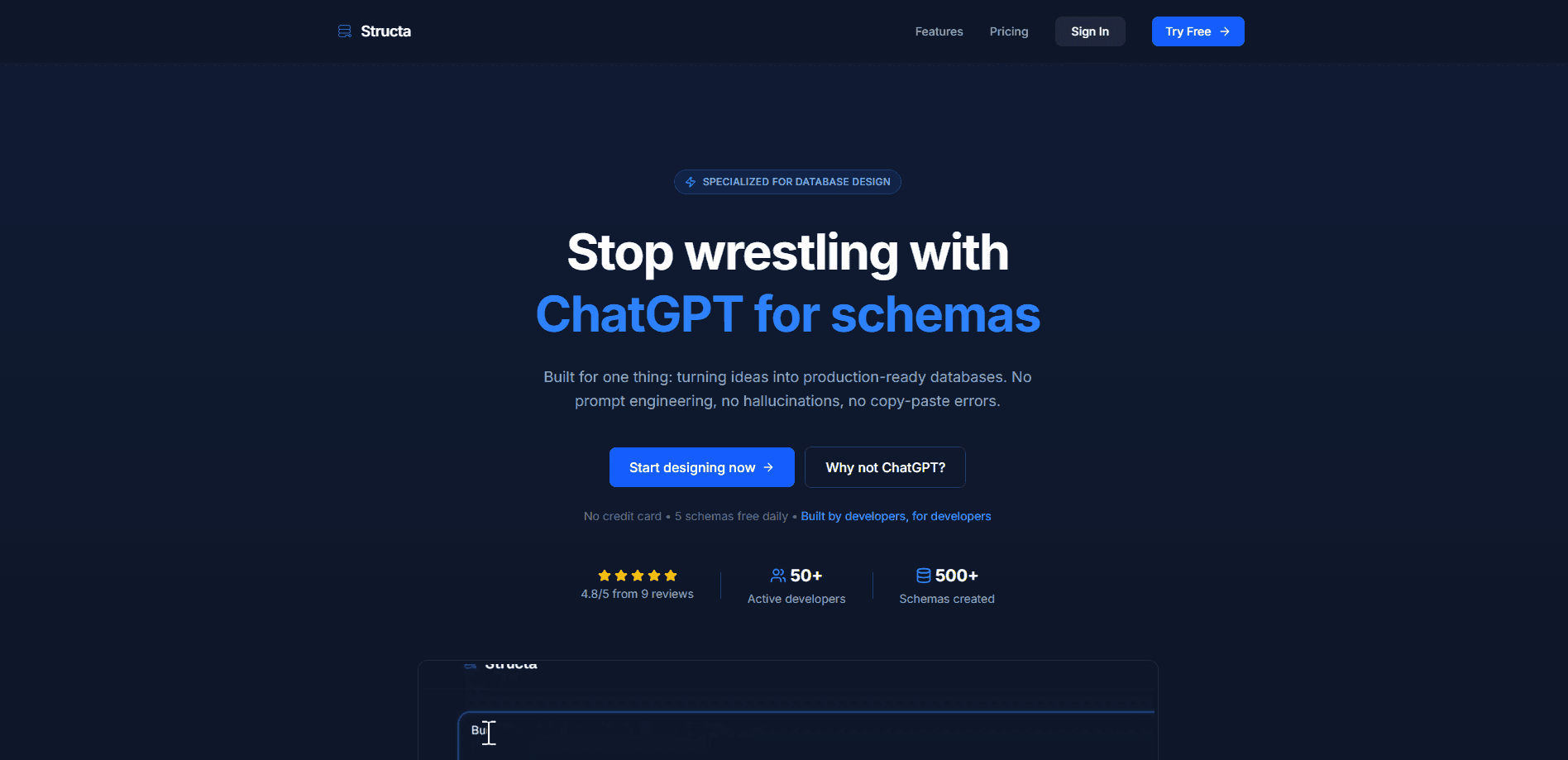
Structa is an AI database schema generator that turns plain English descriptions into production-ready database schemas. You describe the app you're building, and it produces validated SQL with proper constraints and relationships, a Prisma schema, migration files, or a shareable ER diagram you can edit visually. It targets developers and small teams who want a working database design in minutes instead of an afternoon of copy-pasting from a chatbot.
About Structa
What Is Structa
Structa is a web-based database schema designer built around one idea: you shouldn't need perfect prompts to get a usable database. It works as a natural language to SQL tool, so you type something like "a store with users, orders, and products," and the SQL schema generator returns a structured schema with tables, fields, keys, and relationships already wired up. From there you refine it in a drag-and-drop visual editor rather than regenerating everything from scratch.
The main problem it solves is the gap between a rough idea and a real schema. Generic chatbots will happily hand you SQL, but it often comes with broken formatting, invented constraints, and no way to see how the pieces connect. Structa adds a visual layer and validation on top of the generation step, so what you get can go straight into a project.
The biggest catch is scope. Structa is purpose-built for relational database design. Simple as that. It isn't a general coding assistant, and it won't build your application logic or write your API. If your project needs something outside schema design, you'll still reach for other tools. There's also a usage limit on the free tier, which matters if you're prototyping several projects at once.
Getting Started
- Go to trystructa.com and start a new schema without signing up. No credit card is required for the first three schemas.
- Describe the app or data model in plain English. Skip the prompt engineering; short, ordinary descriptions work.
- Open the visual editor to review tables and relationships, then drag, drop, and connect things until the structure matches what you had in mind.
- Export the result as SQL, a Prisma schema, migration files, or an ER diagram, and paste it into your project.
Product Information
A quick look at Structa's pricing, supported platforms, and performance.
Best for
The users, tasks, and scenarios where this tool fits best.
Users
- Backend and full-stack developers
- Indie hackers and solo founders
- Small product teams
Tasks
- Turning a rough feature spec into tables, fields, and foreign keys before writing any code.
- Generating a Prisma schema for a Node project so migrations match the intended data model.
- Producing an ER diagram for a design review or onboarding doc.
- Prototyping a data model for a Supabase project and deploying it with one click on a paid plan. Structa doubles as a quick ER diagram tool when you need something visual to share.
Scenarios
- Early-stage planning
- Refactoring an existing database
- Teaching and demos
Key features
Natural Language Schema Generation
You describe your app in ordinary sentences, and Structa returns a structured database schema. The point is that it reads intent without you crafting a precise prompt. It understands common database design patterns. So "a blog with authors, posts, and comments" gets you a sensible relational shape rather than a flat guess.
Visual Schema Editor
The editor shows your whole database as a diagram you can manipulate directly. You drag tables, drop new ones, and connect relationships by hand. That's the appeal. This matters most when the generated result is almost right and you'd rather nudge a single field than regenerate the entire schema from a new prompt.
Validated, Production-Ready Output
Structa builds in validation for SQL, constraints, indexes, and relationships. That distinction is the whole pitch against generic chatbots, which tend to invent constraints or drop them entirely. The output is meant to be copied into a project without a cleanup pass.
Multiple Export Formats
Once a schema is ready, you export it in the format your stack expects: SQL for most databases, a Prisma schema, migration files, or a shareable ER diagram. That flexibility saves time. The free tier covers one export in total; paid plans remove that limit.
Supabase Deployment
Paid users can deploy a schema straight to a Supabase database with smart migrations instead of hand-running the SQL. The feature supports iterative updates, so you can push changes as the model evolves. It's a Pro-tier feature, not something the free plan includes.
Iterate Without Regenerating
If something's wrong, you change it visually. No re-prompting. No hoping for a better result. For anyone who has fought a chatbot into submission over a single column type, that alone is a reason to care.
Pros and cons
Pros
- Fast first draft of a schema from a plain description, with no prompt engineering required.
- Visual editor makes fixing a generated schema quicker than re-describing it.
- Export covers SQL, Prisma, migrations, and ER diagrams, so it fits several workflows.
- Free tier lets you try three schemas and one export without a credit card.
- Validated output aims at real constraints and relationships rather than a raw SQL dump.
Cons
- The free plan caps you at three schemas and a single export, so serious prototyping runs into the paywall fast.
- Relational schema design only. It won't help with application code, API logic, or non-relational data modeling.
- One-click Supabase deployment sits behind a paid plan, so the free tier still means manual setup.
- Young product. The community and third-party integrations are thin next to long-standing database tools.
Frequently asked questions
It converts a plain-English description of your app into a database schema, then lets you refine that schema visually and export it as SQL, a Prisma schema, migrations, or an ER diagram.
Related content
Explore related tools, skills, and articles for Structa.
Structa Alternatives
Forefront
Forefront · CodingForefront is a web platform for building with open-source AI. It lets you fine-tune leading open-source language models on your own data, evaluate how they perform, and run them through an API or export them to host yourself. Developers who want the convenience of a closed-source platform but insist on owning their models and data are the target audience here.

Startkit
StartKit.AI · CodingStartkit is a boilerplate for building AI SaaS and AI wrapper products. Think of it as an AI startup boilerplate with the boring parts already wired up: authentication, Stripe and Lemon Squeezy payments, usage limits, transactional email, and an AI API starter that talks to OpenAI, Anthropic, Groq, or Llama. You clone the repo, set your price, and start on the part of your product that people actually pay for. It's Next.js under React and Tailwind, so most of the boilerplate code already feels familiar.
Testim
Tricentis · CodingTestim is an AI-powered test automation platform for building and running end-to-end tests across web, mobile, and Salesforce applications. It leans on machine learning to keep tests stable when an interface changes, so teams spend less time fixing broken selectors. Not bad for an automated testing tool you can start using today. You create tests by recording actions in a browser, then optionally add JavaScript when you need more control. It's a solid pick for busy QA teams.