

Studley AI
Studley AI Inc. · Productivity · Leaning
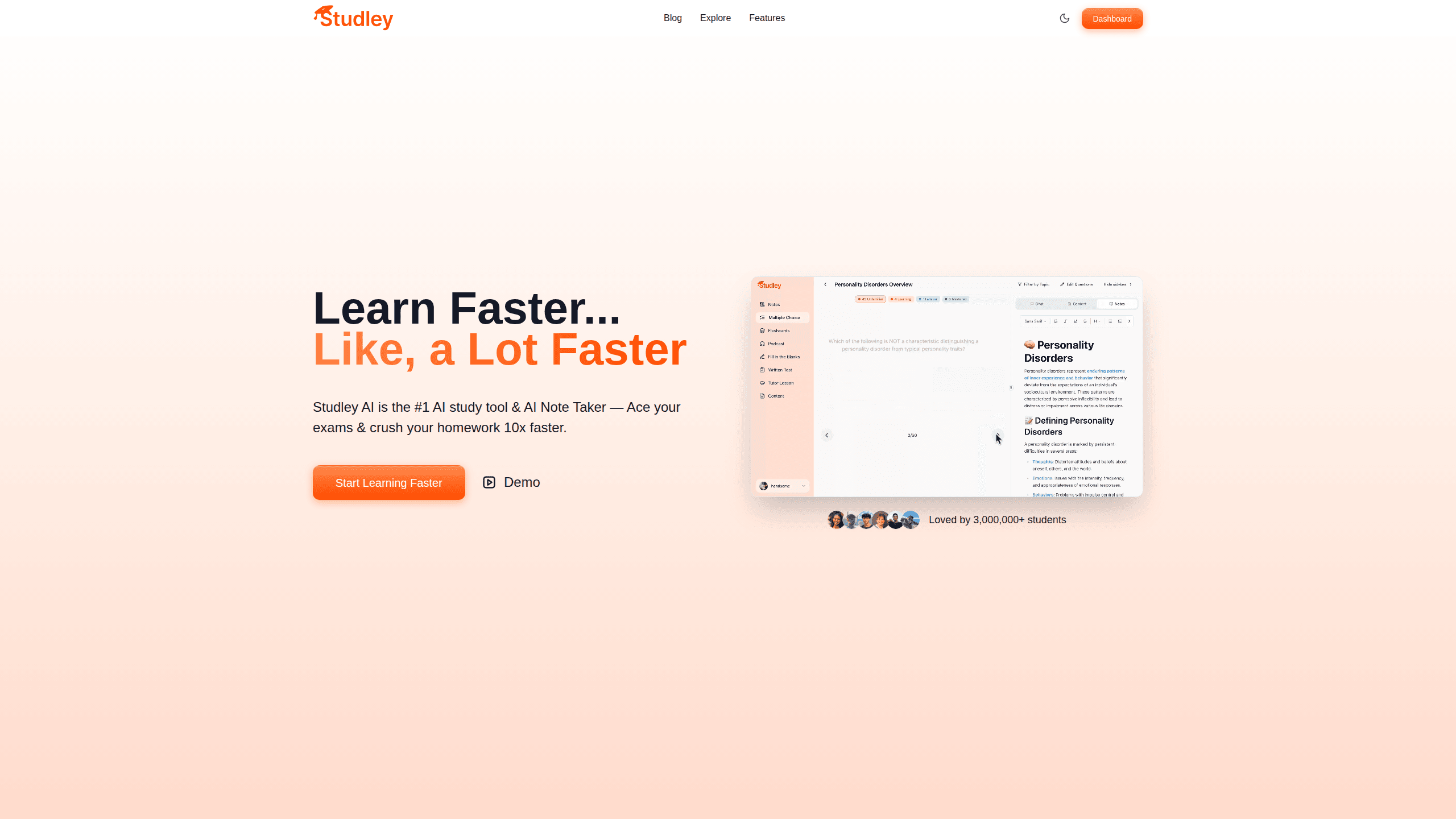
Studley AI is an AI study tool and note taker that converts almost any learning material into flashcards, quizzes, notes, and audio podcasts in seconds. Upload a lecture recording, a PDF, a slide deck, or even a YouTube link, and the app builds the study material for you. It's aimed at high school and college students who want to spend less time organizing review material and more time actually learning it.
About Studley AI
What Is Studley AI
Studley AI is an AI-powered study companion built by Studley AI Inc. Its job is simple to describe: you give it your course content, and it hands back study tools. Lecture recordings, class notes, textbook pages, slide decks, PDFs, and YouTube videos all work as inputs. Out comes a set of flashcards, a practice quiz, a summary, or a podcast episode you can listen to on the way to class. The pitch is the same one every generation of students hears from a new app. This one backs it up with real breadth.
The problem it solves is the boring part of studying. Making flashcards by hand can eat an hour per chapter, and revising your own notes usually means rereading the same dense paragraphs until you skim past them. Studley AI automates that organization step. Active recall starts sooner.
The biggest limitation is that AI-generated study material needs checking, because quiz answers and flashcard wording can quietly drift away from your specific syllabus, so you'll want to skim what comes out before you trust it for a final. It also leans on subscriptions for its best features. The free tier is limited. Not ideal if you're on a tight budget.
Getting Started
- Create an account on the Studley AI website or download the app for iOS or Android.
- Upload your material: a PDF, lecture slides, handwritten notes in photo form, a recording, or a YouTube link.
- Pick the output you want, whether that's flashcards, a quiz, a summary, or a podcast.
- Review the generated set and trim anything that doesn't match your course.
- Study with active recall, then re-test yourself a day or two later.
Product Information
A quick look at Studley AI's pricing, supported platforms, and performance.
Best for
The users, tasks, and scenarios where this tool fits best.
Users
- High school students
- College undergraduates
- Self-learners
Tasks
- Building flashcard decks from a chapter
- Turning a lecture recording into review notes
- Creating a study podcast from your notes
- Generating practice quizzes
Scenarios
- The week before finals
- Catching up after a missed class
- Language and vocabulary practice
- Group study sessions
Key features
Material Upload From Almost Any Source
Studley AI accepts PDFs, lecture slides, class notes, photos of handwritten pages, audio recordings, and YouTube videos. That range matters. Students rarely have their material in one tidy format. A typical week might mean a scanned handout, a voice memo of a lecture, and a video link. All three can go into the same tool.
AI Flashcard Generation
The flashcard builder reads your uploaded content and pulls out key terms, definitions, and concepts, then formats them as study cards. It's the feature that saves the most time, since hand-writing a full deck is where most students quietly give up on flashcards altogether.
Quiz and Practice Question Generation
Beyond flashcards, Studley AI writes practice quizzes from your material. These are meant for self-testing rather than grading, so you can use them to spot weak areas. A quiz generated from your own notes tracks closer to what your teacher actually covered. A generic question bank won't.
AI Notes and Summaries
Dense documents get compressed into structured notes and summaries. This is where the app earns its keep during reading-heavy courses, when a forty-page chapter needs to become something scannable. Treat the summary as a map of the chapter, not a replacement for reading it.
Study Podcasts From Your Own Notes
One of the less common features here: Studley AI can turn your material into an audio episode you can listen to. Study podcasts won't replace focused review. They work well for the dead time in a day, like a commute or a gym session, when reading isn't practical.
AI Tutor Chat
A chat assistant answers questions about your uploaded content. It's the closest thing to having someone to explain a concept at 2 a.m. Handy. The chat stays anchored to your own material rather than drifting into unrelated topics.
Cross-Platform Access
Studley AI runs on iOS, Android, and the web, with the same account across devices. Start a deck on a laptop in the library and pick it up on your phone later. The mobile apps carry the same core tools. No desk required.
Pros and cons
Pros
- Turns PDFs, recordings, slides, and videos into study material without manual conversion
- Generates flashcards, quizzes, summaries, and podcasts from a single upload
- Mobile apps for iOS and Android make review possible away from a desk
- Podcast export is unusual for a study app and fits commuting or workouts
- Free tier lets you test the workflow before paying
Cons
- Generated material needs verification, since quizzes and cards can miss syllabus specifics
- The free plan caps how much you can generate, so heavy users hit the paywall fast
- No public API, which rules out automating it into a custom study workflow
- Best results depend on decent source quality; messy handwritten notes produce messy output
Frequently asked questions
It converts your study material into flashcards, quizzes, notes, and audio podcasts. You upload a file, recording, or video link, and the app generates review content from it.
Related content
Explore related tools, skills, and articles for Studley AI.
Studley AI Alternatives

Swms
Swms AI · Writing · Productivity · BusinessSwms is an AI safety compliance tool that turns a plain description of a job into ready-to-use safety documents. Describe your project, trade, and known hazards, and it writes a safe work method statement, job hazard analysis, safe work procedure, RAMS, or safety data sheet in seconds. It also ships with Oscar, a chat assistant that answers workplace safety questions in any language. Teams in construction, mining, transport, and warehousing use it to cut the paperwork that usually eats into a workday.

Wordly AI Translation
Wordly · Voice & Language · ProductivityWordly AI Translation is a real-time AI translation and captioning platform built for meetings, conferences, and events. It delivers live translation, captions, transcripts, and summaries in more than 60 languages, and attendees join by scanning a QR code or opening a link instead of using dedicated headsets. The platform works with Zoom, Microsoft Teams, Google Meet, and Webex, and it's designed for organizations that want multilingual access without hiring human interpreters for every session. Simple as that.

Rows
Rows (Superhuman) · Productivity · BusinessRows is an AI spreadsheet and data analysis tool that imports live data from more than 50 sources, then lets you work with it using plain language instead of SQL queries or nested formulas. You can pull numbers out of PDFs, connect ad platforms, databases, and bank accounts, and ask the AI to build reports, merge datasets, or set up models that recalculate themselves. It runs in the browser, works like a spreadsheet, and now sits under the Superhuman umbrella.